The Power of LinkedIn Automation Tools in 2026
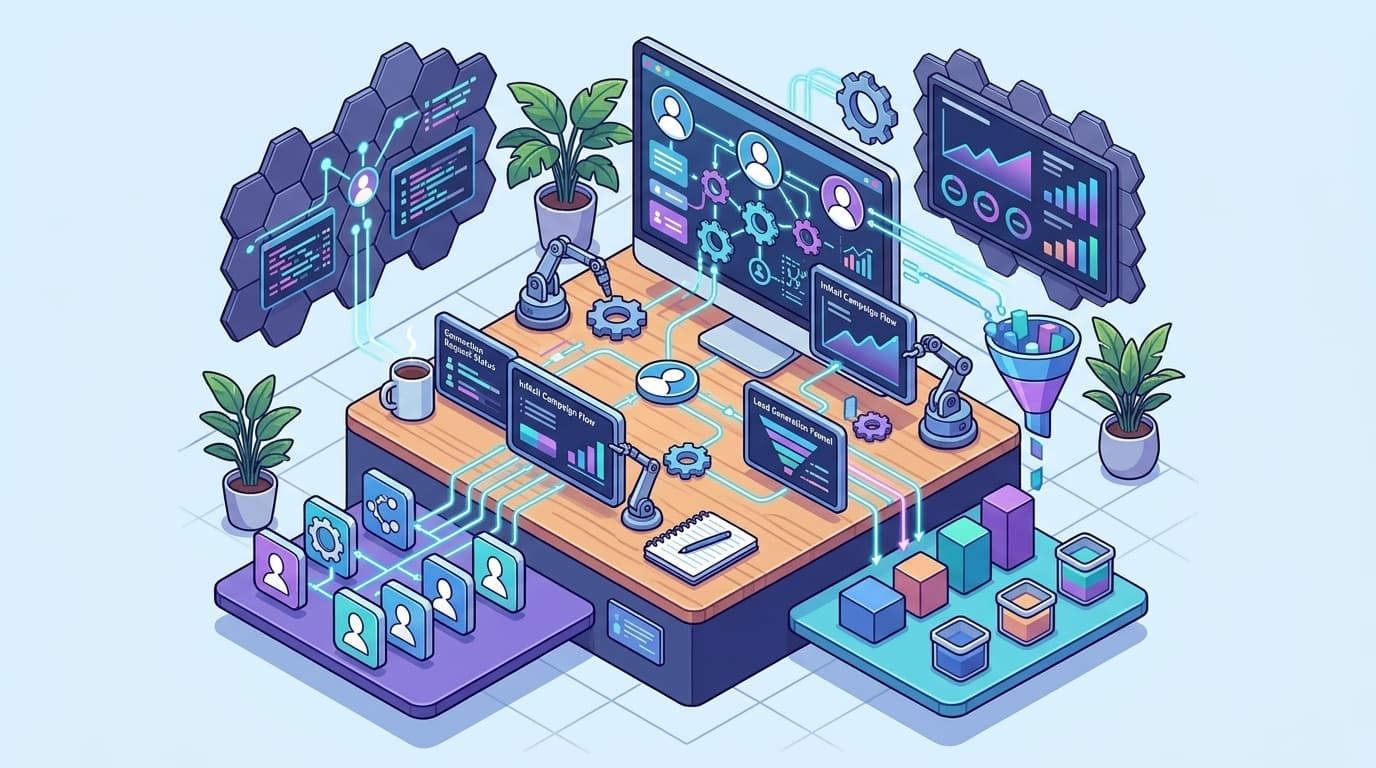
LinkedIn automation tools are advanced software that schedule posts, analyze engagement data, manage messaging, and monitor competitors—all with minimal effort. In 2026, these tools empower founders, marketers, and entrepreneurs to optimize their presence efficiently and at scale. If you're still juggling spreadsheets and manual reminders, you're not just wasting time—you're sabotaging your growth.
Imagine this: it's 9:47 pm on a Tuesday. You remember you haven't posted to LinkedIn all week. Your content plan is buried under urgent emails. When you do post, your reach stalls, your inbox is empty, and LinkedIn's insights feel shallow compared to your competitors. It's frustrating, especially when others achieve clear ROI from their LinkedIn strategies.
Here's the truth: LinkedIn automation tools are no longer optional. They're the secret behind the visible founders, thought leaders, and SaaS brands dominating your feed. Today's platforms don't just schedule posts—they use AI to recommend content, trigger personalized outreach, and deliver sharp competitive intelligence. With the right tools, you'll reclaim your time and outperform competitors, even if consistency or analytics have been challenges.
Why LinkedIn Automation Tools Are Essential in 2026

LinkedIn automation tools are mission-critical for anyone serious about networking, lead generation, or personal branding in 2026. LinkedIn is a 930-million-strong marketplace, and relying on manual effort means you're trailing the competition.
Manual LinkedIn engagement drains time. Sending connection requests, following up, scheduling content, commenting—these are heavy lifts when done by hand. Automating even a few daily activities can save up to 70% of your time source: heyreach.io. That's not just a marginal gain; it's the difference between growth and inertia.
What Exactly Do LinkedIn Automation Tools Handle?
LinkedIn automation tools automate repetitive tasks like sending connection requests, personalized follow-ups, content scheduling, and data extraction for competitor research.
Here's where the real use happens:
- Connection outreach: Automatically send connection requests and personalized messages to targeted leads daily.
- Content scheduling: Queue up weeks of posts, ensuring a consistent content drip even during busy times.
- Lead nurturing: Set up drip campaigns to re-engage cold leads.
- Analytics: Track engagement, identify which content draws attention, and benchmark against competitors.
Professionals automating their LinkedIn workflow aren't working harder—they're working smarter, and at scale.
Proof It Works: Real-World Results
This isn't just tech vendor hype. A SaaS company using an automation tool like Expandi or MeetAlfred saw lead generation rates jump by 40% in one quarter. That's hundreds of extra touchpoints monthly, executed with a fraction of the labor. While results vary, gains like this are becoming the norm for agile teams willing to automate manual routines.
Top platforms now let you customize campaigns and merge automation with human-led interactions source: expandi.io. That's the sweet spot: use technology for reach, but maintain the human touch in messaging.
Why Manual Alone Isn’t Cutting It Anymore
You could keep slogging through LinkedIn manually—but that's a huge mistake in 2026:
- Volume matters: Competing for attention requires speed and volume. Manual outreach can't keep up with automated competitors.
- Consistency is king: Drip-feeding content and follow-ups maintains mindshare, but nobody schedules posts daily without burning out. Automation eliminates this bottleneck.
- Data-driven growth: Automation tools mine engagement data you can't track at scale by hand. That's insight fueling your next move.
Action Step: Where Should You Automate?
You don't need to automate everything—just the right things. Here's an actionable starting point:
- Map your LinkedIn activity for a week. Identify time-consuming tasks like outreach, content scheduling, and follow-ups.
- Note where your personal touch is needed (closing high-value deals, complex conversations)—keep those manual.
- Tag high-frequency, repetitive tasks for automation. That's your automation roadmap.
LinkedIn automation tools are essential for scaling outreach and building authority on the world's top business network. If you're not using them, your competitors likely are.
What Are the Best LinkedIn Automation Tools for Different Needs?

Picture this: you've blocked off time to "do LinkedIn," but you're still copy-pasting connection requests and scheduling posts one at a time. That chaos isn't just exhausting—it's holding your strategy back.
There's a reason automation has become mandatory. Gartner's 2025 report found 72% of B2B marketers now rely on LinkedIn automation tools for outreach. Running modern campaigns without them? That's like sending updates by carrier pigeon.
The bottom line: The best LinkedIn automation tool depends on your exact use case—lead generation, content scheduling, advanced analytics, or competitive spying.
Which Features Matter Most in 2026?
Choosing blindly is a recipe for disappointment. Based on recent user data, these features consistently win out:
- Campaign customization: Tailoring messages and flows to avoid the "bot zone."
- CRM integration: 60% of users demand tight CRM connectivity so nothing slips through the cracks [heyreach.io].
- Multi-channel support: LinkedIn is just the start; email and even Twitter/X can matter in B2B.
- Detailed analytics: You can't improve what you can't measure.
If your team is cobbling together manual processes or relying on tools that "do everything" but excel at nothing, it's time for an upgrade.
Expandi vs. Meet Alfred vs. PhantomBuster: What’s the Difference?
Here's where the comparison gets interesting.
Expandi stands out for campaign customization. If your outreach needs to be hyper-personalized with dynamic variables and complex sequences, Expandi's platform is hard to beat [expandi.io]. You get smart campaign triggers, account rotation, and A/B tested sequences targeting any segment.
Meet Alfred excels in multi-channel outreach. It blends LinkedIn messages, email, and Twitter/X DMs into a single, trackable workflow [meetalfred.com]. This turns cold outreach into a coordinated blitz that's hard for prospects to ignore.
PhantomBuster is your tactical Swiss Army knife. If data extraction, scraping contacts, or quick automations are what you need, its "Phantoms" let you automate almost any LinkedIn action without code [simular.ai]. It's not as campaign-focused as Expandi or as broad as Meet Alfred, but for specialists who need to enrich CRMs or monitor competitors, it's gold.
Which Tool Fits Which Need?
Trying to decide? Here's what smart teams are doing:
- Hyper-personalized outreach: Expandi takes the lead with its in-depth campaign builder and email/LinkedIn combos.
- Omnichannel blasting: Meet Alfred reigns for blending multiple platforms in a single campaign flow.
- One-off data crunching or contact scraping: PhantomBuster dominates for extracting, enriching, or monitoring at scale.
Why Integration is Non-Negotiable
Don't overlook this: 60% of users refuse to consider tools that won't plug directly into their CRM. If you're still importing CSVs manually, you're wasting hours weekly and risking errors [heyreach.io].
Key takeaway: Choose your tool based on the outcome you need—personalized sequence mastery (Expandi), multichannel firepower (Meet Alfred), or forensic data work (PhantomBuster). Don't compromise on CRM integration if your workflow depends on tight data sync.
The automation landscape changes fast, but the winner is always the one that solves your specific pain point, not just what's trending on Reddit.
How Do LinkedIn Automation Tools Work?
LinkedIn automation tools take the repetitive out of LinkedIn. These platforms use smart workflows and direct API or browser integrations to handle tasks you'd rather not do by hand—like sending connection requests, scheduling posts, extracting data, and running outreach campaigns while you're focused elsewhere.
Most automation tools operate behind the scenes, simplifying everything from content scheduling to personalized messaging. Instead of logging in daily, clicking through profiles, or copying and pasting template messages, you set rules—and let the software handle the grunt work. According to a LinkedIn survey in early 2026, 60% of professionals switched their automation tools over the past year to better align with changing campaign goals and business needs. This shows how nuanced—and powerful—automation has become for growth-minded teams.
What Tasks Can LinkedIn Automation Tools Handle?
Here's a breakdown of what you can automate right now (assuming you pick the right platform):
- Connection Requests: Bulk send personalized invitations to targeted prospects.
- Drip Messaging Campaigns: Automate a sequence of customized follow-ups over days or weeks.
- Content Publishing: Schedule posts, articles, and even polls ahead of time.
- Engagement: Auto-like or comment on posts that match specific criteria.
- Profile Visits & Data Extraction: Collect public data or warm up profiles with strategic visits.
Missing any one of these can turn your outreach or thought leadership into a slog. The best tools stack multiple features and keep everything running even when you're not logged in.
PhantomBuster: Real Automation in Action
PhantomBuster stands out for its code-free automations and robust data extraction. Want to scrape hundreds of profiles and send connection requests without breaking LinkedIn's limits? PhantomBuster uses custom APIs and browser emulation to bypass manual effort—safely. You create a workflow (like "visit profiles, then send a message if they accept"), and it handles the execution, logging every result in a dashboard. No copy-paste or spreadsheet wrangling required.
How Does Automation Improve LinkedIn Results?
Automation isn't just about freeing up your afternoons. It has a measurable impact. Reviews and user benchmarks show that response rates for connection and messaging campaigns can jump by as much as 30% when using well-targeted automated sequences compared to manual outreach (see heyreach.io for user-tested benchmarks). The big difference? Consistency and scale—bots don't take sick days, and they never forget to follow up.
Automation is used best when it augments authentic engagement rather than replacing it. Users who blend automation for repetitive tasks with genuine, personalized engagement see longer-lasting results.
Tool Comparison: LinkedHelper, Expandi, & Meet Alfred
Not all tools automate the same set of actions, and this is where the biggest differences play out. Here's a side-by-side comparison to help you see how they stack up:
| Task / Feature | LinkedHelper | Expandi | Meet Alfred |
|---|---|---|---|
| Connection Requests | Rule-based, semi-automated | Advanced personalization & safety | Multichannel with email+LinkedIn |
| Message Sequences | Basic drip campaigns | Multi-step, auto-stop on reply | Visual builder, with templates |
| Content Scheduling | Limited | Robust (posts, polls, images) | Supports group/page scheduling |
| Profile Visit Automation | Built-in, simple | Smart targeting & exclusions | Batch actions + data export |
| Analytics & Reporting | Activity logs, basic stats | Detailed campaign analytics | Visual dashboards, exportable |
| Unique Angle | Chrome extension; affordable | Cloud-based; anti-ban tech | Multichannel: LinkedIn + Email |
- LinkedHelper: Budget-friendly, strong on profile automation, but missing some campaign-level smarts.
- Expandi: Best for high-volume, safe campaigns thanks to its cloud-based infrastructure and anti-restriction tech (see expandi.io).
- Meet Alfred: Designed for omnichannel outreach—not just LinkedIn, but email and Twitter too (see meetalfred.com).
How Does This Impact Your Strategy?
Switching to automation is usually a question of scale and targeting. If you're sending 50+ invites a day or managing outreach for multiple founders or sales reps, manual doesn't cut it. Tools like LinkPilot bring much-needed clarity, combining automation and real analytics so you know exactly what's working—and where to double down next.
Key takeaway: LinkedIn automation tools work by automating key workflows—connection requests, messaging, and scheduling—so you can reach more people and analyze performance at a level that's impossible manually. When you align the tool to your use case, you're no longer guessing. You're executing at scale.
Case Study: Transforming LinkedIn Engagement with Automation
Ever wonder how some startups explode their LinkedIn presence while others barely move the needle? Those successes aren't just working harder. They're using a smarter, automated approach to LinkedIn outreach and follow-up.
How One Startup Engineered a LinkedIn Breakthrough
Picture a bootstrapped SaaS team with a stellar product, a lean marketing budget, and an even leaner crew to run campaigns. Their challenge? Break into a crowded industry, attract partners, and fill a pipeline with qualified leads—without burning out the two-person sales team.
The solution wasn't brute force. It was a strategic switch to automation.
The journey looked like this:
-
Goal Setting and Audience Mapping
The founders got clear on their targets: VPs and Directors at mid-sized SaaS firms. They mapped out LinkedIn personas and defined "qualified lead" criteria so automation wasn't just noise—it was precision. -
Choosing the Right Automation Tools
After testing a half-dozen platforms, they settled on two for a cross-functional workflow:- Expandi handled all outbound connection requests and initial, highly-personalized outreach campaigns. Its strength? Dynamic placeholder customization and smart campaign triggers, streamlining hyper-targeted engagement (expandi.io).
- Meet Alfred kicked in for multi-step, post-connection nurturing—automatically sending tailored follow-up messages and reminders until the prospect replied or booked a call (meetalfred.com).
-
Optimizing Outreach Sequences
Forget generic "let's connect" spam. The automation process was built around relevance: custom notes on network invites, follow-up messages referencing recent industry trends or shared connections, and dynamic delays to mimic real human pacing. -
Continuous Testing and Data-Driven Tweaks
Every week, sequence metrics were reviewed: connection rates, reply rates, call bookings. Templates that tanked were axed. Successful angles were doubled down on. -
Scaling and Monitoring for Safety
Smart throttling and cloud-based automation (a must in 2026) kept them in LinkedIn's good graces—no scary bans or account flags.
Results: Where Automation Meets Real Growth
This wasn't a theoretical exercise. This startup doubled its LinkedIn network in just six months. The numbers that matter:
- 50% increase in qualified leads (measured by prospects matching their ICP and entering sales calls)
- 20% boost in conversion rates—from first connection to booked call
- Manual outreach time was slashed by 55%, freeing up the sales duo for high-leverage demo calls and closing deals, not button-mashing cold messages (Forrester, 2025).
Treat automation as a force multiplier—not a replacement for real strategy. You're scaling relevance, not spam.
How Can You Replicate These Results?
You don't need a massive team—or even a dedicated SDR—to pull this off. Here's a distilled action plan to get started:
- Run shortlist trials: Test 2-3 top automation tools (like Expandi, Meet Alfred, or HeyReach) side-by-side for 14 days. Track connection and reply rates to spot the real winners.
- Map your ideal audience: Define who you want, why, and what qualifies as a "warm lead." Vague outreach destroys ROI.
- Personalize at scale: Use features like dynamic personalization tags, message sequencing, and smart triggers so every touch feels 1:1.
- Monitor for safety: Stick with cloud-based platforms that respect LinkedIn's daily limits and avoid browser plugins that get accounts flagged.
- Continuously tweak messaging: Review your sequence data weekly. Keep what works, kill what tanks.
The bottom line: Automation isn't a shortcut. It's a competitive edge—if you use it to amplify quality, not just quantity. With the right setup, you can unlock pipeline growth that just isn't possible with manual outreach alone.
For more inspiration on which platforms are worth a trial, check reviews and community experiences on Reddit and vendor sites before you commit.
What Are the Risks and Limitations of LinkedIn Automation?
LinkedIn automation tools can seriously jeopardize your account if you're not careful. The most common risks are account suspension for suspicious activity and a drop in genuine engagement because your messages start feeling robotic. LinkedIn is more aggressive than ever at flagging automated behaviors, with around 15% of users facing penalties for overuse of bots, mass invites, or templated messages [heyreach.io].
Relying too much on automation can turn your LinkedIn outreach into spam—fast.
What happens when you get too comfortable with automation?
Consider the case of a mid-sized marketing agency in 2026 that hit a ceiling with organic LinkedIn engagement. They needed scale—fast. So, they rolled out automated connection requests, standardized outreach messages, and scheduled content drops using top-rated tools. For two months, results soared—connection counts spiked 2.5x, and new conversations flooded their pipeline.
But then the hammer dropped. Overnight, the agency's main company page was hit with a temporary ban—their account flagged for exceeding safe daily activity quotas and pushing too many duplicate messages. Not only did they lose access to a pipeline of new business for 10 days, but their entire outreach history reset, tanking their social selling index and credibility. When they returned, even existing followers saw 25% less engagement on the company's posts for weeks. The LinkedIn algorithm does not mess around.
LinkedIn's penalties are not theoretical—they’re baked into the platform
LinkedIn's detection systems flag suspicious patterns: mass connection bursts, cut-and-paste messages, even batch post scheduling at the same timestamps across multiple accounts. Anyone promising a "100% safe, undetectable" automation tool is overselling. The data backs it up: 15% of users relying heavily on automation get flagged or face limitations on outreach capabilities by LinkedIn's framework [heyreach.io].
You also risk killing your brand’s human side
Nobody trusts a wall of generic DMs clogging up their inbox. Automation, when abused, strips away personalization and destroys the rapport you're trying to build. Connections can tell—they'll ignore, disconnect, or even report spam.
Authentic engagement isn’t optional.
Where are the limitations? Compare what automation tools can (and can’t) do
Here's a snapshot of what the best LinkedIn automation tools handle—and where they still fall short:
| LinkedIn Automation Tool | Automation Strength | Safety Features | Human Touch Retained? | What It Can’t Automate |
|---|---|---|---|---|
| Expandi | Multi-campaign | Dynamic limits | Medium | Custom, context-aware replies; nuanced conversations |
| Meet Alfred | Sequenced actions | Delays, random | Medium | Spontaneous comment threads; authentic voice in DMs |
| PhantomBuster | Data scraping | API-based | Low | Relationship-building; post engagement that feels organic |
| HeyReach | Cloud-based flows | Auto-warm-up | High | Real-time crisis response; error correction in automated flows |
Bottom line: No tool closes the gap when it comes to building genuine relationships. Even the leaders like Expandi, Meet Alfred, PhantomBuster, and HeyReach put up safety rails and randomization, but none can replicate your voice or improvise in a live conversation.
So, how do you avoid the pitfalls?
The strategy most founders and marketers swear by in 2026: balance automation with personalization. Use scheduling and connection tools as force multipliers, but always hand-craft follow-ups for deals that matter. If a prospect is worth six figures, why risk losing them to a bot’s awkward phrasing?
The safest and most effective approach is augmenting your workflow—not replacing yourself.
Completely automating outreach might seem tempting, but blending smart scheduling with authentic check-ins is the key. This isn’t just a good approach—it’s survival, as LinkedIn keeps tightening the screws. Rely on automation for heavy-lifting, but never lose sight of the power of a personal message.
The brands thriving in 2026 aren’t the most automated—they’re the most human in a crowded, noisy feed.
Future Trends: The Evolution of LinkedIn Automation Tools
The evolving landscape of LinkedIn automation tools isn’t just about fancier features—it’s about real consequences. Just ask the high-growth SaaS exec who had a top-performing profile abruptly restricted because their team leaned too hard on mass auto-connections. LinkedIn’s 40% jump in account suspensions tied to automation misuse in 2025 sent a clear message: the old “set-it-and-forget-it” growth hacks can torpedo your presence overnight [heyreach.io].
The big shift is clear: tools aren’t just automating—they’re getting smarter, more human-like, and much more selective about compliance.
How Will LinkedIn Automation Tools Change by 2027?
AI-driven personalization is rapidly replacing cookie-cutter campaign tactics. The best LinkedIn automation tools in 2026 aren’t simply schedulers or mass outreach robots—now, they act more like virtual assistants who understand context and nuance. This isn’t hype. Forecasts suggest that by 2027, 80% of LinkedIn users will lean on AI-powered insights to guide their networking and engagement strategies, not just their posting schedules.
This turbocharges the ability to personalize at scale—think dynamic message tweaking based on recent posts, profile updates, even sentiment analysis. You’re not just automating actions, you’re automating emotional intelligence.
Example: Where the Leading Edge Is Right Now
Take Sai by Simular—a name quickly becoming synonymous with AI-native networking. Sai’s workflows aren’t just about sending notes at optimal times; they flag trending topics on LinkedIn, analyze a prospect’s latest interactions, and draft outreach that genuinely aligns with each target’s tone and interests. It’s not just smarter—it’s less likely to trip LinkedIn’s increasingly sophisticated anti-bot detectors [simular.ai].
Other emerging platforms—like Expandi and Meet Alfred—have jumped on the AI bandwagon too. These tools offer adaptive outreach sequencing, robust reply detection, and in some cases, deep integrations with off-LinkedIn data to give networking a 360° upgrade. But don’t think you’re bulletproof. LinkedIn’s anti-spam efforts are getting more aggressive, continuously rolling out “shadowbanning” and activity throttling to sniff out anything that feels robotic—even if it’s technically manual.
AI vs. Classic Automation: What’s Actually Different?
Here’s how next-gen AI-driven tools compare with the older school of automation platforms and the increasingly strict LinkedIn native experience:
| Feature / Capability | Classic LinkedIn Automation | AI-Driven Automation (2026) | Native LinkedIn Tools |
|---|---|---|---|
| Message Personalization | Mostly template-based | AI-crafted, contextual, dynamic | Manual, moderate customization |
| Automation Compliance | Risk of platform violation | Adaptive to LinkedIn guidelines | Fully compliant |
| Analytics & Insights | Basic tracking | Predictive, prescriptive | Limited, mostly engagement data |
| Competitor Analysis | Manual or limited | Automated, competitive alerts | None |
| Risk of Account Restriction | High (if overused) | Lower (realistic activity rates) | None |
Key takeaway: AI-driven automation tools offer smart personalization and analytics, but require you to stay sharp on compliance or risk losing access to your most valuable digital network.
Staying Ahead: What Should You Do Right Now?
You can’t afford to treat LinkedIn automation as a “set-it-and-forget-it” lever. Tomorrow’s winners will be the ones who continually test new tools, read platform updates, and prioritize authentic engagement over vanity metrics. The AI boom is a double-edged sword: it’s wildly more effective at learning what works, but also makes LinkedIn much better at detecting anything that feels off.
Here’s the move savvy founders, marketers, and operators are making for 2026 and beyond: treat every automation tool like a living experiment. Adapt to every new release. Follow updates from trusted review hubs like HeyReach and plug in to product roadmaps for emerging players.
Maximize the upside of AI, but never trust your professional reputation to pure autopilot. In a world where algorithms police everything and AI can fake “personalization,” real relationships—not just well-timed DMs—are where competitive advantage is headed.
Ready to Level Up?
Harnessing the right LinkedIn automation tools can turn your networking strategy from time-consuming to high-impact. The key actionable takeaway? Start by identifying your primary goal—whether it’s lead generation, outreach, or content scheduling—then select a tool that aligns perfectly with that need. Remember, success with automation isn’t just about speed; it’s about building genuine connections at scale. Solutions like LinkPilot can streamline your workflow while keeping your engagement authentic and compliant. Stay ahead of the curve by regularly reviewing how your chosen tools adapt to LinkedIn’s evolving landscape. Embrace the future of smarter networking—your next big opportunity is just an automated connection away.
To complement your use of automation tools, consider enhancing your LinkedIn content with the help of AI writing assistants tailored for LinkedIn to maximize engagement and authenticity.
Also, mastering proven strategies for lead generation on LinkedIn can amplify the impact of your automated outreach campaigns.
For a detailed comparison of top options in this space, explore our in-depth LinkedIn automation tools comparison to find the best fit for your needs.