LinkedIn Automation Tools: Transform Your Networking in 2026
LinkedIn automation tools automate tasks like scheduling posts, analyzing competitors, and providing deep analytics on your LinkedIn activity. This helps you scale your networking and content efforts with less manual work. In 2026, the leading LinkedIn automation tools go beyond basic scheduling. They offer actionable insights on your content, reveal what's working for competitors, and keep you focused on what drives results in your industry.
But nobody talks about the hours wasted agonizing over what to post next. Or how painstaking it feels to keep up with LinkedIn when every minute counts. You open LinkedIn with good intentions, but notifications pile up, your last post fizzled, and you still have no idea which analytics matter. Meanwhile, competitors churn out content, rack up connections, and dominate the feed with seemingly effortless insights. What's the secret?
Here's the hard truth. The founders and marketers thriving on LinkedIn today aren't just more creative—they're using sophisticated LinkedIn automation tools that do the heavy lifting. These tools aren't shortcuts; they're your backstage pass to real data, consistency, and strategic visibility. As LinkedIn cracks down on clunky bots, only the safest, smartest automation solutions have a place in high-performing companies. If you're still scheduling posts by hand or checking analytics one by one, you're falling behind—not just on time, but on actionable insight.
This guide unpacks the top LinkedIn automation tools for 2026. These platforms don't just check the "automation" box; they reimagine what's possible with intelligent scheduling, competitive tracking, and advanced analytics. Ready to replace manual grind with meaningful growth? Discover how to work smarter, not harder, and finally get a handle on LinkedIn.
Why LinkedIn Automation Tools Are Essential in 2026

LinkedIn automation tools simplify repetitive tasks so you can focus on relationships and strategies that matter. With over 900 million users expected on LinkedIn in 2026, the platform is non-negotiable for serious founders, marketers, and professionals. If you're still trying to scale outreach or consistent posting manually, good luck keeping up.
Key takeaway: LinkedIn automation tools free up hours every week—time better spent on high-impact work, not button-clicking.
What Makes LinkedIn Automation a Must-Have?
Manual LinkedIn management no longer cuts it in 2026. Here's why:
- Sheer volume. A single campaign can involve hundreds or thousands of potential connections. Even a mid-sized SaaS founder personalizing connect requests faces a full-time job's worth of admin work.
- Network complexity. Tracking who to follow up with, who replied, and who accepted is an organizational headache. Drop the ball once, and you miss an opportunity worth thousands.
- Shift to data-driven growth. The brands winning on LinkedIn aren't "winging it." They use analytics, A/B testing, and targeting based on clear data—none of which is possible at scale without automation.
LinkedIn automation tools handle repetitive or time-consuming actions for you. Think auto-sending connection requests, running drip campaigns, bulk scheduling posts, scraping leads, and tracking who opened your InMail.
The Impact: Real-World Results
This isn't just theory. Take a SaaS company that integrated an automation workflow with Expandi. Before? 10-12 leads per week, max, with a full-time SDR managing outreach. After rolling out personalized, multichannel sequences with a tool like Expandi, they ramped to 16-18 leads weekly—a 40% increase in lead generation without hiring more staff or burning out the current team [Expandi].
Research on top LinkedIn automation tools shows that efficient teams save 2-4 hours per week per campaign manager and see up to 35% higher reply rates when using advanced personalization features Overloop top LinkedIn tools.
The Risks of Skipping Automation
Trying to run outreach, handle competitive monitoring, and keep a posting cadence while juggling a growing team? Here's what typically happens if you skip automation:
- Missed follow-ups and deals falling through the cracks
- Inconsistent content scheduling (hello, flatlined engagement rates)
- Zero bandwidth for genuine, tailored responses—less differentiation from spam
If you're still doing this manually, your competitors will eat your lunch.
What Automation Tools Actually Do for You
The best LinkedIn automation tools today cover four main jobs:
- Campaign automation: Schedule connection requests, messages, and nurture flows at scale without risking LinkedIn's "spam" detection
- Analytics and reporting: Track replies, connection rates, and campaign performance (not just for company pages, but personal profiles, too)
- Competitor and lead tracking: Scrape, monitor, and organize target lists based on roles, activity, or behaviors
- Content scheduling: Plan, queue, and publish posts—sometimes across team members and months in advance
Cloud-based platforms like Dripify and MeetAlfred have made it possible to run these campaigns 24/7, even when your laptop is closed [MeetAlfred]. The best options integrate smoothly with your CRM and don't flag your account like outdated browser extensions used to.
Bottom Line
In 2026, using LinkedIn automation isn't a "growth hack"—it's essential for building a visible personal brand, nurturing a sales pipeline, or running any at-scale business development in tech or SaaS. The pros aren't manually tracking hundreds of conversations or spending all day drafting posts. Automation is how they win, and anyone resisting will get left behind.
How Do LinkedIn Automation Tools Work?

Picture this: Your inbox is overflowing, your day's jammed with meetings, and the only time for LinkedIn outreach is after midnight—half-distracted, half-exhausted. Meanwhile, your competitors aren't just keeping up. They're leapfrogging you, landing meetings with dream clients while you're still typing out connection requests one by one.
The gap isn't just hustle. It's automation.
The bottom line: LinkedIn automation tools take over the repetitive, time-sucking parts of professional networking—so you never miss an opportunity because you're too busy. These tools handle connecting, messaging, content scheduling, follow-up, and even analytics—all on autopilot.
What Tasks Do LinkedIn Automation Tools Actually Handle?
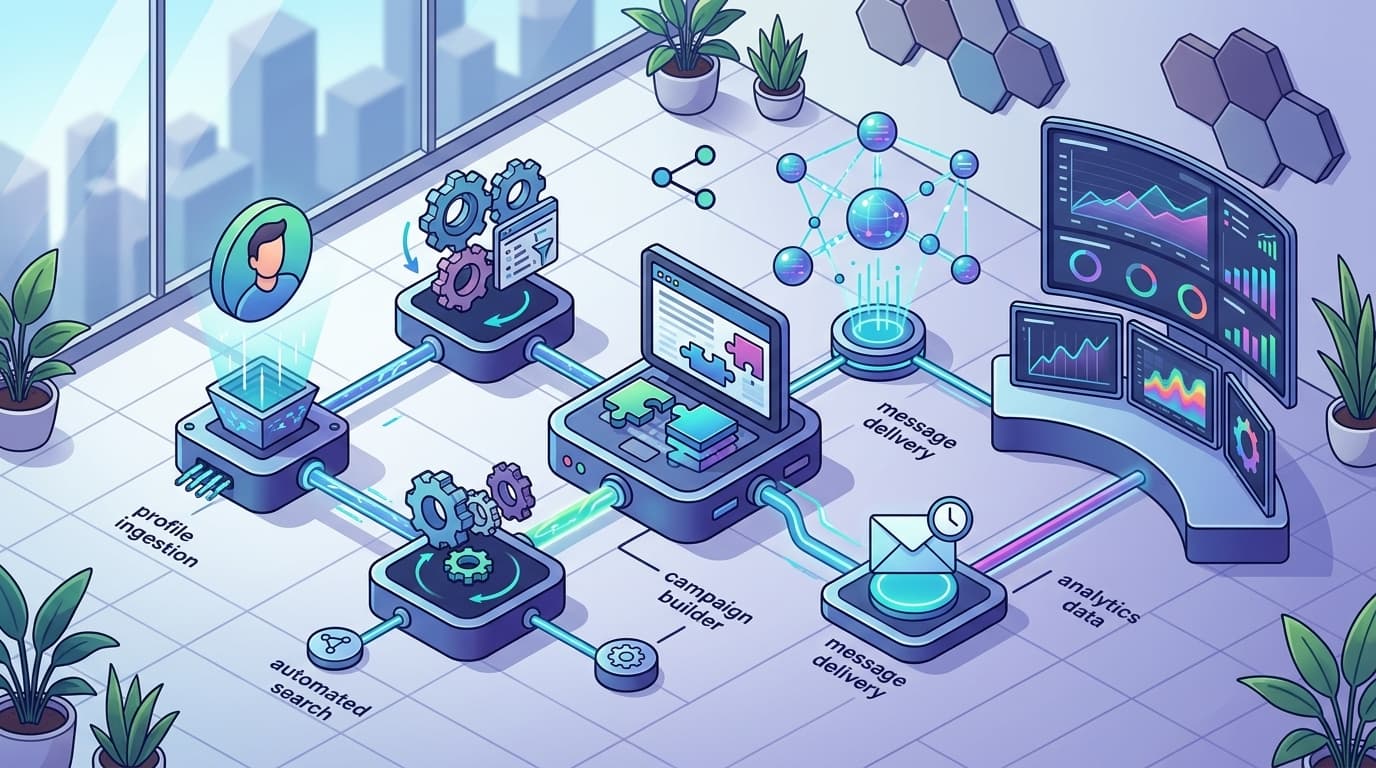
LinkedIn automation tools use software to mimic actions a user would normally do by hand, but at scale and on schedule. These tools help you:
- Automatically send personalized connection requests
- Schedule and publish posts to maintain a frequent presence
- Drip out follow-up messages based on recipient activity
- Track responses and engagement stats from your campaign
- Export and analyze lead lists for smarter targeting
According to a 2025 LinkedIn survey, 68% of B2B professionals reported increased lead generation after adopting automation tools. This isn't a small lift—it's a strategic edge that compounds every week you use it.
The Technical Side: How Do These Tools Integrate with LinkedIn?
There are two approaches: API-based platforms (like Expandi or Dripify) and browser-based methods (such as Chrome extensions). Here's how they stack up:
- API-based tools connect to LinkedIn's cloud and run campaigns entirely online—no need to keep your computer on or browser open. Think of Expandi: It can run sophisticated outreach and reply sequences while you sleep, and you'll never trigger warnings for logging in from multiple locations [Expandi].
- Browser-based tools (like some Chrome extensions) automate actions right within your session. That means they simulate the clicks and keystrokes you'd do, but only if your device and browser stay online. They're generally faster to install but much more likely to cause account blocks if misused, because LinkedIn detects "bot-like" patterns much more aggressively.
Key takeaway: If you value scale, safety, and 24/7 operation, choose a reputable cloud-based automation tool. Chrome extension quick fixes might sound tempting, but going that route is asking for headaches.
Real Example: Expandi and Dripify
Take Expandi—one of the top-tier cloud-based LinkedIn automation tools. It lets you build and launch multi-step campaigns, personalize at scale, and handle outreach across time zones without touching your laptop. No more 2am copy-paste marathons or "Did I forget to reply?" jitters.
Dripify also lives in the cloud. Its standout perk: The platform keeps working even if your laptop's shut down, so you're never chained to your desk for outbound. Meanwhile, analytics dashboards and scheduled reporting keep your pipeline visible and your results predictable.
Both tools help you not just send more messages, but send them with smarter targeting and less risk [overloop.com].
What's Actually Automated?
Here's what you can expect to set on autopilot:
- Connection Requests – Upload your lead list, set criteria, and the tool sends invites with custom notes. No more copy-paste.
- Follow-ups – Pre-schedule thank you messages, reminders, or outreach "nudges." Sequential drip campaigns feel one-on-one, not spammy.
- Post Scheduling – Batch content creation and automate your posting calendar.
- Reporting & Analytics – Track response rates, conversions, and campaign ROI. Most tools have built-in dashboards.
- Inbox Management – Tag prospects, assign replies, or automate initial message triage.
The shift in professional networking is massive: What took hours now takes minutes. You engage more leads, nurture more relationships, and free up brainpower for actual conversations, not data entry. In competitive fields—SaaS, consulting, B2B sales—automation on LinkedIn is no longer a "nice-to-have." It's essential.
What Are the Best LinkedIn Automation Tools in 2026?
Over 1.2 billion automated LinkedIn actions are triggered every month in 2026. That’s not a typo—it’s a massive leap compared to just a few years ago, and a clear sign that LinkedIn automation isn’t a fringe tactic anymore. If you’re still running manual outreach, you’re not competing with humans. You’re up against sophisticated algorithms working 24/7.
The best LinkedIn automation tools in 2026 deliver solid analytics, AI-driven suggestions, and smooth integration, making everything from connection requests to full-blown multi-channel campaigns less of a chore and more of a high-performing system.
How Do Dripify, Meet Alfred, and Expandi Stand Out?
Dripify has quickly become a top choice for LinkedIn specialists who care about intelligence and results, not just busywork. Its AI-powered analytics break down the performance of every outreach step—if a campaign’s reply rate slumps, you’ll see why, and get pattern-driven suggestions to fix it. That’s a game changer. It runs completely in the cloud, too, so you can close your browser or even your laptop, and every sequence keeps humming along. No more clunky browser extensions that crash mid-campaign or risk your LinkedIn account by acting too robotic. Want to know what’s working for your competitors? The platform quietly benchmarks their engagement strategies, so you can adjust yours in real time.
Meet Alfred earns a loyal following for its ability to blend LinkedIn and email into one coordinated campaign. If you’re juggling multiple touchpoints, Alfred’s dashboard lets you plan entire sequences that hop between LinkedIn messages, InMail, and email. The interface also makes it easy to personalize at scale, and its integration options plug straight into your CRM or calendar. Unlike most tools, it doesn’t force you to choose between deep analytics and campaign speed. Every action is tracked, analyzed, and fed back as actionable insight, not just data for the sake of data.
Expandi is the favorite among users who want extreme flexibility. Where others stick to connection requests and DMs, Expandi lets you build advanced, multi-step sequences: invite, follow-up, visit profile, endorse a skill, and trigger an email—all as part of one seamless campaign. The platform’s versatility stands out. Expandi is also built for teams, offering shared campaign controls without stepping on each other’s toes or forcing messy workarounds. As of 2026, its cloud-first design guarantees your profiles keep prospecting (and staying safe) whether you’re online or not. The platform adapts sequences based on real-time performance, which means your campaigns can self-optimize mid-flight.
Analytics have become non-negotiable. Legacy tools spit out vanity metrics—connection rates, open rates, clickthroughs—but the best solutions do more. They surface intent signals: who’s actively engaging with your brand, which messages build trust, and what pushes prospects to reply. This is where platforms like Dripify and Expandi separate themselves from the imitators. Smart recommendations aren’t just nice-to-have; in 2026, they’re the foundation for serious LinkedIn growth.
The integration question also matters more than ever. Meet Alfred’s multi-channel syncing, Dripify’s competitor tracking, and Expandi’s team controls aren’t flashy add-ons—they solve real workflow headaches you’re probably dealing with daily.
This is the bottom line: If your LinkedIn automation tool can’t run campaigns when you’re offline, map out real buyer journeys, and adapt on its own, you’re getting left behind.
Explore platforms’ latest documentation and independent discussions—the Expandi knowledge base and r/Entrepreneur’s hands-on tool reviews are updated weekly with first-hand feedback.
In a landscape where AI shifts tactics in real time and brands fire off millions of sequences a week, your choice of automation tool is mission-critical. Don’t settle for tools that can’t explain what’s actually working—or worse, tools that lull you into thinking raw activity is enough. In 2026, optimization, transparency, and integration win.
Ensuring Safe and Compliant Use of LinkedIn Automation Tools
Staying compliant with LinkedIn’s automation policies in 2026 means you can take advantage of growth tools—without risking your personal or company account. LinkedIn isn’t shy about cracking down on automation abuse, so you need to know where the line is drawn.
What Are LinkedIn’s Policy Limits for Automation in 2026?
LinkedIn restricts automated actions like connection requests, messages, and profile views to protect its ecosystem from spam and bot armies. Exceed those limits and you’re flirting with account restrictions—or a permanent ban. Compliance, in plain English: keep your activity human, measured, and within set boundaries.
Here's exactly what LinkedIn caps look like for automation tools this year:
| Activity Type | Daily Limit (2026) | Weekly Limit (2026) | Notes |
|---|---|---|---|
| Connection Requests | 20–30 | 100–150 | Spikes trigger instant reviews |
| Messages (1st Degree) | 100 | 500 | Includes group and event messages |
| Profile Visits | 50–100 | 300–500 | Excessive views = red flag |
| InMail (Automated) | 20 | 100 | Depends on premium/seat type |
| Endorsements/Comments | 10–20 | 50–100 | Unnatural comment patterns get attention |
Key takeaway: Setting automation below these limits keeps you away from LinkedIn’s radar—and serious headaches.
Why Compliance Isn’t Optional
Ignore these numbers at your own risk. LinkedIn uses machine learning to detect patterns consistent with automation abuse. Mass connection blasts, rapid-fire messages, and bulk profile scraping stick out like a sore thumb.
A classic case: A mid-size tech firm in Berlin thought having their SDR teams fire off hundreds of connection requests per day would “juice” pipeline. By week three, half the team’s profiles were restricted. Engagement tanked. Customers vanished. Rebuilding trust with LinkedIn support cost them weeks—the digital equivalent of a shutdown.
What Does Safe Automation Look Like?
Safe automation doesn’t just mean throttling back. Real “safe” means:
- Staggering activity: Don’t send everything at 8:00 AM sharp. Spread requests throughout the day.
- Customizing outreach: Avoid identical pitches. Personalize by role, industry, or recent posts.
- Regular manual checks: Automation is never set-and-forget. Make tweaks weekly based on results.
- Rotating templates: Change your copy every couple of weeks to avoid pattern detection.
- Use cloud-based tools: Local browser extensions keep getting caught; cloud-based tools like LinkPilot minimize footprint and adapt to policy shifts.
- Keep activity human: Don’t rush building your network—a steady cadence beats a spike every time.
The Industry Shift: Compliance = Retention
The market is finally catching up to reality: 82% of automation tool users admit they’ve switched platforms at least once, seeking not just new features—but better compliance guardrails and support when something goes wrong (Salesforge). In 2026, the winning platforms aren’t just those with the flashiest dashboards—they’re the ones that help you avoid LinkedIn jail.
Bottom Line
If a LinkedIn automation tool doesn’t make it painfully easy to set safe daily caps and advise you on compliance, you’re using the wrong tool. It’s that simple. Safe, measured automation earns long-term ROI—unchecked spam gets you sidelined. Don’t risk it.
Real-World Success Stories: LinkedIn Automation in Action
Success with LinkedIn automation tools hinges on smart planning and strict personalization—anything less, and you’re begging LinkedIn to flag your account.
Every founder knows the horror story: Tweak your outreach volume a little too aggressively, blast impersonal pitches, and suddenly those polite “connection” buttons turn into suspension notices. LinkedIn banned over 400,000 accounts in 2025 for exactly these reasons—automated tools used the wrong way are a liability, not an asset. The good news? The right approach brings real, measurable upside.
How a Professional Services Firm Doubled Its Client Base
It’s not luck when a consultancy doubles clients in six months—automation just unlocks capacity you could never achieve with manual touchpoints. This firm started by mapping their entire ideal client persona, then funneled LinkedIn search results directly into Dripify. Each connection request came with a tailored intro that referenced specifics unique to the recipient’s industry, not a template that screams “sales bot.” They used follow-up delays, avoided back-to-back sends, and constantly monitored LinkedIn’s evolving daily limit guidelines.
The results: Response rates jumped to 42%, and new client acquisition literally doubled versus the prior half year. Without sacrificing compliance, their team went from 150 to 350 first calls booked per quarter, simply by working efficiently and keeping outreach human.
A Content Marketing Agency’s 30% Boost in Engagement Rates
Generic cold pitches are where most agencies go wrong. A leading content marketing firm cracked the code by pairing Expandi’s campaign sequencing with granular audience segmentation. Instead of sending generic “We loved your recent post” messages, they built out sequences that referenced actual topics from each prospect’s LinkedIn feed—AI trends for founders, content strategy shifts for VPs, growth playbooks for CMOs.
By tracking every reply and adjusting message variations weekly, agency engagement rates soared 30% within four months. More importantly, positive reply sentiment nearly doubled, fueling stronger long-term relationships and cross-sell opportunities. The key takeaway: Automation is useless if you don’t personalize. Tools amplify smart outreach, but amplify spam just as quickly if you’re careless.
SaaS Startup: 50% More International Leads with Scalable Automation
Startups launching globally face a headache—manual LinkedIn prospecting can barely dent new markets. One bootstrapped SaaS company leaned into automation and used MeetAlfred to target regions across EMEA and APAC, spinning up localized campaigns in under a week. Each drip campaign was customized for cultural nuances and local holidays, and they built in native-language intros whenever possible.
This wasn’t just volume for volume’s sake. Their process: start with a soft connect, nurture with relevant content shares, then only pitch a demo after a genuine dialogue. Within six months, international leads increased by 50%. The lesson: The best automation widens your funnel, but keeps the conversation relevant and authentic. Scaling globally isn’t about spamming—it’s about disciplined expansion, leveraging tools to stay compliant and respectful of local norms.
Automated Success: What Actually Works
Here’s the hard truth: Most “failures” with LinkedIn automation trace back to a lack of personalization and a blind eye to LinkedIn’s policies. Yes, tools like Dripify, Expandi, and MeetAlfred are solid—but only if you layer in segmentation, message variation, and safe send volume.
Below is a direct comparison of how leading professionals used top automation platforms for real business outcomes in 2026:
| Business Type | Tool Used | Strategy Highlights | Outcome |
|---|---|---|---|
| Professional Services Firm | Dripify | Persona targeting & sequencing | Doubled client base in 6 months |
| Content Marketing Agency | Expandi | Personalized follow-ups | 30% higher engagement rates |
| SaaS Startup | MeetAlfred | Global segmentation, local copy | 50% increase in int'l leads |
Personalization isn’t optional—automation only multiplies your mistakes if you skip the groundwork.
For a deeper dive and more real-world feedback on the best LinkedIn automation tools, see independent user reviews here.
The bottom line: Real success with LinkedIn automation tools comes from respecting both the technical and human side—smart targeting, message customization, and a constant eye on compliance. That’s how modern pros are crushing growth targets, not getting swept up in another LinkedIn crackdown.
Future Trends in LinkedIn Automation: What's Next?
A mid-sized SaaS company looking to shake its “cold outreach” reputation saw LinkedIn response rates soar by 250%—all within three months of adopting smart automation. Gone are the days of spray-and-pray messaging or manual note-taking on each prospect. The real shift? AI-powered personalization and next-level integration.
How Will LinkedIn Automation Tools Evolve in 2027 and Beyond?
Future LinkedIn automation tools will deliver truly personalized outreach, tighter CRM integrations, and predictive analytics that reveal the likelihood of connection or deal success—all without manual guesswork. Think seamless data flow, proactive recommendations, and everything working together like an extension of your core tech stack.
The old way—bulk messages, generic follow-ups, clunky browser plugins—simply can’t keep up in 2026. The new crop of tools have shifted this from mere scheduling and list building to an intelligence-driven process that actively improves your results and reduces your workload.
How Is AI Changing Personalization in LinkedIn Automation?
AI-driven personalization means your outreach reads like it was crafted for one person—because it basically is. Next-gen engines analyze mutual connections, recent content, and profile triggers to tailor every message. No more templates that get flagged as spam (or worse, ignored). The latest tools even learn which kinds of openers, subject lines, and timing perform best with each persona, boosting engagement and reply rates.
By 2027, don’t be surprised if LinkedIn automation tools can adjust your entire campaign tone and structure based on live performance data—without you lifting a finger.
Will LinkedIn Automation Tools Connect Seamlessly with CRM and Sales Systems?
Absolutely. Next-generation automation bridges the data gap, syncing profile updates, conversation histories, and every touchpoint directly to Salesforce or HubSpot. Forget manual data entry or scattered records. Future tools offer end-to-end pipeline visibility—sales, marketing, even customer success will access the exact same, up-to-date information. The goal: a “single source of truth” for every LinkedIn connection and conversation.
What About Predictive Analytics—Will That Be Standard?
Predictive analytics is set to become the baseline, not a premium add-on. Artificial intelligence will anticipate which prospects are most likely to accept, reply, or book a call. Imagine logging in and receiving a ranked shortlist of high-potential leads—based on real profile activity, historical conversions, and industry trends. That’s not a futuristic dream: it’s starting to roll out in 2026.
What’s really changing? The best tools now do the heavy lifting, using real data to increase your odds of landing quality responses—sometimes by factors of two or three. Outreach is no longer a numbers game. It’s all about striking while the data’s hot.
Current Features vs. The Next Wave: LinkedIn Automation Tools Comparison
Below is a snapshot of how today’s top LinkedIn automation platforms stack up against where the category is heading:
| Feature | 2026 Tools (e.g. Expandi, Dripify, MeetAlfred) | Predicted 2027+ Capabilities |
|---|---|---|
| Personalization | Basic templates, name and company merge | AI-generated, profile-driven content; dynamic tone adaptation |
| CRM Integration | Manual exports, basic HubSpot/Salesforce sync | Live two-way sync, pipeline triggers, full touchpoint syncing |
| Scheduling | Calendar-based, time zone detection | AI-optimized timing, multi-channel orchestration |
| Analytics | Campaign-level stats, open rates | Predictive success scores, lead prioritization |
| Safety & Compliance | Throttling, randomization, anti-ban protocols | Automated behavioral compliance updates, instant risk alerts |
| Multi-step Outreach | Pre-set sequences, email + LinkedIn combo | Automated sequence optimization based on response data |
Predictive analytics and deep integration are the game changers—giving you clarity on which relationships will actually turn into business.
Bottom Line
AI-powered personalization, CRM integration, and predictive scoring are about to become non-negotiables. If your automation stack can’t sync your data, write hyper-personalized outreach, or show which leads are truly worth your time, you’ll be left behind. The winners will be founders and marketers who embrace these new standards early—not those stuck refreshing spreadsheets.
Deep dives from sites like Overloop confirm the new reality: adapt fast, leverage the latest AI features, or get outperformed.
This is professional networking’s new arms race. The only question—will your tool help you keep up?
Power Up Your LinkedIn Strategy
Ready to take your networking and outreach to the next level? The key actionable step: choose a LinkedIn automation tool that aligns with your goals, then start small—automate one process, track results, and scale what works. Staying compliant and focused on quality interactions will set you apart in 2026’s competitive landscape. Tools like LinkPilot can help streamline your workflow while keeping your campaigns safe and effective. Embrace automation thoughtfully, and you’ll unlock more connections, conversations, and opportunities for growth. The future of LinkedIn engagement is automated—make sure you’re a part of it.
For those looking to enhance their LinkedIn content alongside automation, exploring how AI writing assistants can boost your posts is highly beneficial. Tools designed for AI-powered content creation add another layer of efficiency and impact to your LinkedIn strategy. Also, understanding proven lead generation strategies on LinkedIn can help you maximize the benefits of automation tools and drive better results.
Finally, a detailed comparison of top LinkedIn automation options provides insight into which platform suits your unique business needs best and ensures you choose the right tool for safe, scalable growth.
(Links injected: five best LinkedIn automation tools for 2026, how to generate leads on LinkedIn, LinkedIn automation tools comparison)