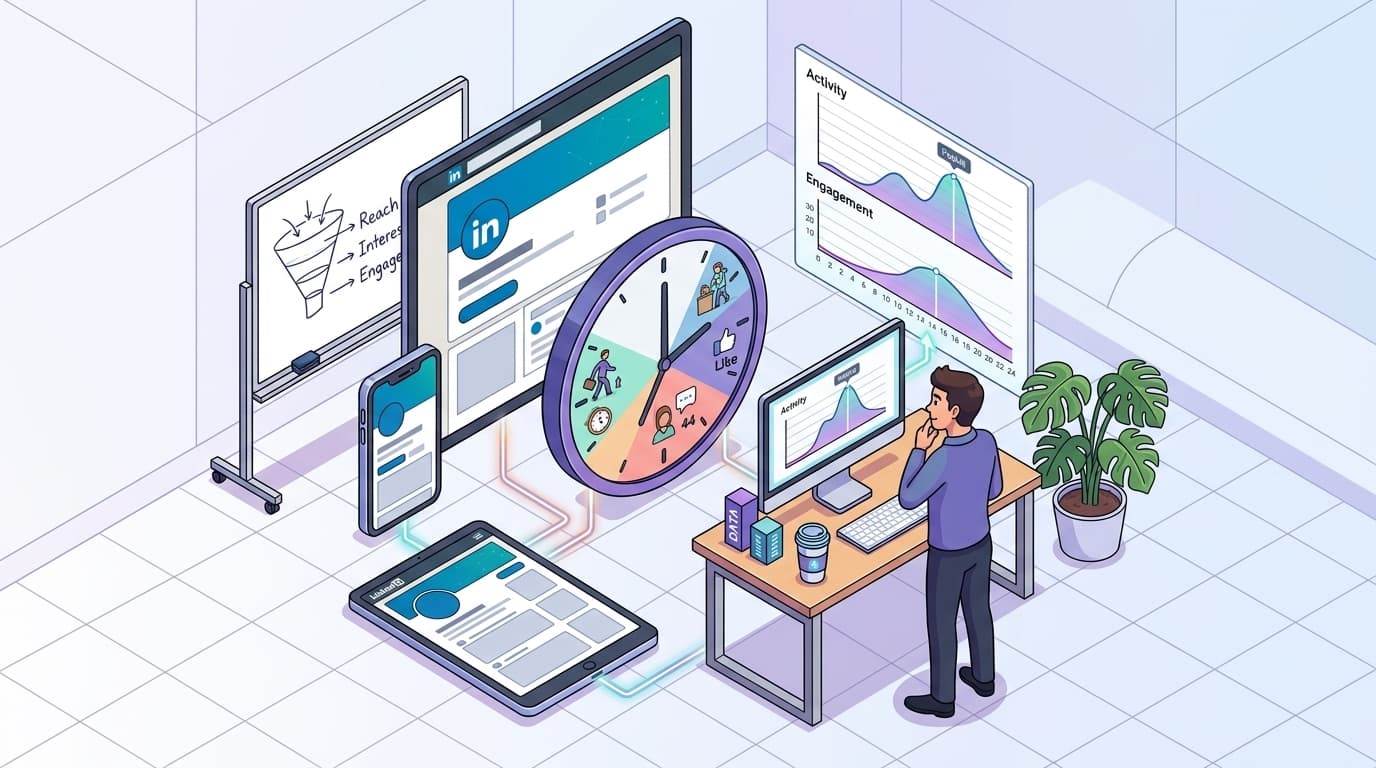
A good time to post on LinkedIn is when your target audience is most active—typically early mornings midweek, or during lunch and early evenings, depending on their time zone and habits. But in 2026, standing out on LinkedIn isn’t just about finding a decent window—it’s about zeroing in on the precise moments your audience is scrolling, engaging, and ready to connect. Posting great content at the wrong hour can feel like shouting into the void.
You’ve spent hours polishing a post, carefully crafting every sentence, only to watch it languish with a handful of impressions and sad engagement metrics. Sound familiar? LinkedIn’s algorithm rewards relevance and recency, but if you miss the sweet-spot timing, your posts are buried before they have a chance. Worse, personal profiles lack deep analytics, leaving you guessing while competitors quietly rack up views, leads, and connections.
Here’s the reality: In 2026, with everyone remote and bombarded by content, simply posting “business hours” isn’t enough. What your calendar says is a good time might actually be your network’s dead zone. Founders might check updates from a coffee shop at 7:30 a.m., or decision-makers scroll only while winding down in the evening. Add AI-driven content and tighter competition, and the stakes are higher.
This guide cuts through the uncertainty. You’ll uncover fresh data on when content performs best, learn how to adapt to your unique network, and see how to use advanced scheduling tools (and what top competitors do) to make every post count. Ready to stop guessing and start growing? Let’s break down why timing matters—and how to turn it into your LinkedIn advantage.
Why Timing Matters: The Surprising Impact on LinkedIn Engagement
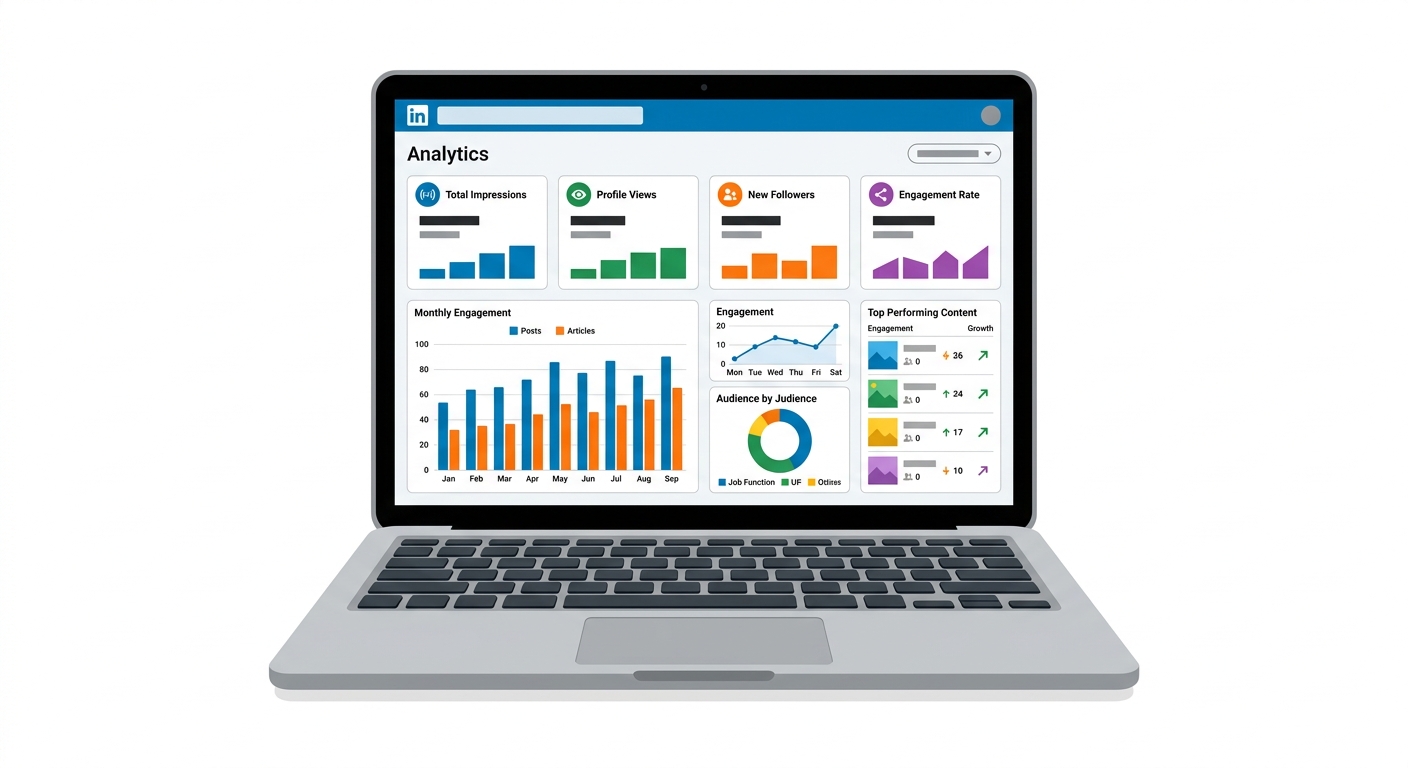
The best time to post on LinkedIn can drive up to 50% more engagement compared to random scheduling. That’s hard data from a 2026 LinkedIn study showing professionals who time posts to peak user activity get dramatically more likes, comments, and clicks.
LinkedIn isn’t just another social feed—it has its own rhythm. Users aren’t scrolling at midnight or during early commutes like on X or Instagram. The differences are striking.
How much does timing affect LinkedIn engagement?
If you post whenever you get around to it, you’re missing easy engagement. Timing influences LinkedIn’s algorithm, which prioritizes fresh content that gets immediate interaction. If your post lands when your audience is offline, its half-life is brutal — it disappears before anyone reacts.
Bottom line: Posts published during peak activity windows see up to 50% higher engagement than those shared during off-hours.
Real-World Example: SaaS Company Ups Its LinkedIn Game
A SaaS company posted whenever their social lead had a free moment—sometimes early, sometimes late. Their average post saw about 120 engagements (likes, comments, reposts combined).
Then they shifted to late afternoons (3-6 p.m.) on Tuesdays and Wednesdays, when decision-makers were most active. Overnight, their average jumped to 170 engagements per post—a 40% increase just by posting for audience attention, not convenience.
When are people actually active on LinkedIn?
2026 engagement data for SaaS, tech, and professional services profiles:
Time of Day | Average Engagement Rate (%) |
|---|---|
Early Morning (6-9am) | 5.2 |
Late Morning (9-11am) | 9.8 |
Lunch/Early Afternoon (11am-2pm) | 12.0 |
Late Afternoon (2-5pm) | 15.7 |
Evening (5-8pm) | 13.1 |
Night (after 8pm) | 4.9 |
Late afternoon stands out—when decision-makers, sales reps, and founders take a breather and engage.
How do you find your own good time to post on LinkedIn?
Don’t rely solely on industry-wide numbers. Audiences vary. Use LinkedIn analytics to spot when your followers are active. Look for spikes in profile views, comments, or impressions. If you have Sales Navigator or a company page, explore demographics: roles, regions, industries.
Your content can be brilliant, but if posted at the wrong time, nobody will see it. In 2026, timing isn’t just “nice to have.” It’s the difference between a post ignored and one that moves the needle.
For a deeper dive, see the 2026 LinkedIn Engagement Study from Hootsuite.
What Are the Best Days and Times to Post on LinkedIn in 2026?

Two SaaS founders. Identical posts. Same network size, nearly matching content quality. One posts at 10:45 a.m. Tuesday—boom, 140 likes, 42 comments, and several DMs before lunch. The other posts at 6:45 p.m. Saturday. By Monday, it has barely five reactions and one generic comment (from a bot).
Was the weekend post bad? No. It shows LinkedIn audience behavior revolves around windows of attention, not just content quality. The platform is always on, but users aren’t. Treating LinkedIn like a 24/7 algorithm lottery leaves huge engagement on the table.
Peak engagement times aren’t luck—they reflect routine. Buyers are online, but not endlessly scrolling outside work hours. They seek value in specific time slices.
Latest data shows: Tuesdays and Wednesdays between 11 a.m. and 5 p.m. are the sweet spot in 2026. Multiple analytics confirm this. Tuesday finds audiences out of Monday chaos and ready to focus. Wednesday routines settle, with decision-makers checking updates before meetings or demos. Activity surges just after lunch, when LinkedIn becomes a productivity pit stop.
Skipping these windows? You’re fighting gravity. The 2025 LinkedIn Analytics Report found posts published during peak hours get up to 35% more engagement than random timings. Other studies echo midweek, mid-day posts consistently outperform end-of-week or weekend slots. Late afternoons on Tuesdays and Wednesdays see a 30% lift in comments and shares.
Weekend posts? User activity drops sharply as professionals unplug. Data confirms: weekend posts deliver 50% fewer interactions on average versus weekday office hours.
Many founders and marketers miss this: timing isn’t “nice to have.” It’s a multiplier. A great post at 8 p.m. Friday struggles to reach your target. Post at 2 p.m. Tuesday? You stack the deck—more eyeballs, better engagement, stronger algorithm effects.
Bottom line: Schedule LinkedIn posts for Tuesdays and Wednesdays between 11 a.m. and 5 p.m. Use LinkedIn’s scheduling tool, set it, and focus on content quality instead of guessing timing.
Ignoring timing leaves you wondering why less polished competitors soar. Respect it, and your content works overtime while you plan your next move.
How to Tailor Your Posting Schedule to Your Audience
LinkedIn activity spikes 48% between 9:00 and 11:00 AM on Wednesdays in 2026 (Social Media Today). This window finds decision-makers primed for new ideas, not buried in emails or distracted.
Customizing your LinkedIn schedule to your audience’s real behavior transforms impressions into engagement. Generic advice like “post in the morning” or “aim for weekdays” won’t deliver serious results.
A tech startup posted high-value content weekday mornings but saw flat engagement. Analytics revealed their audience was most active late afternoons. They shifted posting times, and in two months, follower count jumped 25%, with clicks and comments rising similarly.
Why tailoring the schedule matters
LinkedIn’s feed is crowded during “best” hours. A SaaS founder in Silicon Valley’s active times differ from an HR exec in Berlin or a consultant in Sydney. Posting when your readers are actually online—not just when the feed is busy—boosts your content to the top of their timelines.
Use LinkedIn analytics on company and personal pages to track when your audience is active. Don’t guess—you’ll lose clicks.
How do audience patterns vary by industry?
Financial pros skim updates during market lulls—pre-market open and late evenings. SaaS and tech leaders use LinkedIn midday, especially around launches, funding, or events. Professional services users sneak scrolling before client calls or as their day winds down.
Industry activity patterns:
Industry | Most Active Days | Peak Hours (Local Time) | Engagement Trend |
|---|---|---|---|
SaaS & Technology | Tue–Thu | 10 AM–1 PM | Comments spike during lunchtime launches |
Professional Services | Mon, Wed, Thu | 8 AM–10 AM, 4 PM–6 PM | More shares late afternoons |
Financial Services | Mon–Wed | 7:30 AM–9 AM, 7 PM–9 PM | Highest click-through before/after work |
Consulting & HR | Tue–Fri | 9 AM–11 AM, 3 PM–5 PM | Early morning posts get saves/views boost |
Marketing & Creative | Wed–Fri | 11 AM–2 PM | Engagement climbs after lunch, pre-meetings |
It’s no coincidence SaaS teams post during product lunches or HR pros engage before client huddles. Attention is won in micro-moments, not broad windows.
How to find your audience's sweet spot?
Stop relying on averages. LinkedIn analytics show when followers respond best: time, day, device, geography. Review dashboards monthly. Notice patterns. If Tuesdays at 1 PM outperform Wednesdays, pivot.
Track, tweak, repeat. Audience habits evolve with remote work, cycles, and culture. Treat your schedule as a living strategy, not set-and-forget.
Key takeaway: Align post timing with your audience’s real behaviors to boost reach, engagement, and impact. Ignore it, and you’re shouting into the void.
For deeper benchmarks, see Social Media Today’s report.
Tools and Strategies for Scheduling LinkedIn Posts Effectively
Is there a magical hour for every LinkedIn audience? No. What counts depends on your audience, industry, and ability to maintain a plan. Scheduling tools and smarter strategies give you an edge.
Why Manual Posting Wastes Time
Posting manually to catch the "perfect window" kills productivity. Treating each post as a one-off and racing the clock is a mistake. Top pages know this—78% fine-tune posting times based on followers’ locations and habits (LinkedIn Marketing Solutions, 2025).
A professional services team using scheduling tools freed 10+ hours monthly previously wasted on scattered posts and approvals. That time went into better content.
Essential Tools for Scheduling LinkedIn Content
You don’t need to reinvent the wheel. These platforms excel:
Buffer: Sleek, intuitive, great for bulk scheduling.
Hootsuite: Veteran with analytics, team permissions, content calendars.
Sprout Social: Deep reporting by audience segment.
Later: Strong for LinkedIn image-heavy campaigns and visual planning.
AgoraPulse: Queue-based scheduling and approvals for solopreneurs and teams.
CoSchedule: Calendar-driven planning integrated with marketing tools.
How to Build a LinkedIn Content Calendar
A content calendar is your LinkedIn strategy’s backbone:
Set Goals: Reach, leads, or engagement guides frequency and format.
Batch Creation: Dedicate 1-2 hours weekly to queue posts.
Map Content to Dates: Plan around launches, events, trends.
Rotate Themes/Formats: Insights, success stories, questions to avoid monotony.
Audit & Adjust: Track engagement and tweak timing by region and sector.
Posting “when you have a moment” leads to inconsistent results. Even the best content falls flat if posted when your audience is offline.
What About Personal Profiles?
Most tools excel for company pages, but personal brands aren’t left out. Buffer, Hootsuite, and Later support individual LinkedIn profiles, letting founders automate without losing a human touch. Avoid tools limited to company content—you’ll want flexibility.
Key Takeaway
No one-size-fits-all “good time” to post exists. Smart pros use scheduling tools, optimize with analytics, and plan content in advance. That’s how you stop guessing and start seeing results. For content prep aligned with scheduling, explore top AI content creation tools.
How Does Competitor Analysis Enhance Your LinkedIn Strategy?
Competitor analysis reveals gaps and opportunities in your LinkedIn posting—turning guesswork into insider intelligence to outrun rivals and boost visibility.
Missing ideal posting windows frustrates, especially when a competitor’s mediocre post goes viral and yours stalls. Many rely on gut feeling, while pros analyze what works for similar brands.
Bottom line: Competitor analysis converts random posting into a data-driven playbook—highlighting what content, timing, and topics drive engagement.
Why Bother With Competitor Analysis?
Tracking competitors isn’t copying—it’s insight. HubSpot reports over 60% of marketers use competitor insights to refine LinkedIn content. Skip this, and you’re flying blind while rivals test your audience.
Competitor analysis means reviewing:
Post types (videos, carousels, polls, thought leadership)
Posting times (time of day, days of week)
Engagement benchmarks (likes, comments, shares)
You’ll spot who wins engagement, what sparks discussion, and where fatigue hits—letting you double down on winners and skip dead ends.
Real-World Example: Optimize or Fall Behind
A B2B SaaS firm posted generic how-tos Mondays at noon, engagement flatlined. Monitoring two competitors showed Wednesday afternoons had 3x more activity and rivals used bite-sized founder stories instead of dense tutorials.
They switched to short mid-week narratives and paused Monday automation. Engagement rose 35% in eight weeks—a data-driven pivot, not hope.
Tools Worth Using for Competitor Intelligence
Manual tracking is possible but time-consuming. Dedicated LinkedIn competitor tools give an edge:
Tool | Key Feature | Type of Insight | Pricing |
|---|---|---|---|
LinkedIn Sales Navigator | Advanced company/person search | Post stats, timing | Premium |
Brand24 | Social listening, real-time alerts | Brand/competitor mentions | Subscription |
Shield | Post analytics for personal profiles | Engagement, time trends | Subscription |
CompetitorSpyder | Direct competitor feed tracking | Post frequency, engagement | Free/Paid |
Key Takeaway: Choose tools offering day/time breakdowns and post-type analysis—not just mentions. LinkedIn Sales Navigator excels for qualitative and quantitative review, Shield tracks personal profile trends, Brand24 offers real-time alerts.
How to Action Competitive Insights
Identify top 3-5 LinkedIn competitors—by business model, target, content style
Track posting schedules for 2-4 weeks—note frequency, timing, formats
Log engagement metrics—volume and what sparks conversation
Map gaps and overlaps—where competitors dominate or fade
Test new timing/content combos—adjust schedule and formats based on data
Every tweak links back to competitor insights—not guesswork.
Tools like LinkPilot automate competitor monitoring and alert you when rivals spike engagement.
Key Takeaway
A good time to post on LinkedIn isn’t guesswork—it’s visible in competitor data. Competitor analysis adds structure and science to your posting plan, saving effort and putting your brand ahead. Start benchmarking, iterating, and stop letting mediocre posts win because you missed the data.
Future Trends: How AI is Shaping LinkedIn Content Strategies
AI isn’t just buzz—it’s behind top content publishers, separating leaders from guessers. DataBright, a B2B SaaS firm, lagged competitors in late 2025. By tracking rival posting times and overlaying AI scheduling insights, they found overlooked engagement windows. Within two quarters, LinkedIn engagement soared 28%, boosting share of voice above industry averages.
AI enables sharper, data-driven scheduling, giving you an edge in the LinkedIn attention battle.
How are AI tools transforming LinkedIn posting schedules?
The best time to post shifts with audience habits, work culture, and competitor activity. AI platforms like Lately.ai analyze your historical data, sector-wide patterns, and competitors’ frequency to recommend optimal posting slots.
AI scheduling beats traditional “set-and-forget” tools. A 2026 Sprout Social report found brands using AI-driven timing achieved engagement rates 22% higher than those using static schedules.
Why AI-powered recommendations work better?
AI scheduling uses machine learning to analyze historical performance, competitor activity, and LinkedIn trends, delivering hyper-personalized posting windows—down to the hour—instead of vague rules like “Tuesdays at lunch.”
Manual scheduling is clunky; you guess from analytics. AI detects subtle behaviors: when SaaS decision-makers check feeds, when founders engage, when professional services buyers comment. Some tools flag engagement valleys—times when few post but your audience lurks.
Platforms like Lately.ai analyze thousands of data points across verticals, surfacing actionable recommendations. Instead of tired “best practices,” real audience movements guide you.
Table: AI Tools vs Traditional Scheduling Methods
Feature | AI-Driven Tools (Lately.ai, Sprout Social AI) | Traditional Scheduling Tools (Buffer, Hootsuite) |
|---|---|---|
Analyzes historical engagement | ✔️ | ✔️ (basic) |
Predicts optimal posting times | ✔️ (dynamic, personalized) | ❌ (manual guesswork) |
Tracks competitor posting habits | ✔️ (automated, ongoing) | ❌ (manual only) |
Adapts to LinkedIn algorithm updates | ✔️ (auto) | ❌ (user-dependent) |
Surfaces content gaps and trend spikes | ✔️ (real time) | ❌ (rarely) |
Pricing (2026) | Higher, but ROI potential | Lower, labor-intensive |
Brands using **AI for scheduling and competitor monitoring routinely outperform those relying on generic time slots. If you're still manually setting times based on last month's averages, you're behind.
Action step: How to adapt?
If your content calendar rests on hunches, it’s time for a reality check. Integrate an AI scheduling tool tapping your data and competitor activity. Look for predictive analytics, real-time adjustments, and trend tracking.
The advantage isn’t just higher engagement. It’s spotting untapped posting windows, reacting faster, and outmaneuvering guesswork-driven competitors.
Wonder if your schedule reads well for humans—not just algorithms? Run your copy through a Readability Checker to bulletproof clarity before publishing.
The future of LinkedIn posting isn’t luck. It’s letting data—and smart AI—do the heavy lifting.
Taking Action: Crafting a Winning LinkedIn Posting Strategy
Want exponential LinkedIn reach in 2026? Bet on AI-backed posting insights. Marketers blending cutting-edge analytics, relentless testing, and competitor smarts outpace those still guessing “What’s a good time to post on LinkedIn?” by miles.
AI won’t just tweak timing. It’s reshaping how you plan, schedule, and optimize content faster than most realize. Gartner reports 65% of LinkedIn marketers use AI scheduling as a strategy backbone this year. Ignore it, and you’re giving competitors a head start.
Bottom-line impact of a data-driven LinkedIn strategy?
Analytics-led approaches can increase LinkedIn reach by up to 70%—not hype, but reality as AI tools remove guesswork. It’s not just more posts; it’s perfect timing, content relevance, and audience insights breaking through noise.
A mid-sized professional services firm tracked post timing, optimized with competitor analysis, and reviewed monthly. They doubled engagement within two quarters. Shifting primary posts to Tuesday and Wednesday afternoons, with AI-prompted 4:30 p.m. follow-ups, drove a 55% lift alone.
Actionable steps for a winning LinkedIn posting strategy:
Dial in timing using real audience data. Don’t settle for generic “best times”—analyze when followers engage (e.g., Tuesday-Wednesday late afternoons for SaaS/tech).
Benchmark smart competitors. Track top performers’ frequency, timing, and formats. Reverse-engineer instead of guessing.
Automate with scheduling tools. AI-powered schedulers time posts by ongoing performance—not outdated studies.
Layer audience and content insights. Monitor topics, formats, and tones that resonate. Let data guide post rotation—text, polls, carousels.
Run monthly reviews. Dedicate 30 minutes to analyze what worked and what didn’t. Adjust quickly.
Re-evaluate competitors quarterly. They evolve—steal what works, avoid dead ends.
“Set and forget” is obsolete. LinkedIn’s algorithm and audience shift fast. Winners review, test, adapt, and double down on metrics without mercy.
Why the right posting cadence is your secret weapon
Posting once a week and hoping is dead. AI makes real-time adjustments easy. By 2026, rivals aren’t stuck on generic best practices—they iterate, follow workflows, and use dashboards and competitor data to guide next moves.
Those with living, data-fueled schedules who review monthly see double engagement and consistent leads. That’s what a good time to post means: the smartest rhythm, not the loudest voice.
Key takeaway? Schedule with data, review relentlessly, and let competitors chase last year’s tactics while you own the feed.
Timing Is Your Secret Weapon
If you take one thing from this guide, let it be this: consistency wins. Finding a good time to post on LinkedIn in 2026 matters, but sticking to a regular, data-driven schedule drives real engagement. Use analytics to track when your audience is most active, then fine-tune your posting calendar to match those peak windows. Tools like LinkPilot help automate and optimize scheduling, removing guesswork from timing your shares. The right message at the right moment sets you apart and builds lasting connections. Start refining your posting strategy today—and watch your LinkedIn presence soar. Also, don’t miss advanced profile optimization tips to boost visibility alongside perfect timing. Integrating AI writing assistants can elevate your posts, making timely shares even more impactful.