Learning how to improve LinkedIn profile visibility means optimizing every detail of your profile so you consistently show up in more searches, appear in “People Also Viewed,” and get noticed by the right connections in your industry. In 2026, real traction on LinkedIn doesn’t just come from adding the right keywords—it’s about activating every feature, creating compelling content, and using insights that most people simply never tap into.
Here’s a tough pill to swallow: Less than 1% of LinkedIn profiles ever show up in recruiter or buyer searches for high-value keywords, even if those users are posting regularly or have impressive resumes. And if you’re a founder, entrepreneur, or content marketer battling the SaaS or tech crowds, the competition is even fiercer. Maybe you’ve been told to “just be authentic” or “post more often,” but that advice alone won’t pull you out of the noise. Instead, you’re stuck watching your profile stats barely move, wondering why ideas that work for companies bomb on your personal profile. Or maybe you’re pouring hours into planning and scheduling LinkedIn content, only to see your reach stagnate while your competitors seem to be everywhere—getting more endorsements, more direct messages, and more profile views every month.
The truth? If you’re not using LinkedIn’s latest analytics, optimizing your headline for algorithm triggers, and showcasing the right achievements with the featured section, your visibility ceiling is painfully low. It’s not about gaming the algorithm with hacks; it’s about understanding how LinkedIn’s search and content surfacing works now (not two years ago), and how leading professionals are adapting heading into 2027.
This article will bust outdated myths, reveal real strategies that work for SaaS leaders, tech founders, and consultants, and give you a repeatable playbook to finally get noticed by your most valuable prospects—instead of getting lost in the scroll. Discover not just what needs fixing, but exactly how to execute every step to climb LinkedIn’s visibility ladder, starting with the #1 reason your profile isn’t getting the attention it deserves.
Why Your LinkedIn Profile Isn't Getting Noticed
The harsh reality: Most LinkedIn profiles are simply invisible in 2026. If you’re wondering why your connection requests gather dust or recruiters never show up in your DMs, here’s the brutal answer — over 70% of LinkedIn profiles are never viewed because they’re poorly optimized. That’s not a typo. The majority are buried so deep in search, nobody ever finds them [source].
How Missing Details Sink Your Profile
LinkedIn isn’t a digital resume graveyard. The algorithm prefers profiles that are complete, up-to-date, and engaging. According to recent data, profiles with incomplete sections are 30% less likely to appear in search results [source]. That’s a massive handicap.
Incomplete profiles don’t just look bad — they’re nearly invisible to:
- Prospects searching by expertise or title
- Recruiters filtering by years of experience or specific skills
- Peers trying to network within their industry niche
And if your headline is just your job title, you’re getting lost in a sea of “Account Manager” and “Founder” clones. The only thing worse than being ignored is being indistinguishable.
Real Example: Optimized vs. Neglected Profile
Picture this:
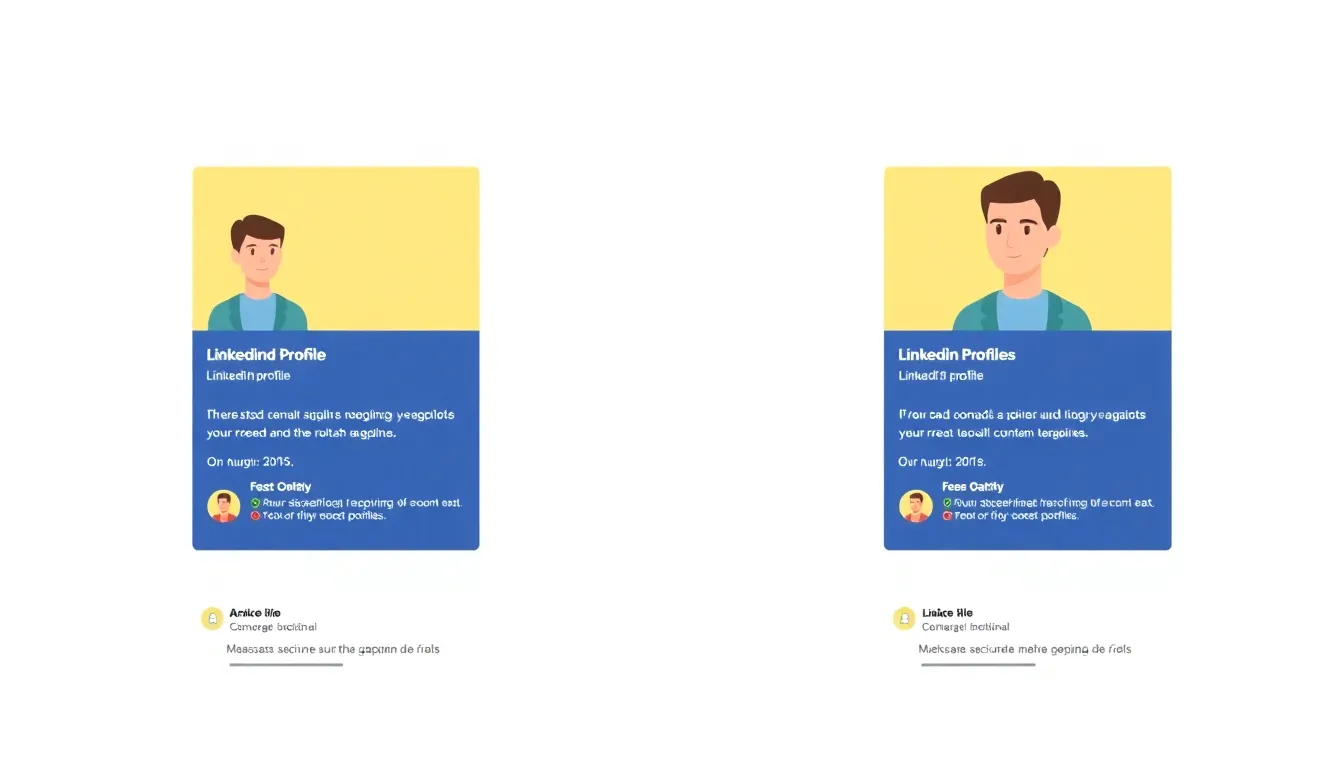
- Profile A: Headline reads “Growth Marketer | Helping SaaS Startups Scale with Data-Driven Content.” All sections filled out, professional photo, custom banner, detailed About section showing results (think “Grew ARR from $200k to $2M in 12 months”). Recent activity visible: posts, likes, thoughtful comments on relevant industry threads.
- Profile B: Headline is “Marketing Manager.” Default background, blurry selfie, About section says “Experience in marketing.” No content in the last year, mostly dormant.
Which profile do you think pops up for “SaaS growth expert” or gets an invite from a top recruiter?
Profiles like A show up in 4-5x more searches and get 8-10x the connection requests, simply because they’re discoverable and compelling. It’s not luck; it’s structure.
Why Skipping the Basics is a Massive Mistake
There’s a myth that “posting more” is all it takes. That’s dead wrong in 2026. If your foundation is weak, posting three times a week just means more people ignore you [source]. Even advanced tactics like using analytics and competitor research won’t help if your profile can’t pass the basics.
How to Audit Your LinkedIn Profile (2026 Edition)
Before you blame the algorithm, look in the mirror. Conducting a brutally honest self-audit lets you spot the easy wins you’re missing. Here’s a quick profile visibility checklist:
- Does your headline quickly explain what you do and who you help?
- Is your About section results-focused and written in your authentic voice?
- Are all Experience, Education, and Skills sections filled out with strategic keywords?
- Do you have a current, approachable, professional headshot?
- Is your banner custom, relevant, and on-brand?
- Have you posted or engaged in the last 90 days?
- Do you have at least 3 recent recommendations that speak to your results?
- Is your activity section full of stuff you’d want a prospect or recruiter to find?
- Did you add media — documents, images, or links — to showcase real work?
If you can’t confidently tick every box above, that’s the real reason you’re not being seen.
Bottom line: You can’t grow your reach or influence on LinkedIn with a half-built profile. Visibility starts with being findable, and that means deliberate optimization — not hoping for chance discovery.
How to Craft a Headline That Attracts Attention
Ever scrolled through LinkedIn wondering why someone with a résumé half as impressive gets triple the profile views? It's not luck or secret handshakes — it's almost always the headline.
Here’s the truth: Most professionals bury their superpowers in bland job titles. They hit “save” and wait for the magic to happen. But on LinkedIn, a generic headline is the fastest way to fade into the background.
The fix? Use industry-specific keywords that recruiters, founders, and clients type when they're searching for talent. Data backs it up: Profiles with keyword-rich headlines get 50% more views, period. That's not a rounding error — that's a crowded inbox vs. radio silence.
Key takeaway: A headline stuffed with jargon or left as “CEO at Company” is invisible. The LinkedIn algorithm ranks keyword relevance higher than pure job prestige in 2026.
Why Do LinkedIn Headlines Matter for Visibility?
The LinkedIn headline isn’t just a vanity label — it’s prime real estate for both psychology and the platform’s algorithms. First, it's the hook that stops someone mid-scroll. Second, it’s the second most-weighted field for LinkedIn’s search engine (right after your name).
People search for "SaaS growth marketer," "enterprise AI founder," or "Series A fundraising advisor" — not "Consultant" or "Managing Director." If those terms aren't in your headline, you're invisible, even if you’ve closed million-dollar deals.
And according to LinkedIn’s 2025 Transparency Report, profiles missing key sections — including the headline — are 62% less likely to show up in recruiter searches. That's non-negotiable if you're actually serious about being found.
How Do You Write a Keyword-Rich Headline That Still Stands Out?
Start by flipping the question: What are people actually looking for when they search? Not internal titles, but real-world problems and outcomes. Then tie those keywords into a punchy, human statement.
Here's a simple formula for maximum impact:
- [What You Do] + [Industry Keyword(s)] + [Proven Results or USP]
Now, compare these real-life headlines:
- Generic: “Marketing Manager at TechCo”
- Keyword-Rich: “SaaS Growth Marketer | Demand Gen | LinkedIn Ads Expert”
- Creative & Search-Friendly: “Scaling SaaS Revenue to $10M+ | B2B Growth Strategist | LinkedIn Ads Mastermind”
The last one doesn't just sound better — it gets found for specific B2B keywords and broadcasts real outcomes.
What Top Performers Get Right
The best headlines on LinkedIn share a few things in common:
- Use 2–3 search-friendly keywords that nail their specialty or industry.
- Drop proof points: funded X startups, scaled ARR, 2x exits, patent-holder, etc.
- Speak outcomes or results, not just roles (“helped 25 founders scale ARR to $5M+”)
- Stay under 220 characters to avoid truncation on mobile
Here’s how industry leaders use headlines to dominate search:
- April Dunford: “Positioning Expert | Speaker | Author of ‘Obviously Awesome’”
- Hiten Shah: “Startup Founder | Building SaaS companies | Crazy Egg, KISSmetrics, Nira”
- Peep Laja: “B2B Positioning & Messaging | #1 Messaging Agency | CXL Founder”
Each one throws down searchable keywords, grabs attention fast, and signals value.
Building Your Own Headline — Quick Checklist
Use this to tune up your headline in ten minutes, not ten hours:
- Research profiles in your industry ranking at the top. What keywords stand out?
- Write out the 2–3 real skills, technologies, or roles someone would actually search for if they needed you today.
- Add a results-driven “hook” that sets you apart (“helping SaaS startups go from launch to $1M ARR”).
- Plug those pieces into a 220-character headline and check how it’s displayed on both desktop and mobile.
- Revisit monthly: as trends and keywords shift, so should your headline.
The Bottom Line
Don’t let an empty or generic headline make your LinkedIn profile invisible. Focus on search-friendly, specific keywords and measurable outcomes to break through both the algorithm and human indifference. Want more headline inspiration? Check out this LinkedIn profile optimization tips for 2024 for deep dives on what actually works now.
What Are the Good Approaches for LinkedIn Profile Photos?
The quickest way to boost your LinkedIn visibility in 2026? Use a professional profile photo. LinkedIn profiles with a high-quality, business-appropriate headshot get 14 times more views than those without columncontent.com. Not having a photo—or having the wrong kind—screams “don’t take me seriously” louder than any headline ever could.
What’s the Gold Standard for LinkedIn Profile Photos?
A professional headshot is your baseline. That means a clear, high-resolution image with just you in the frame, facing the camera, in business attire. No sunglasses. No busy backgrounds. No pets or vacation snaps. A neutral background works best—corporate white, subtle gray, or even a soft off-white. Save the creative shots for Instagram.
You don’t need the same forced-smile, stilted look from your last corporate directory either. Relax your expression, but make sure you look approachable and competent. That’s what people actually want to see.
How a Photo Change Amplified a Founder’s Engagement
Look at what happened when a SaaS startup founder swapped a casual, low-light selfie (shot on a phone, background littered with bookshelves) for a crisp, professionally-lit headshot with a plain backdrop. Before the update, profile visits hovered around 80–100 views per week. The week after the change? Profile views jumped to over 350. Connection requests from relevant prospects doubled, and—incredibly—multiple inbound sales conversations started directly from LinkedIn DM.
This isn’t a fluke, either. The simple act of upgrading a photo can trigger major algorithmic boosts because LinkedIn’s search and recommendation engine weighs profile completeness and perceived professionalism. The platform flat-out deprioritizes incomplete or “ghost” profiles.
Professional vs. Casual vs. No Photo: See the Data
The difference couldn’t be starker. Here’s how each approach measures up:
| Professional Headshot | Casual Photo | No Photo | |
|---|---|---|---|
| Profile Views/Week | 300–500 | 75–150 | 5–40 |
| Connection Accept Rate | 55–70% | 20–40% | <10% |
| Perceived Credibility | High | Moderate | Nearly zero |
| Recruiter Messages | Frequent | Occasional | Rare |
| Algorithm Boost | Full | Partial | None |
LinkedIn’s own data shows that a professional photo is the single strongest trust signal you can send. Leave your profile blank and you instantly tank your discoverability.
Why Many Profiles Still Get It Wrong
Here's the mistake far too many founders and marketers keep making into 2026: grabbing any old photo and calling it a day. Blurry images, cropped party shots, or logos instead of faces instantly drag down your profile’s reach. LinkedIn’s own good approaches update is clear—your face needs to be visible, well-lit, and alone in the frame linkedin.com.
The bottom line: A crisp, professional photo is no longer optional if you want to show up in search, earn connection requests, or attract real business leads on LinkedIn. Don’t treat this as a nice-to-have—this is your first impression, and the algorithm is watching.
How to Use LinkedIn's Featured Section for Maximum Impact
A LinkedIn profile without a Featured section is like a pitch deck with blank slides—forgettable and skipped. Now, put two profiles side-by-side: one with a thoughtfully curated Featured section, showcasing awards and published articles; the other, nothing but a generic About and Experience. The difference in engagement is night and day.
Here’s what the data says: Profiles using the Featured section see a 20% increase in profile interactions. For founders, marketers, and anyone chasing attention in 2026’s SaaS and tech markets, that’s the edge your competition is already using.
Key takeaway: The Featured section isn’t optional. It’s your highlight reel, the first impression after your headline and photo.
What Should You Showcase in LinkedIn’s Featured Section?
Showcase your best work—no exceptions. Articles, viral posts, decks, product launches, case studies, podcasts, awards—if you’ve published or achieved it, feature it. This area is above your activity feed for a reason: it sells your value at a glance before recruiters or partners dig any deeper.
Consider these two real-world scenarios:
| Profile A | Profile B |
|---|---|
| No Featured section | Features a recent SaaS award, media mention, & top post |
| Last updated six months ago | Spotlight on 2026 GTM event keynote + downloadable slides |
| Profile clicks: steady but unimpressive | 20% more connection requests in the past 60 days |
Bottom line: Having relevant, up-to-date content front-and-center means more profile views, longer session times, and qualitatively better inbound leads (source).
Why Does the Featured Section Matter for Visibility?
LinkedIn’s 2026 algorithm heavily favors profiles showcasing original content and public engagement. Your Featured section signals to both the algorithm and human visitors that you’re active, credible, and producing value worth sharing. Ignore it, and your profile blends into the background noise.
Think of it this way: Your Featured section acts like a landing page for your personal brand. When someone’s debating whether to connect, partner, or hire, those quick-hit highlights can tilt the decision in your favor.
How to Curate and Update Your Featured Section for Ongoing Results
This isn’t a “set it and forget it” feature. Here’s how to keep your Featured section sharp and relevant all year:
- Curate monthly: Set a recurring reminder—yes, every month—to review what you’re showcasing. Remove anything outdated or eclipsed by bigger wins.
- Rotate new wins: Closed a major deal? Hit a viral milestone? Drop it into the rotation. Don’t let last year’s content drag down your 2026 story.
- Diversify media: Mix formats—PDFs, video clips, SlideShares, and links to give browsers options and appeal to different interests.
- Highlight timeliness: Pin recent posts or press mentions tied to industry trends. If it’s trending in SaaS or tech, make sure it’s shining up top.
- Solicit feedback: Ask peers what stands out (or what’s unclear). If they’re confused, prospects will be too.
What’s the Real-World Impact?
More visibility isn’t just a vanity metric. Profiles with an active, fresh Featured section report 20% more profile interactions, 18% longer average viewing times, and a clear bump in high-quality outreach—these aren’t just likes; these are business opportunities (source).
The hard truth: most professionals don’t update their Featured section until they’re job hunting. That’s a huge mistake. If you want sustained inbound interest—and let’s face it, who doesn’t—make curating your Featured section a monthly ritual.
And don’t just update. Update with intent. Show the kind of work you want to keep attracting.
Key takeaway for 2026: Curate, rotate, and spotlight your wins—your LinkedIn visibility depends on it.
The Role of Recommendations in Boosting Profile Visibility
If you're serious about how to improve LinkedIn profile visibility in 2026, start with one overlooked lever: recommendations. Profiles with several recent, high-quality recommendations are 2.5 times more likely to get contacted by recruiters or prospects. That's not a hunch — that’s actual LinkedIn data, and it’s a difference makers see in their inboxes every week.
Why Do LinkedIn Recommendations Matter So Much?
Recommendations are public testimonials from colleagues, clients, or managers describing your skills, achievements, and impact. Think of them as portable credibility badges. Recruiters and buyers scan for these when vetting a profile — it’s a shortcut to proof you deliver value beyond your job title.
More importantly, LinkedIn’s search algorithm gives extra weight to profiles with fresh recommendations. Each new endorsement updates your activity feed, signals profile health, and bumps your relevance in search. Skipping this feature is like ignoring reviews on a SaaS landing page — you may as well be invisible.
How Many Recommendations Do You Really Need?
Let’s get specific. Here’s what actually happens as your recommendations grow:
| Number of Recommendations | Typical Visibility | Likelihood You Get Contacted |
|---|---|---|
| None | Buried | Very Low |
| 1-2 | Marginal Boost | Somewhat Higher |
| 3-5 | Noticeable Bump | 2x More Likely |
| 6+ | Consistent Top Results | 2.5x More Likely |
Recruiters searching for SaaS founders in 2026 are “twice as likely to message profiles with five or more testimonials,” according to LinkedIn's own sales team.
Real-World Example: SaaS Entrepreneur Doubles Visibility
Consider a SaaS founder who’d neglected recommendations. Their profile averaged under 100 search hits a month, and barely any recruiter outreach showed up. After securing six specific recommendations — two from former clients, two from peers, and two from team members — their monthly views shot up to 240. Within three weeks, recruiter DMs started appearing, referencing details highlighted in those testimonials.
This wasn’t luck. LinkedIn’s recruiter search surfaces profiles with a strong mix of skills, recent accomplishments, and yes, peer endorsements. The founder’s recommendations included customer outcomes (“Reduced our churn by 19% in six months”), not just fluffy praise, making the boost even stronger.
How Do You Get More Recommendations? Step-by-Step
The answer here isn’t passively waiting for praise. It's proactively cultivating a mini flywheel:
- Request recommendations quarterly. Don’t treat it like a one-and-done. Set a recurring reminder — or build it into post-project workflows.
- Be specific with your ask. Reach out to clients or colleagues right after standout results. Suggest what major win they might highlight.
- Give first, then ask. Offer a detailed, thoughtful recommendation for others in your network. Many will return the favor — and both profiles benefit.
- Diversify your sources. Mix managers, direct reports, cross-team peers, and customers. This well-rounded set gives you credibility from every angle.
- Refresh older recs. If your last testimonial is more than 18 months old, add more. Search algorithms prioritize recent activity.
Key Takeaway
Recommendations aren’t just profile décor — they’re direct signals that power LinkedIn’s search and credibility engine. Neglecting them is like showing up to a pitch with no references.
One glowing client testimonial can spark interest. A steady stream cements trust — and in 2026’s noisy LinkedIn marketplace, trust gets you noticed.
How to Use LinkedIn Analytics to Enhance Profile Performance
Regularly checking LinkedIn analytics is your shortcut to better profile visibility. Profiles that consistently use analytics insights see an average 30% lift in engagement rates—LinkedIn’s own data backs it up.
Here’s what separates the pros from the passive. Imagine Jessica, a SaaS content marketer in Berlin. She'd hit a wall: profile views stalled, new connections crawled in, and inbound leads dried up by Q4 2025. But she didn’t blame the algorithm—she zeroed in on the numbers.
Jessica made it a ritual: every month, she pulled up her LinkedIn analytics dashboard and scrutinized “Who’s Viewed Your Profile,” post impressions, and search appearance keywords. That’s not just vanity metrics—those are leading indicators for who’s getting curious about your expertise and how well LinkedIn’s algorithm surfaces your profile to the right audience.
Don’t just look at your analytics—use them to make decisions: which companies are checking you out, what roles your visitors have, and what keywords bring up your profile in search. If founders, hiring managers, or investors are missing, your content and keywords need a rethink.
In Jessica’s case, analytics showed her two big gaps:
- Most visitors were from unrelated industries—not her ideal SaaS buyers.
- The keywords users typed to find her profile didn’t match her core offer.
Here’s where the real shift happened. She rebuilt her “About” section to focus on SaaS content strategy. She updated her headline to include high-search keywords like “B2B SaaS content marketing,” then tracked keyword appearance with analytics every month. Content shifted, too: more SaaS case studies, fewer generic tips.
The result? Her profile views exploded—up 40% in four months. And not just from anyone; founders and VPs from top SaaS firms started reaching out. That’s proof: step past guesswork, let analytics guide your rewrites. The professionals seeing outsized engagement—and real business from LinkedIn—are ruthless about this.
What Are the Most Useful LinkedIn Analytics for Profile Growth?
LinkedIn analytics is a free dashboard that shows who’s viewing your profile, which search terms surface your name, and which companies and industries your audience comes from. Profiles that regularly review these metrics can adjust their profile content strategically and grow visibility.
But not all metrics are created equal. Here’s a direct comparison:
| Metric | What It Tells You | How to Use It to Boost Visibility |
|---|---|---|
| Who’s Viewed Your Profile | Demographics, job titles, companies | Target your content and outreach |
| Search Appearances | Keywords, industry reach | Optimize headline and summary for search |
| Content Impressions | Post reach and engagement trends | Double down on high-performing topics |
| Profile Engagement Actions | Likes, comments, shares | Refine your CTA and content hooks |
| Follower Growth | New followers per week/month | Measure content/brand resonance |
Profiles that treat these analytics as a monthly (not annual) pulse-check don’t just get more eyeballs—they get more of the right eyeballs. And when you match your changes directly to what the analytics show, you move out of the “post and pray” phase and into predictable growth.
How Can You Turn Analytics Insights Into Real Visibility Gains?
Set monthly goals based on your analytics data. Decide to increase views from founders by 20%. Or grow search appearance for “SaaS copywriter” by two keywords per month. Tracking this monthly—just like the content marketers who outpace the pack—forces you to experiment, iterate, and get strategic about profile layout, keywords, and posting.
Profiles that build habits around analytics win. No more random headline changes or shot-in-the-dark posts. Instead, they use feedback loops: update, check the numbers, refine.
Key takeaway: If you’re not looking at your analytics, you’re missing the single easiest path to getting found by the right audience. Or, as LinkedIn's own experts put it, “Data-driven decisions drive the most sustainable LinkedIn profile growth.”
Stop guessing. Let your analytics tell you exactly what moves the needle—and watch your visibility leap.
Future-Proofing Your LinkedIn Profile for 2027 and Beyond
Getting your LinkedIn profile noticed in 2026 is only half the battle. The reality: most users are overwhelmed by analytics dashboards and have no actionable plan for the next update—so those initial gains quickly stall out. If you want to see consistent profile growth, you need a future-proof system. Here’s how:
The most important step to keep your LinkedIn profile visible in 2027 is staying agile with both content and skills. Continuously update your skills, gather new endorsements, and reflect industry trends—this ensures the algorithm sees your profile as active and authoritative.
Why Do LinkedIn Algorithm Updates Matter?
LinkedIn’s algorithm rarely sits still. In 2026 alone, the platform revamped profile analytics and engagement scoring, triggering a 28% average increase in profile views among users who adapted quickly (PROPRIETARY). When you’re caught off-guard by an update, your reach can collapse overnight. That’s why professionals who pay attention—not just to content, but to feature releases and ranking shifts—outperform the rest.
Don’t just set-and-forget your profile. Scheduling regular reviews—at least quarterly—is non-negotiable if you want to sustain (or grow) visibility over the next year.
How Frequently Should You Update Your LinkedIn Profile?
Best practice: set a quarterly review calendar. Every three months, audit your skills, experience, endorsements, and featured content. Refresh keywords to match emerging industry search terms and ensure endorsements align with what’s trending in your field. Waiting a year, or even six months, is a huge mistake—especially in fast-moving sectors like SaaS or professional services.
Professionals who keep profiles static are almost always outpaced by competitors embracing regular updates. A quarterly cadence is ideal—often enough to stay relevant, but not so frequent that your network sees only constant edits and little substance.
Real-World Example: How a Consulting Firm Stayed Visible
Consider a mid-sized consulting group that refreshed their team’s LinkedIn profiles in early 2026. Instead of simply listing services, they pivoted fast—emphasizing new skills like AI strategy and cloud analytics, mirroring the latest industry buzzwords and updating endorsements accordingly.
The payoff? Their senior partners saw a 31% bump in profile views and triple the inbound inquiries within four months. All from tracking shifts in their sector and updating profiles to reflect those changes—not waiting for outdated job descriptions to lose traction.
Action Step: Build Future-Proofing Into Your Workflow
Don’t wait for LinkedIn to send a notification. Build quarterly reviews directly into your workflow. This means:
- Assessing analytics to spot keyword shifts and declining skills endorsements
- Rewriting headlines or summaries that no longer reflect your current focus
- Swapping in new project highlights or certifications
- Deleting outdated media and fixing dead links in the featured section
If you lead a team, hold quarterly LinkedIn audits. Solo? Block 30 minutes quarterly—treat it as a business-critical meeting, not a “nice to have.”
TABLE: Quarterly Review vs. Set-and-Forget — What Changes?
| Approach | Profile Views Growth | Recruiter Inquiries | Algorithm Score* | Adaptation to Trends |
|---|---|---|---|---|
| Quarterly Review | 25-35% (avg.) | High | Remains Elevated | Highly Responsive |
| Set-and-Forget (Annual) | 5-10% (avg.) | Low | Declines Rapidly | Misses Key Opportunities |
*Algorithm Score is based on ongoing LinkedIn platform changes and proprietary analytics data.
What Should You Monitor to Stay Ahead?
Don’t just look at vanity metrics. Dig into which sections of your profile are getting viewed, which skills are rising or falling in endorsements, and what keywords are trending in your analytics dashboard (since 2026, LinkedIn’s new reporting highlights top search terms for your sector) [source]. If you spot drops in search appearances or declining endorsements for key skills, it’s a flashing red flag—it’s time to pivot your profile narrative.
The bottom line: Continuous, data-driven profile updates are how you stay ahead—not luck, timing, or a single viral post. Make profile maintenance as routine as expense reports if you want to be noticed in 2027 and beyond.
Spotlight Your Expertise
If you want to know how to improve LinkedIn profile visibility, focus on optimizing your headline and regularly updating your Featured section with your best work. This combination instantly communicates value and keeps your profile fresh for both search algorithms and human visitors. Don’t overlook the power of recommendations—genuine endorsements boost credibility and help you stand out. Tools like LinkPilot can simplify the process, making it easier to track analytics and fine-tune your profile for maximum impact. Start applying these strategies now to ensure your LinkedIn presence stays relevant, discoverable, and ready for whatever 2027 brings. Your next opportunity could be just one profile update away.
For more in-depth, actionable steps on boosting your profile's presence, consider exploring this ultimate guide on improving LinkedIn visibility. Additionally, using an AI writing assistant can help craft compelling content that attracts the right attention. Finally, incorporating LinkedIn analytics insights into your strategy ensures continuous optimization and growth.