Tired of your LinkedIn posts getting lost in the feed? You've seen the high-engagement carousels-the ones that teach, tell stories, and drive real business results. The question is, how do you create them yourself without spending hours on design or staring at a blank canvas? The answer isn't about being a design genius; it's about having a proven playbook. This article is that playbook.
We've gathered a curated collection of high-performing LinkedIn carousel post examples to give you a strategic blueprint. Instead of just showing you pretty designs, we're breaking down exactly why they work. For each example, you will get a deep dive into the underlying strategy, the psychological hooks used to capture attention, and the specific structural elements that keep people swiping until the final call to action.
Forget generic advice. You will walk away with actionable takeaways, copy swipes, and replicable templates tailored for founders, marketers, and consultants. We'll analyze everything from the critical first slide hook to the design choices and the closing CTA. This isn't just a list of examples; it's a masterclass in creating LinkedIn carousels that stop the scroll, build authority, and generate inbound leads for your business. Let's get started.
1. The 'Problem-Solution-Result' (PSR) Carousel
The 'Problem-Solution-Result' (PSR) framework is a classic narrative structure that excels in LinkedIn's professional environment. It's a powerful and direct way to demonstrate value by guiding your audience through a clear, three-part story: you identify their pain point, present your unique solution, and showcase a tangible, desirable outcome. This format builds immediate trust by proving you understand your audience's challenges and have a credible method for solving them.
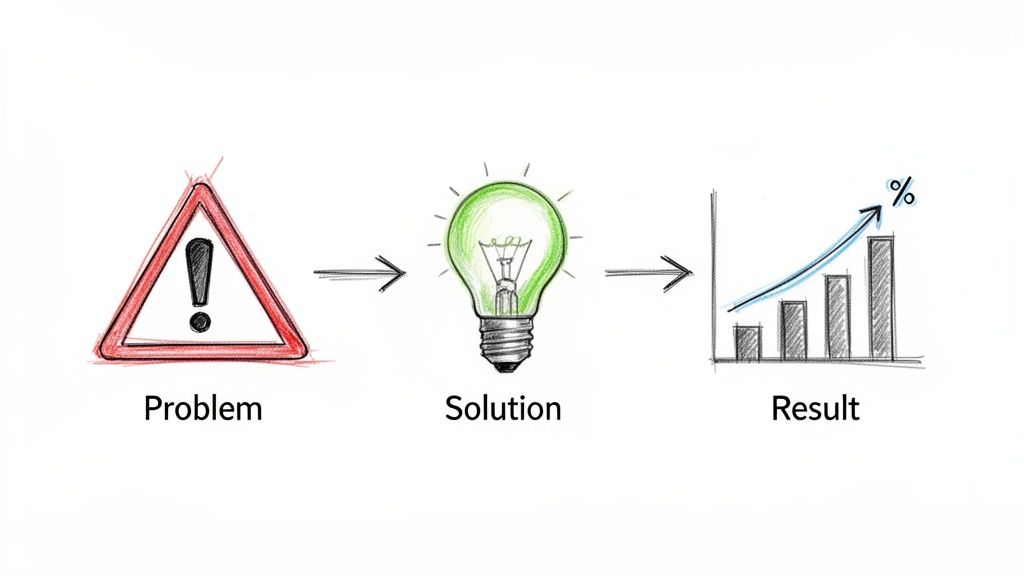
This structure is one of the most effective linkedin carousel post examples for B2B consultants, coaches, and SaaS founders because it mirrors the buyer's journey in a compressed format. It grabs attention with a relatable problem, builds interest with a clear solution, and creates desire with proven results.
Why It Works So Well
The PSR model is effective because it leverages fundamental persuasion psychology. By starting with a problem your target audience deeply feels, you establish an instant connection. The solution positions you as the expert, and the result provides the social proof needed to overcome skepticism and inspire action.
- Slide 1 (Problem): A hook-driven slide that clearly articulates a common pain point. Example: "Are your cold emails being ignored by key prospects?"
- Slides 2-4 (Solution): A concise breakdown of your framework, strategy, or process. Example: "Introduce the 'Value-First' email framework with a step-by-step visual."
- Slide 5 (Result): The proof. Use a hard metric, a client testimonial, or a before-and-after screenshot. Example: "The result? A 40% increase in response rates and 15 new meetings booked."
How to Implement This Strategy
To create a compelling PSR carousel, start by identifying the single most significant challenge your ideal client faces. Use highly specific language to describe the problem so they feel understood. For the solution, avoid jargon and break your process into simple, digestible steps. Finally, make your result as concrete as possible with numbers, percentages, or direct quotes. End with a clear call-to-action that tells the reader exactly what to do next, like "DM me 'STRATEGY' for the full template."
For those looking to streamline this process, using a dedicated LinkedIn carousel generator can help you quickly structure these slides and maintain brand consistency.
2. The 'Top X Tips/Frameworks' Carousel
The 'Top X Tips/Frameworks' format is a staple of high-engagement content on LinkedIn. It breaks down a complex topic into a numbered list of easily digestible, actionable tips. Each slide typically functions as a self-contained piece of advice, making the entire carousel highly valuable, shareable, and, most importantly, "save-worthy." This format positions you as an organized expert who can simplify difficult concepts into clear, practical steps.
This structure is one of the most versatile linkedin carousel post examples for thought leaders, coaches, and marketers. It allows you to showcase your expertise in a non-salesy way while providing immediate value that encourages your audience to follow you for more insights. It's an excellent way to build authority and an evergreen content asset.
Why It Works So Well
This format leverages the brain's preference for organized information and the "curiosity gap." A title like "7 LinkedIn Writing Hacks" immediately promises a finite, valuable set of takeaways, compelling users to swipe through to discover all the tips. The bite-sized nature of each slide respects the user's time and makes the information easy to absorb and apply.
- Slide 1 (Hook): The title slide that clearly states the number and topic. Example: "5 Ways to Validate Your Startup Idea Before Building."
- Slides 2-6 (Tips): Each slide presents one distinct tip or step in a framework. Example: "Tip #1: The 'Landing Page' Test. Create a simple landing page and drive traffic to measure interest."
- Slide 7 (Summary/CTA): A concluding slide that either summarizes the tips or adds a bonus tip, followed by a call-to-action. Example: "Save this post for your next launch! Which validation method will you try first?"
How to Implement This Strategy
Start by brainstorming common questions or challenges your audience faces. Group your advice into a logical, numbered list. For maximum impact, lead with your most surprising or counterintuitive tip on the first slide to hook the reader immediately. Use a consistent design template with large, clear headings for each tip, and complement the text with a relevant icon or simple visual on each slide. For more ideas on structuring your content, exploring different formats can help you determine what to post on LinkedIn to best engage your audience. End the carousel with a question to spark conversation in the comments.
3. The 'Data-Driven Insights' Carousel
The 'Data-Driven Insights' carousel leverages hard data, industry research, and surprising statistics to establish immediate authority. This format transforms you from a content creator into a trusted advisor by providing your audience with valuable, fact-based insights they can't easily find elsewhere. By presenting compelling data and adding your unique interpretation, you deliver immense value upfront and become a go-to resource in your niche.
This structure is one of the most powerful linkedin carousel post examples for consultants, industry analysts, and B2B marketers. It’s designed to stop the scroll with a shocking statistic and then guide the reader through the "what," "so what," and "now what" of the information, positioning your expertise as the crucial link between raw data and actionable strategy.
Why It Works So Well
This model is effective because it appeals to the logical, professional mindset of the LinkedIn audience. Data provides credibility and a strong foundation for your arguments, removing subjectivity and building trust. A powerful statistic acts as a high-impact hook, while your subsequent analysis demonstrates your unique value and thought leadership.
- Slide 1 (The Hook): Lead with the most surprising or counterintuitive statistic from a credible report. Example: "New Gartner report: 60% of B2B buyers are avoiding sales reps. Here’s why."
- Slides 2-4 (The Insight): Break down the data. Explain what the numbers mean and, more importantly, what the implications are for your audience. Example: "This isn't a sales problem; it's an information access problem. Buyers now prefer self-service."
- Slide 5 (The Action): Provide a clear, actionable takeaway based on your analysis. Example: "The solution? Shift from outbound pitching to creating insightful content that answers their questions before they even ask."
How to Implement This Strategy
Start by identifying a recent, reputable study in your industry. Always cite your source to maintain credibility. Pull out the single most impactful statistic for your hook slide. In the following slides, don’t just report the data; interpret it. Add your unique perspective and explain why it matters to your specific audience. Conclude with a clear call-to-action that positions you as the expert who can help them navigate these trends. To maximize visibility, be sure to post at optimal times, as even the best data can be missed. For more on this, you can learn about the best time to post on LinkedIn.
4. The 'Behind-the-Scenes / How I Do It' Carousel
The 'Behind-the-Scenes' carousel pulls back the curtain on your unique process, workflow, or daily routine. This intimate format builds a powerful connection by satisfying audience curiosity and humanizing your brand. It moves beyond just showcasing results and instead reveals the "how," establishing transparency and credibility that resonate deeply with potential clients and followers.

This style is one of the most compelling linkedin carousel post examples for solopreneurs, coaches, and freelancers. It allows them to demonstrate expertise not through claims, but through a transparent display of their actual methods, building trust in a way polished marketing content often cannot.
Why It Works So Well
This format works because people are inherently curious about how experts achieve their results. Sharing your process demystifies your service and provides tangible, educational value. By including imperfect or "messy" details, you foster authenticity and relatability, which are key currencies on a platform like LinkedIn.
- Slide 1 (Hook): Start with a relatable hook that grabs attention. Example: "How I create a month's worth of content in just 3 hours."
- Slides 2-5 (Process): Break down your workflow into clear, visual steps. Use actual screenshots of your tools, templates, or even your desk. Example: "Step 1: Mind-mapping topics on my whiteboard."
- Slide 6 (Key Insight/Takeaway): Share a core principle or "aha" moment from your process. Example: "The secret isn't speed; it's having a repeatable system."
How to Implement This Strategy
To create an effective 'Behind-the-Scenes' carousel, document a process your audience would find valuable. Don't be afraid to show the unpolished reality; screenshots of messy folders or candid photos work better than stock images. Explain the "why" behind each step to provide deeper insight. End with a conversational call-to-action that invites engagement, like "What part of your workflow takes the most time? Comment below!"
5. The 'Before-After Transformation' Carousel
The 'Before-After Transformation' carousel leverages one of the most powerful storytelling devices: dramatic change. This format visually contrasts a past state of struggle (the 'before') with a current state of success (the 'after') to demonstrate the tangible impact of your solution. It works by creating an immediate emotional connection and providing clear, visual proof of value, making your claims feel more credible and aspirational.
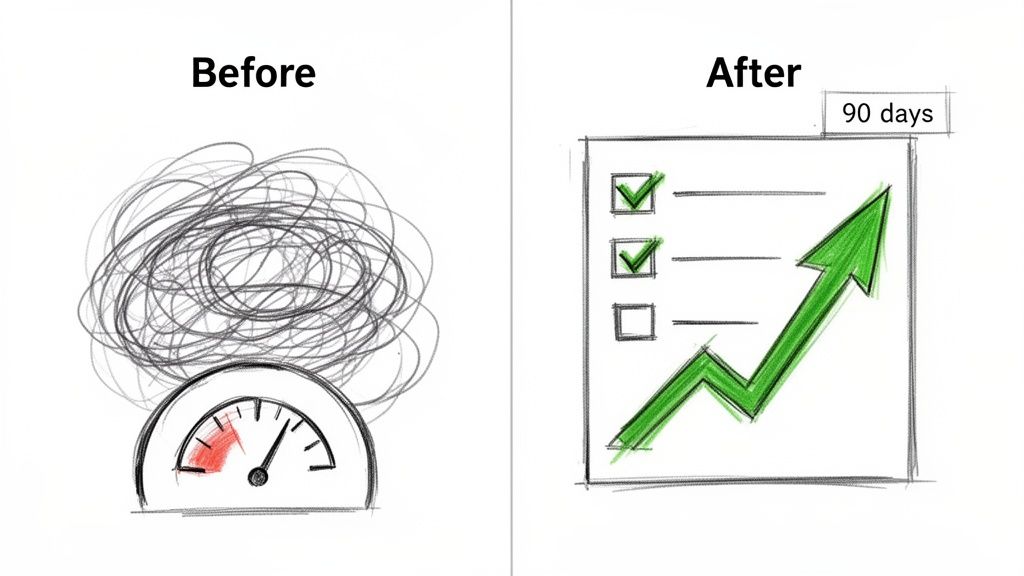
This is one of the most compelling linkedin carousel post examples for coaches, consultants, and service providers whose work creates measurable change. It instantly answers the prospect's core question: "Can you get results for someone like me?" by showcasing a real-world success story in a simple, high-impact format.
Why It Works So Well
The human brain is wired to notice contrast. The 'Before-After' model plays on this by creating a stark, memorable visual gap that your product or service fills. The 'before' state builds empathy and relatability, while the 'after' state creates desire and provides the social proof needed to build trust and inspire a purchasing decision.
- Slide 1 (Before): A hook that highlights a painful starting point with a specific metric. Example: "My client was getting 0 recruiter DMs on LinkedIn."
- Slides 2-4 (The Transformation): Show the process. Briefly explain the key strategies, systems, or mindset shifts that drove the change. Example: "We implemented a 3-part profile optimization and content strategy."
- Slide 5 (After): The dramatic result with a clear timeline. Use a side-by-side comparison or a powerful concluding metric. Example: "After 90 days? He now averages 15+ recruiter messages every week."
How to Implement This Strategy
To create a powerful transformation carousel, start by identifying a client result that includes clear, quantifiable metrics. Use strong visuals to represent the 'before' state of chaos or low performance and the 'after' state of order and high achievement. Be specific about the timeline and the key actions taken to make the result feel attainable and credible. End with a call-to-action that invites others to achieve a similar transformation, such as "Want to build a recruiter magnet profile? DM me 'PROFILE'."
6. The 'Common Mistake vs. Better Alternative' Carousel
The 'Common Mistake vs. Better Alternative' format is a powerful way to challenge conventional wisdom and position yourself as an insightful expert. It directly contrasts a widespread but flawed practice with a superior, evidence-backed approach. This structure grabs attention by validating a common action many in your audience are likely taking, then gently pivoting to reveal a more effective strategy, establishing immediate authority and credibility.
This is one of the most effective linkedin carousel post examples for consultants, coaches, and industry disruptors. It allows you to educate your audience while simultaneously showcasing your unique perspective and deeper understanding of their field. By deconstructing a popular myth, you build trust and attract a discerning audience looking for genuine expertise, not just recycled advice.
Why It Works So Well
This format taps into the audience's desire for an "insider" advantage. It works because it first creates a sense of shared understanding ("I see you making this mistake, and it's not your fault") before delivering a valuable insight. This contrast-based teaching method makes your new idea more memorable and impactful than simply stating the better alternative on its own.
- Slide 1 (The Common Mistake): Hook the reader with a relatable but suboptimal action. Example: "Mistake: Believing a perfect resume is the key to landing your dream job."
- Slides 2-4 (The Better Alternative): Introduce your contrarian viewpoint and break it down. Example: "Better: A strong professional network opens more doors than any resume. Here’s the 3-step networking plan..."
- Slide 5 (The Rationale/Proof): Explain why your way is better, using data, a mini-case study, or a logical argument. Example: "Fact: Over 70% of jobs are never publicly posted. They're filled through referrals."
How to Implement This Strategy
Start by identifying a common piece of advice in your industry that is either outdated or incomplete. Your first slide should frame this as the "common way." Then, dedicate the following slides to presenting your "better way." It’s crucial to back up your alternative with clear reasoning, data, or a client success story to make your argument compelling. Acknowledge why the common mistake is so prevalent to show empathy. End your carousel with a call-to-action that encourages discussion, such as "What's one common industry 'rule' you think needs to be broken?"
7. The 'Story-Driven Narrative' Carousel
Humans are wired for stories. The 'Story-Driven Narrative' carousel taps into this fundamental cognitive bias, using a personal or client story to illustrate a lesson, transformation, or key business insight. This format moves beyond dry facts and figures to create an emotional connection, making your message more memorable and your brand more human. It's a powerful way to build rapport and demonstrate expertise through lived experience.
This approach is one of the most compelling linkedin carousel post examples for personal brands, coaches, and founders. Instead of just telling your audience what you can do, you are showing them through a relatable journey of struggle, discovery, and triumph. This narrative arc captures and holds attention far more effectively than a simple list of features or benefits.
Why It Works So Well
Stories trigger empathy and build trust. By sharing a vulnerable moment, a past failure, or a hard-won victory, you create an authentic connection that positions you not just as an expert, but as a relatable guide. This narrative format is exceptionally effective at demonstrating the real-world application and impact of your knowledge.
- Slide 1 (The Hook): Start with an intriguing opening that creates suspense. Example: "My first startup failed spectacularly. Here's the one mistake that cost me everything."
- Slides 2-5 (The Journey): Detail the conflict, the turning point, and the key actions taken. Use vivid details. Example: "Slide 2: The mounting debt. Slide 3: The client conversation that changed my perspective. Slide 4: The new strategy I implemented."
- Slide 6 (The Lesson): Conclude with the core takeaway or insight gained from the experience. Example: "The lesson? Product-market fit isn't a destination; it's a continuous conversation."
How to Implement This Strategy
To craft a powerful story-driven carousel, begin with a moment of high stakes or significant change. Identify a clear "before" and "after" state. Use the slides to create a sense of progression, revealing one part of the story at a time to keep the reader swiping. The key is to connect your personal journey directly to a valuable lesson that your target audience can apply to their own challenges. End with a call-to-action that invites conversation, like "What's the biggest lesson you've learned from a professional failure?"
8. The 'Audience Q&A / Common Questions Answered' Carousel
The 'Audience Q&A' format directly leverages your community's curiosity to create high-engagement content. This approach involves gathering frequently asked questions from your audience and answering them in a concise, multi-slide carousel. It's a powerful strategy for building community, demonstrating expertise, and showing that you are actively listening to your followers' needs. This format transforms passive consumption into an interactive dialogue.
This structure is one of the most effective linkedin carousel post examples for coaches, consultants, and community-led founders. By sourcing content directly from your audience's comments and DMs, you guarantee relevance and create content that your followers are genuinely invested in seeing. It’s a surefire way to provide immediate value while reinforcing your authority on a subject.
Why It Works So Well
This carousel type excels because it is built on a foundation of proven interest. Instead of guessing what your audience wants to know, you are directly addressing their stated challenges and curiosities. This makes the content feel personal and highly valuable, fostering a stronger connection and encouraging further interaction. People love seeing their own questions answered publicly.
- Slide 1 (Hook): Frame the carousel around a common theme or a specific number of questions. Example: "You asked, I answered: The top 5 questions I get about finding your first 100 customers."
- Slides 2-6 (Q&A): Dedicate one slide to each question and its concise answer. Example: Slide 2: "Q1: Where do I even start looking?" followed by a direct, actionable answer.
- Slide 7 (CTA): Encourage more interaction and continue the conversation. Example: "Have another question? Drop it in the comments below, and I'll answer it in my next Q&A post!"
How to Implement This Strategy
To execute this strategy, actively monitor your comments, DMs, and community discussions to identify recurring questions. Prioritize those that represent significant pain points for your ideal clients. When crafting answers, be thorough but brief, aiming to address the underlying concern, not just the surface-level question. You can even respectfully correct common misconceptions.
Publishing these Q&A carousels on a recurring schedule, such as monthly, can build anticipation and train your audience to engage with you. Always end by inviting more questions, creating a self-sustaining content engine that continuously fuels your LinkedIn presence with relevant material.
8 LinkedIn Carousel Formats Compared
| Format | Implementation 🔄 | Resources ⚡ | Expected Outcomes 📊 | Ideal Use Cases | Key Advantages & Tips ⭐💡 |
|---|---|---|---|---|---|
| The "Problem-Solution-Result" (PSR) Carousel | Moderate: 5–7-slide narrative; needs clear hook and flow | Moderate: case studies, stats, visuals, design time | High engagement, strong lead gen and authority when backed by results | B2B consultants, coaches, sales & demand-gen pros | High credibility and comment-driving; tip: open with a strong hook and include quantified outcomes |
| The "Top X Tips/Frameworks" Carousel | Low: numbered, repeatable template (5/7/10 slides) | Low: research and consistent visuals; easy to repurpose | Strong share/save signals and evergreen reach | LinkedIn creators, consultants, marketing managers | Highly shareable and evergreen; tip: lead with the most surprising tip |
| The "Data-Driven Insights" Carousel | High: research-led structure, clear data storytelling | High: access to recent studies/proprietary data + strong visuals | High credibility and viral potential; attracts quality leads | Analysts, marketers, HR, consultants | Establishes authority with sourced data; tip: always cite sources and add interpretation |
| The "Behind-the-Scenes / How I Do It" Carousel | Low–Moderate: personal workflow, step-by-step visuals | Low: photos/screenshots and authentic copy | Builds trust, loyalty, and DM-driven opportunities | Solopreneurs, founders, freelancers, personal brands | Humanizes your brand and boosts loyalty; tip: show real, imperfect moments (with context) |
| The "Before-After Transformation" Carousel | Moderate: visual contrast and timeline-driven story | Moderate: strong visuals, client permission, metrics | Instant visual hook; high-intent leads if results are genuine | Coaches, consultants, transformation-focused services | Powerful proof of impact; tip: include specific metrics and permissions |
| The "Common Mistake vs. Better Alternative" Carousel | Moderate: alternating contrast slides; needs research | Moderate: evidence or case studies to support claims | Positions you as contrarian thought leader; drives discussion | B2B founders, marketers, consultants seeking differentiation | Differentiates from conventional wisdom; tip: back alternatives with data and acknowledge why the old way exists |
| The "Story-Driven Narrative" Carousel | High: needs strong storytelling arc and pacing (7–9 slides) | Low–Moderate: personal details, editing, evocative visuals | Deep emotional engagement, memorability, audience loyalty | Founders, executive coaches, personal-brand creators | Extremely memorable and connective; tip: use vivid specifics and end with a clear lesson |
| The "Audience Q&A / Common Questions Answered" Carousel | Low: curate questions and concise answers (6–8 slides) | Low: community-sourced content, minimal design | High engagement and community building; encourages follow-ups | Creators with engaged audiences, coaches, CS teams | Directly addresses audience needs; tip: prioritize frequently asked and keep answers concise |
From Inspiration to Implementation: Your Next Steps
We've journeyed through a comprehensive gallery of powerful LinkedIn carousel post examples, dissecting the anatomy of what makes them resonate, engage, and convert. From the directness of the 'Problem-Solution-Result' framework to the authority-building power of the 'Data-Driven Insights' format, each example provides a unique blueprint for capturing attention in a crowded feed.
You've seen how top creators leverage storytelling, contrast, and behind-the-scenes glimpses to build trust and generate leads. The key isn't just to copy these examples slide-for-slide, but to understand the underlying psychology and strategic intent. The true power lies in adapting these proven structures to your unique voice, industry, and audience needs.
Your Actionable Roadmap Forward
The difference between inspiration and tangible results is immediate action. Don't let this knowledge sit idle. Instead, channel it into a structured plan to elevate your LinkedIn presence. Here are the most critical takeaways to implement right away:
- Start with the Hook: Your first slide is everything. As seen in nearly all the high-performing examples, a compelling title, a bold claim, or an intriguing question is non-negotiable. It's the gatekeeper to the rest of your content.
- Embrace Strategic Simplicity: Notice the common thread of minimal text per slide and a strong reliance on visuals. Your audience is scrolling quickly. Make your key points scannable and your design clean to ensure your message lands effectively.
- Structure is Your Ally: Don't just share random tips. Frame your content within a proven structure like the 'Top X Tips', 'Mistake vs. Alternative', or the 'Before-After Transformation'. This narrative arc keeps readers engaged and guides them logically toward your conclusion.
- Always Guide the Next Step: Every carousel must end with a clear, low-friction Call to Action (CTA). Whether it's asking for a comment, inviting a DM, or directing them to a resource, you must explicitly tell your audience what you want them to do next.
Mastering the carousel format is more than just a content tactic; it's a strategic imperative for modern B2B marketing. It allows you to package immense value, demonstrate your expertise, and build meaningful connections at scale. The LinkedIn carousel post examples in this article are your starting point, a launchpad for developing a content style that not only stops the scroll but also drives real business growth. Pick one format, commit to creating your version this week, and start building your authority one slide at a time.
Feeling inspired but short on time to manually create and schedule all your new carousel ideas? LinkPilot automates your entire LinkedIn content workflow, from scheduling posts and carousels to engaging with your audience, so you can focus on strategy while we handle the execution. Turn your inspiration into consistent, high-impact content by visiting LinkPilot to see how it works.