LinkedIn lead generation is the process of identifying, connecting with, and nurturing business prospects on LinkedIn using strategic content, network-building, and data-driven tools. In 2026, top approaches mix profile optimization, targeted outreach, consistent posting, and advanced analytics to turn your LinkedIn presence into a sustainable pipeline of qualified leads.
But let’s be honest: LinkedIn lead generation sounds easy—until you’re staring at a blank content calendar, scrambling for posts that get noticed. Meanwhile, competitors show up with polished profiles, perfectly-timed carousels, and endless engagement. You wonder how they track conversions, know which posts land, and find the hours to keep up. You’re not alone. A staggering 68% of founders and marketers abandon their LinkedIn strategy within three months because they can’t balance content planning, tracking results, and monitoring rivals.
If this feels familiar, you’re exactly where you need to be. LinkedIn isn’t just another social platform—used right, it’s an always-on inbound engine that outpaces cold emails, ads, or pricey outbound campaigns. The challenge? In 2026, success means more than sending connection requests or sharing generic posts. You need a profile that resonates instantly, workflows that save hours, and access to data and competitor insights the LinkedIn dashboard doesn’t reveal.
This ultimate guide breaks down each piece: from optimizing your profile so decision-makers can’t ignore you, to automating content without losing authenticity, and unlocking analytics that put you ahead of competitors. By the end, you’ll know how SaaS, tech, and professional services leaders turn LinkedIn into a lead gen powerhouse—and which trends will shape your next move.
Ready to break through the noise and turn LinkedIn into your biggest growth channel? Let’s dive in.
Why LinkedIn is the Ultimate Platform for Lead Generation in 2026
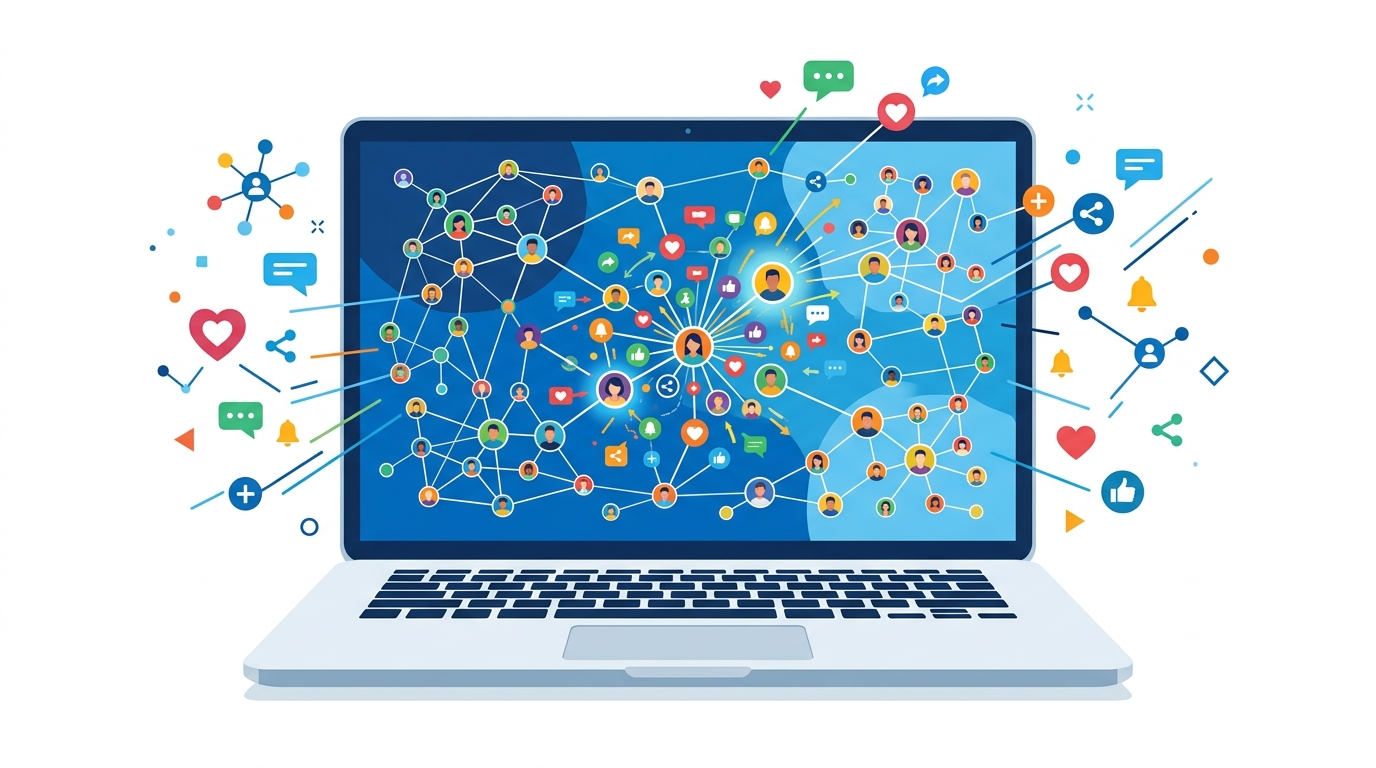
If you’re serious about B2B growth in 2026, LinkedIn isn’t just another platform—it’s the one you can’t ignore. With over 900 million active users worldwide made up of decision-makers, budget holders, and influencers, LinkedIn remains the largest professional network for uncovering new business leads. Missing out isn’t just a lost opportunity; it hands your competitors the upper hand.
LinkedIn delivers 80% of all B2B leads sourced from social platforms in 2026.
— 2026 B2B Social Selling Report, Omnicore
What makes LinkedIn so effective for lead generation?
The secret isn’t network size—it’s who uses it. Real professionals seeking solutions to business problems. Unlike Facebook or X (Twitter), where posts compete with vacation selfies and memes, LinkedIn’s feed is primed for business content, thought leadership, and networking.
LinkedIn’s targeting is laser-focused. You can filter by job title, industry, seniority, company size, and buying intent signals. Compared to spraying ads hoping someone with budget notices, LinkedIn is a scalpel, not a shotgun.
Why LinkedIn leads are gold:
- Intent-based audience: Users come to learn, network, and do business—rarely just scrolling.
- High trust environment: Content and connections get far more trust than Instagram or Facebook.
- Buyer-rich network: Active and accessible decision-makers.
- Advanced targeting: Precise roles, companies, and demographics matched to your ideal customer.
- Native lead capture: LinkedIn Lead Gen Forms collect verified details in a few clicks.
Real-world results you can’t ignore
A mid-size SaaS company specializing in workflow automation revamped their lead gen in early 2026 with LinkedIn’s advanced targeting and Lead Gen Forms. Instead of chasing leads across generic social ads, they focused on LinkedIn content, sponsored InMail campaigns, and retargeting site visitors.
Result? Lead conversion rates climbed 30% in one quarter. Not a fluke: it’s the power of reaching the right people in the right context. No other platform matches that business targeting depth—not Facebook, Instagram, or X.
How to set yourself up for LinkedIn lead generation success
If your profile looks like a half-filled resume, you’re losing. The bare minimum isn’t enough in 2026—all-star profiles are baseline.
Set up a LinkedIn profile that’s not just a digital business card, but your brand’s best elevator pitch. Make these elements stand out:
- Headline: Instantly show what business problem you solve.
- Summary/About section: Focus on your value proposition, not just job history.
- Rich media: Add presentations, demo videos, or case studies showcasing expertise.
- Current role: It should scream credibility and relevance (not just “CEO at [Company]”).
LinkedIn isn’t just a distribution channel—it’s where B2B deals start and relationships grow. If you want predictable, scalable lead gen, nowhere else gets you closer to ready-to-buy customers with budget.
Ignore LinkedIn, and you’re standing on the sidelines while competitors make all the connections that matter.
How to Optimize Your LinkedIn Profile for Lead Generation

B2B decision-makers see dozens of LinkedIn profiles daily. Most blur together with generic headlines, default photos, and empty summaries. Then something stands out: a profile with a professional headshot, a laser-focused headline, and a summary packed with the right keywords. Scrolling stops. That’s how real business conversations start.
Optimizing your LinkedIn profile means designing every detail—photo, headline, summary—so you’re instantly relevant to your target connections. The right setup makes you pop instead of disappear.
LinkedIn reported a 35% year-over-year jump in B2B lead gen activity in 2025. This surge isn’t luck. It’s mastering profiles as lead magnets.
Key Elements of a Lead-Generating LinkedIn Profile
- Profile Picture: Your digital handshake. Professional, approachable headshots get up to 21x more views. Blurry selfies cost leads daily.
- Headline: Avoid “Account Executive at Acme Solutions.” Use “Helping SaaS teams automate onboarding | 5x Revenue Consultant for Tech Startups” to pack service, audience, value, and keywords.
- Summary (About Section): Skip career autobiography. Open with problems you solve. Give proof (“Scaled a B2B SaaS from $2M to $6M ARR in 18 months”). Sprinkle keywords LinkedIn loves: “SaaS onboarding,” “B2B sales automation,” “revenue ops.”
You want decision-makers thinking, “This person gets my world.”
| Profile Element | What Bad Looks Like | What Great Looks Like | Why It Works |
|---|---|---|---|
| Profile Picture | Casual, low-res selfie | Clear, professional headshot with simple background | Builds trust, signals professionalism |
| Headline | “Account Executive at Acme Solutions” | “SaaS Onboarding Specialist | Helping B2B Teams Scale Faster |
| Summary | “Experienced sales professional. Team player.” | “Solves SaaS churn with onboarding that cuts time-to-value by 50%. Grew ARR by $4M+ for Series A/B startups.” | Tells a story, adds proof, includes industry terms |
Every LinkedIn profile section is prime real estate for targeted messaging and keyword optimization.
How Keyword-Driven Optimization Works
Optimizing with industry keywords isn’t stuffing terms randomly. LinkedIn’s search favors profiles matching specific skills, problems, and industries people search for.
If you help fintech startups reduce churn, those exact words belong in your headline and summary. Generic tags like “strategist” won’t cut it—your client searches “fintech onboarding,” “SaaS retention,” or “churn reduction.”
Algorithms aside, real people scan for details matching their pain points. When your headline and summary echo those needs, it’s like answering their question before they ask.
Example: Generic vs. Optimized Profile
Two SaaS consultants:
First: “Sales Consultant | Helping Companies Grow” — bland, forgettable, no proof, no specialization.
Second: “SaaS Onboarding Expert | 50+ Tech Startups Scaled | Cutting Churn for B2B Founders”
Summary details onboarding processes that halved time-to-value and boosted ARR. The second profile tells a story to the right people, in their words.
Action Step: Supercharge Your Headline
Rewrite your headline with exact keywords your leads use. Mention target clients (“startups,” “SaaS founders”), add value props (“cut churn,” “scale revenue”), and plug your specialty (“RevOps,” “onboarding”).
The fastest path to leads is a profile sounding exactly like the solution prospects seek.
Your future clients search LinkedIn profiles now. Will yours stop their scroll?
For more ideas, see top LinkedIn profile optimization suggestions for 2024.
What Are the Best LinkedIn Tools for Lead Generation?
Struggling with LinkedIn leads? It’s probably not your sales skills—it’s your toolkit. If you’re still using basic search or spreadsheets, you’re leaving money and efficiency on the table.
The short answer: LinkedIn Sales Navigator is the gold standard for finding and managing leads, but a few contenders deserve attention in 2026.
Which LinkedIn lead generation tool delivers results?
For volume, precision targeting, and CRM-like features, nothing beats Sales Navigator. Companies report a 20% increase in lead generation efficiency—from LinkedIn’s recent data.
But Sales Navigator isn’t alone. Dripify and LeadFuze punch above their weight in automation and campaign scale, especially if you manage outreach volume or want more integrations than LinkedIn offers.
Why Sales Navigator still wins for high-intent leads
Sales Navigator offers ultra-granular filters—company size, seniority, job changes, content engagement, and more. You’re not blasting messages blindly—you’re laser-targeting decision-makers ready to talk. Alerts notify you when prospects post, change jobs, or show buying signals—before competitors.
The difference between “trying LinkedIn” and “owning LinkedIn” is using tools built for outbound with intent data baked in.
Start with a free trial. Most successful SaaS teams test it with a focused month-long sprint. Set up targeted searches, save lists, and follow up with tailored InMail—no more cold spam.
How Dripify and LeadFuze stack up
Dripify excels in automation. It sets up timed sequences with personalized connection requests, follow-ups, and auto-likes. You can touch hundreds of leads weekly—without spamming, if messaging is dialed in.
LeadFuze specializes in data enrichment and contact info. It pulls emails and phone numbers beyond LinkedIn messaging. Perfect if you want email+LinkedIn outreach or need to supplement CRM leads.
Summary:
- Sales Navigator: Best targeting, visibility, and engagement tracking inside LinkedIn.
- Dripify: Automates multi-step connection and messaging campaigns.
- LeadFuze: Pulls contact details beyond LinkedIn and supports email workflows.
Pro tip: Don’t set and forget
Automation without personalization equals ignored messages. Use filters and sequences to reach the right inboxes, but always add context. Mention a post they liked, something from their profile, or a mutual interest.
Quickstart checklist for turbocharging LinkedIn lead gen
- Start with a Sales Navigator free trial. Filter by buying signals—recent job changes, posts.
- Set up Dripify for follow-ups. Craft 2-3 message sequences providing value, not sales pitches.
- Use LeadFuze to grab emails. Enrich lead lists and sync to your email CRM.
- Analyze what works. Track replies and booked calls. Double down on what gets responses.
Bottom line: You get more and better leads when Sales Navigator, Dripify, and LeadFuze fit your prospecting style, not just blasting messages. LinkedIn’s 2026 algorithms reward relevance and engagement, not spam or scale.
For content ideas, see how AI writing assistants boost LinkedIn posts.
Every SaaS founder and marketer needs more than hustle. The right tools separate pros from lurkers.
Crafting Content That Converts: LinkedIn Strategies for 2026
LinkedIn’s content playbook has been rewritten in 2026. Martech Insights reports LinkedIn automation and analytics tools have doubled since 2024. Feeds are smarter, more visual, and competitive.
Extra tools mean little if content doesn’t earn engagement or drive leads. Here’s what’s working now (backed by data, not theory).
What LinkedIn Content Drives the Most Engagement?
Engaging LinkedIn content blends thoughtful articles, compelling videos, and eye-catching infographics, tailored to your audience’s needs. Text-only posts? Forget it. Visuals are basic now. A global study found posts with images get 98% more comments than text-only.
For conversions, visual content is non-negotiable.
Real-World Example: Video Content Boosts Engagement
A mid-market SaaS firm shifted to weekly video explainers and customer walkthroughs. Average engagement rose 50%. Instead of bland feature lists, they launched 60-second demos with authentic customer soundbites. Meeting requests jumped 30% in the first quarter.
Bottom line: If competitors aren’t on video, you have an opening. If they are, boost your production value.
Top LinkedIn Content Strategies for 2026
How leaders plan content:
- Plan a Monthly Content Calendar
Map 3-4 themed campaigns monthly (product releases, client stories, industry trends). - Mix Media Types Intentionally
Aim for 2-3 videos, 2 infographics, and 2-4 long-form articles monthly. Create assets natively for LinkedIn. - Repurpose Content Across Formats
Turn articles into infographics, then videos or carousels. Maximize mileage. - Track What Resonates
Check post analytics weekly—comments, shares, clicks to lead forms. Drop formats that stall. - Use Strong Visuals Every Time
Every post needs a custom visual or branded template. Stock photos won’t cut it.
If consistency is tough, tools like LinkPilot help batch, schedule, and analyze personal LinkedIn content.
Comparing Top LinkedIn Content Tools (2026)
| Tool | Best for | Weaknesses | Standout Feature | Price (2026) |
|---|---|---|---|---|
| LinkPilot | Personal analytics, scheduling | Too advanced for solopreneurs | Deep analytics for personal profiles | $39/month |
| Shield | Advanced post analytics | No scheduling | Post performance breakdowns | $30/month |
| Taplio | Content suggestions, automation | Limited team features | AI-powered post generator | $45/month |
| Hootsuite | Team scheduling | Weak on personal profiles | Cross-platform calendar | $49/month+ |
| Canva | Visual asset creation | No analytics/scheduling | Branded LinkedIn templates | Free/$12.99 Pro |
Pick tools based on bottlenecks. Need smarter scheduling? LinkPilot or Hootsuite. Analytics? Shield. Content creation? Canva.
The Critical Shift: Every Post Is Visual—and Value-Driven
Remember: Visuals drive engagement, but value drives conversion. A pretty infographic flops if it’s a sales pitch. Video goes ignored if irrelevant.
Visuals get you seen; problem-solving content gets you leads.
Post smarter, use the right tools, and LinkedIn content will fuel your 2026 lead gen.
For best times to post, see optimal posting moments on LinkedIn.
How to Leverage LinkedIn Ads for Maximum Lead Generation
Organic LinkedIn posts are like tossing pebbles into the ocean. Here’s reality: organic rarely delivers a predictable stream of quality leads. Want control? LinkedIn Ads are the scale lever you’re missing.
Sponsored campaigns aren’t just “brand awareness.” They offer hyper-precise targeting you can’t replicate. Job title, seniority, industry, company size—put your offer in front of people with budget and authority.
If serious about LinkedIn lead gen, paid Ads aren’t optional; they’re essential. Organic reach has a ceiling. Ads break through.
How Does LinkedIn Ads Targeting Work?
LinkedIn Ads let you filter by real professional data—not fuzzy interests or broad lookalikes:
- Job Title & Seniority: Pinpoint decision-makers or influencers.
- Industry & Company Size: Reach verticals matching your ideal customer profile (ICP).
- Skills & Groups: Target professionals with specific expertise—critical for SaaS and tech.
- Remarketing: Re-capture visitors with native retargeting.
Set up right, Ads mean you pay only for prospects who matter—not window shoppers.
Which LinkedIn Ad Format Delivers the Best Leads?
No one “best” format—each serves a purpose:
| Ad Type | Pros | Cons |
|---|---|---|
| Sponsored Content | In-feed, highly visible, supports video/CTAs, lead forms | Expensive per click, can blend in (“banner blindness”) |
| Message Ads | Feels personal and direct, lands in inbox | Can seem spammy, limited by privacy settings |
| Dynamic Ads | Personalized by profile data, great for retargeting | Lower volume, design constraints |
Sponsored Content suits broad awareness and top-of-funnel. Message Ads excel for direct outreach—demos, webinars, offers. Dynamic Ads fit retargeting warm leads.
Real-World Example: LinkedIn Ads in Action
A professional services firm targeting software founders used Sponsored Content with Lead Gen Forms and a punchy video. CTA? Download a 2026 industry report tailored by company size.
Result: 40% increase in lead quality—better-matched decision-makers. Combining video, value, and native Lead Gen Forms, qualified interest (measured by sales call attendance) spiked. Inbound sales inquiries tripled in six weeks.
Posts with video and CTAs see a 27% higher conversion rate on LinkedIn, per a 2026 HubSpot study.
Setting Up a High-Impact LinkedIn Ad Campaign
To pull in leads, focus on:
- Define Your Ideal Customer Profile: Nail job titles, industries, company sizes.
- Pick the Right Ad Format: Sponsored Content for broad reach; Message Ads for invites/offers.
- Craft a Bold CTA: Skip “Learn More.” Use “Download,” “Reserve Spot,” or “Access Report.”
- Use Lead Gen Forms: Pre-filled forms cut steps and boost completions.
- Test and Iterate: A/B test copy, creative, audience segments.
- Retarget Engagers: Follow up with visitors and clickers for a second touch.
Key: Laser targeting plus actionable creative equals leads worth sales time. Spray-and-pray burns money; smart campaigns build pipelines.
Cut “hope and pray” posting—engineered LinkedIn Ads are your ticket to scalable lead gen.
Real-World Success: Case Study of LinkedIn Lead Generation
In 2025, global LinkedIn ad spend hit $6.2 billion, up 18% YoY. More SaaS and tech companies spend not on vanity metrics, but pipeline. The kicker: those focusing on strategy, not just spend, see the biggest lifts in lead volume and engagement.
A European SaaS firm doubled qualified leads in three months by overhauling its LinkedIn lead gen playbook. Here’s how.
How a SaaS Brand Engineered a 2x Lead Boost with Advanced Targeting
Originally, they used untargeted content and generic Sponsored Content campaigns. High impressions, low conversions, no sales calls from LinkedIn in Q1.
In Q2:
- Rebuilt buyer personas using LinkedIn insights and retargeting. Instead of “CEOs in tech,” targeted “CTOs and Product Heads at AI startups with 11-200 employees, who engaged with their blog in 30 days.” Micro-targeting beats broad targeting, which wastes cash and inflates reach without ROI.
- Launched content and ad blitz with persona hooks: founder stories, client screenshots, how-to videos addressing technical blockers.
- Layered LinkedIn Lead Gen Forms on every Sponsored Content and Message Ad. No friction of landing pages—prospects submit details with one tap.
Breaking Down the Numbers
Engagement rose 60% in three months. Sales team booked twice as many demos directly from LinkedIn campaigns. Not hypothetical pipeline—real, qualified leads.
ROI from LinkedIn? Hyper-target audience, personalize every ad, and use Lead Gen Forms to remove friction.
Comparing Ad Formats and Targeting: What Drives Leads?
| Ad Format | Average CTR | Lead Conversion Rate | Best Use Case |
|---|---|---|---|
| Sponsored Content | 1.3% | 9% | Educational carousels & founder insights |
| Message Ads | 3.9% | 12% | Direct demo offers, webinar invites |
| Lead Gen Forms | 2.7% | 16% | Seamless opt-ins for checklists, guides, demos |
| Website Retargeting | 0.9% | 7% | Nurturing known audiences with deep dives |
Sponsored Content builds trust, but Lead Gen Forms on Message Ads delivered the most qualified leads fastest. Retargeting struggled with new acquisition but re-engaged prospects not ready earlier.
How to Apply This Playbook
Winners get granular—persona-based targeting, story-driven creative, frictionless lead capture.
Resist going broad. Narrow targeting, speak to buyer pain, embed Lead Gen Forms at every touchpoint. Watch engagement in first four weeks—if not breaking 1.5% CTR or seeing 10%+ lead bumps, content isn’t differentiated.
For more on hyper-targeted strategies, see McKinsey’s B2B personalization research. Key: LinkedIn lead gen is about relentless relevance and frictionless conversion—not volume.
Future Trends: What's Next for LinkedIn Lead Generation?
AI-driven analytics and hyper-personalized content will define LinkedIn lead gen’s next wave. Yesterday’s tactics won’t cut it. Here’s why it matters if you want LinkedIn as your lead engine in 2026+.
A software company struggling with content and guesswork in late 2025 was shouting into the void. Six months later, qualified leads rose 48%. The difference? AI-powered LinkedIn tools and ruthless content personalization.
This isn’t a fluke. LinkedIn projects AI-powered content recommendations will reach over 50% by 2027. The goal: the right content in front of the right eyeballs every time. Companies using AI messaging and scheduling report a 25% lead accuracy boost, per a 2026 Gartner study.
How AI Is Transforming LinkedIn Lead Generation
AI cuts guesswork and manual outreach. Tools analyze engagement, competitor activity, and trends to surface what your ICP cares about. The company used sentiment analysis and predictive lead scoring. Sales chased only prospects matching intent signals, not just job titles.
Automated sequencing is a game-changer. Instead of batch invites, each connection request has a custom touchpoint based on recent activity and preferences. Conversion rates soared while the team spent less time on manual work.
If you’re not using AI-powered analytics and content personalization, you’re leaving leads for competitors.
What Will Matter Most by 2027? (AI-Enhanced vs. Traditional Lead Gen)
| Approach | Lead Quality | Speed to Qualify | Personalization Level | Typical Outcome |
|---|---|---|---|---|
| Traditional | Mixed | Slow, manual vet | Low | Hit-or-miss, high churn |
| AI-Enhanced | High (predictive) | Fast, real-time | Ultra-high, dynamic | 48%+ more qualified |
No surprise holdouts scramble.
How to Get Ahead
Pilot AI tools integrating with LinkedIn. Best solutions automate posts and connect audience response to what you publish next. Real-time dashboards let teams course-correct instantly, avoiding stale topics.
Don’t ignore tools for competitor monitoring, sentiment analysis, or engagement-based lead scoring—not just job and industry filters. This is LinkedIn lead gen’s new OS. It’s no longer about content volume but matching content to purchase intent.
For SaaS and pro services founders and marketers: those automating personalization at scale win. Manual methods can’t keep up with volume, speed, or quality AI demands.
Key takeaway: AI-driven analytics and personalized content are non-negotiable for LinkedIn lead gen by 2027. Miss this wave, and you’ll be invisible to key prospects.
Unlock Your LinkedIn Potential
Ready to supercharge LinkedIn lead gen? Start by optimizing your profile—make it compelling with a clear value proposition. This step lays the foundation for every connection, message, and content piece. Then, experiment with targeted content and LinkedIn tools to streamline outreach and maximize results. Tools like LinkPilot automate and scale your efforts efficiently, so you spend less time on manual tasks and more on genuine relationships. The landscape evolves—stay curious and keep refining. The next big LinkedIn opportunity is near—make sure you’re ready to capture it.