Before you even think about sending a connection request, you need to turn your LinkedIn profile into a magnet for your ideal connections. Most people treat their profile like a dusty old resume, but that’s a huge mistake. Think of it as your personal landing page, the first thing people see. Get it right, and they'll want to connect with you before you even ask.
Your Profile Is Your First Impression
Let's be real: when you get a connection request from someone with a blurry photo and a generic job title, what do you do? You probably ignore it. Your profile is working for or against you 24/7. It’s the digital handshake that happens moments before the real conversation begins.
A weak profile is like mumbling your name at a networking event—instantly forgettable. But a sharp, compelling profile makes clicking "Accept" a no-brainer. This isn't just about looking good; it's about laying the groundwork for every single connection you want to make.
Start with a Professional Photo
Your profile picture is the first thing anyone sees. This isn't about being photogenic; it's about looking credible and professional. A clean, well-lit headshot where you look approachable is all it takes.
The difference is staggering. Profiles with a professional photo get 21 times more views. It’s your silent salesperson, building trust before anyone reads a single word you've written. People are scrolling, especially during peak times like mid-morning on Tuesdays and Wednesdays. Your photo is what stops that scroll. If you're curious about user habits, these LinkedIn statistics offer some great insights.
Craft a Headline That Sells a Solution
Right below your name is your headline—prime real estate that most people waste. The default is just your job title, which tells people what you are, not what you do for them.
Don't just be a "Sales Manager." Instead, use that space to immediately communicate your value. A great headline answers the silent question in your prospect's mind: "What's in it for me?" This simple tweak instantly reframes you from just another person with a job title to an expert who solves a specific problem.
Pro Tip: Try a simple formula to get started: "[What I Do] for [Who I Help] | [Key Skill or Impressive Result]." This immediately positions you as a valuable resource and helps you show up in relevant searches.
Here’s a quick look at how to transform a standard, boring title into something that grabs attention.
From Standard Title to Compelling Headline
| Role | Standard Headline | Optimized Headline |
|---|---|---|
| Sales Manager | Sales Manager at TechCorp | Driving 30%+ Revenue Growth for SaaS Startups | B2B Sales & Team Leadership |
| Founder | Founder & CEO | Helping B2B Companies Automate Lead Gen | Founder of GrowthBot AI |
| Content Writer | Freelance Content Writer | SEO Content Strategist for Fintech & SaaS | I Write Content That Ranks & Converts |
See the difference? One is a label; the other is a promise.
Write a Summary That Tells Your Story
Your "About" section is where you seal the deal. So many people just copy and paste job duties from their resume here. Please don't do that. This is your chance to tell a story and make a real connection.
Kick it off with a hook that speaks directly to a pain point your target audience has. From there, weave in your experience and expertise, but always tie it back to tangible results you’ve achieved for others. Finish with a clear and simple call-to-action. Tell them exactly what to do next, whether that’s sending a connection request, checking out your portfolio, or booking a call.
This approach does three things incredibly well:
- It builds rapport. People connect with stories and personality, not just a list of qualifications.
- It demonstrates value. You're not just saying you're skilled; you're showing how those skills solve real-world problems.
- It prompts action. A clear next step removes friction and tells interested people how to engage with you.
When you treat your profile with this level of strategic care, it stops being a static document and starts becoming an active asset that pulls in the right people. Every connection request you send out will land with far more impact.
Finding People Who Actually Matter to You
Alright, your profile is now primed to make a great first impression. The next step is to pivot from being a passive billboard to an active networker. Let's be clear: growing your network isn't about hoarding contacts like baseball cards. It's about strategically connecting with people who can genuinely move the needle for your career or business.
Forget the old "add everyone" strategy. That’s a recipe for a noisy, useless feed. The real power is in precision.
This is where you stop shouting into the void and start having meaningful conversations with the right individuals. By getting smart with LinkedIn’s search tools, you can pinpoint the exact people—be they investors, clients, or mentors—who align with your goals.
This simple flowchart shows how the key pieces of your profile—photo, headline, and summary—work together to create a magnetic first impression.
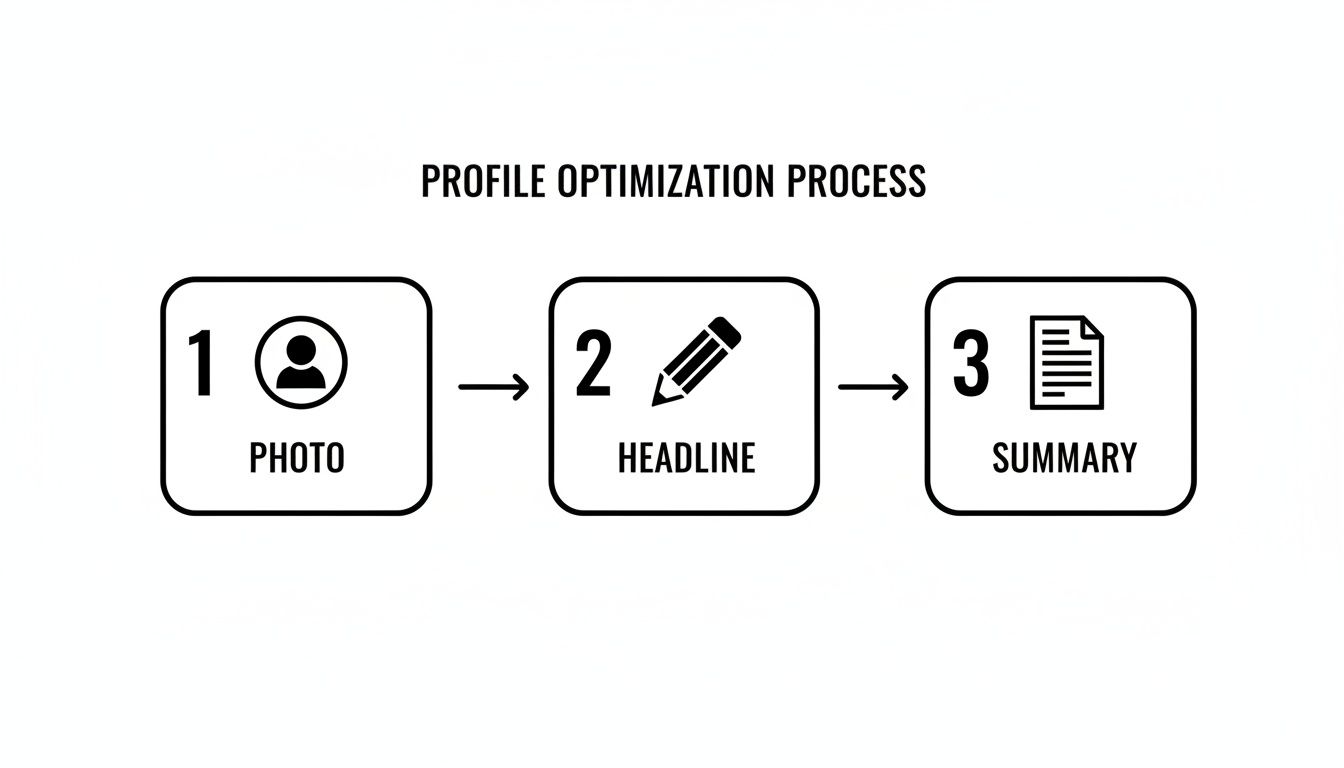
Each element builds on the last, telling a cohesive story that pulls the right people in before you even send a request.
Mastering Boolean Search for Precision Targeting
That standard search bar at the top of LinkedIn? It's way more powerful than most people give it credit for. The secret is learning to use Boolean search, a simple but effective way to tell LinkedIn exactly who you're looking for.
Think of these commands, called operators, as your personal search assistants, sifting through millions of profiles for you.
- AND: Use this to narrow your search.
“Marketing Director” AND “SaaS”will only show you people who have both of those terms in their profile. - OR: This broadens your search.
“Founder OR CEO”is a great way to find the top decision-maker when you aren't sure of their exact title. - NOT: Perfect for excluding people you don't want. Searching for
“Marketing Director” NOT “Recruiter”helps filter out folks from hiring agencies. - Quotes (""): This searches for an exact phrase.
"Product Marketing Manager"ensures you find people with that specific title, not just profiles that happen to contain the words "product" and "manager" somewhere.
By combining these operators, you can build incredibly specific search queries. Imagine a founder looking for funding. They could search:
("Angel Investor" OR "Venture Capital") AND "Fintech" NOT "Intern". This instantly cuts through the noise, showing only relevant investors in their niche.
Leveraging Sales Navigator for Deeper Insights
While Boolean search is a fantastic starting point, LinkedIn Sales Navigator is the next level up. If you're serious about prospecting or building a strategic network, it’s a non-negotiable tool. It unlocks a whole new world of advanced filters that let you get hyper-specific.
Let's say you're a consultant who helps fast-growing tech companies scale. With Sales Navigator, you can stop guessing and start targeting based on real data.
You can filter by things like:
- Company Headcount Growth: Find companies that are actively hiring and expanding.
- Seniority Level: Instantly isolate C-level execs, VPs, or any other tier you need.
- Recent Job Changes: Connect with leaders in their first 90 days on the job—a time when they are most open to new vendors and ideas.
- Keywords in Profile: Search for specific skills, software, or industry terms they’ve mentioned.
This kind of detail lets you build highly curated lists of ideal prospects. Instead of blasting out 100 generic requests, you can find the 10 perfect people and craft a message so personalized it’s impossible to ignore. That’s how you get a sky-high acceptance rate and start a real professional relationship, not just inflate a vanity metric.
Writing Connection Requests People Actually Want to Accept
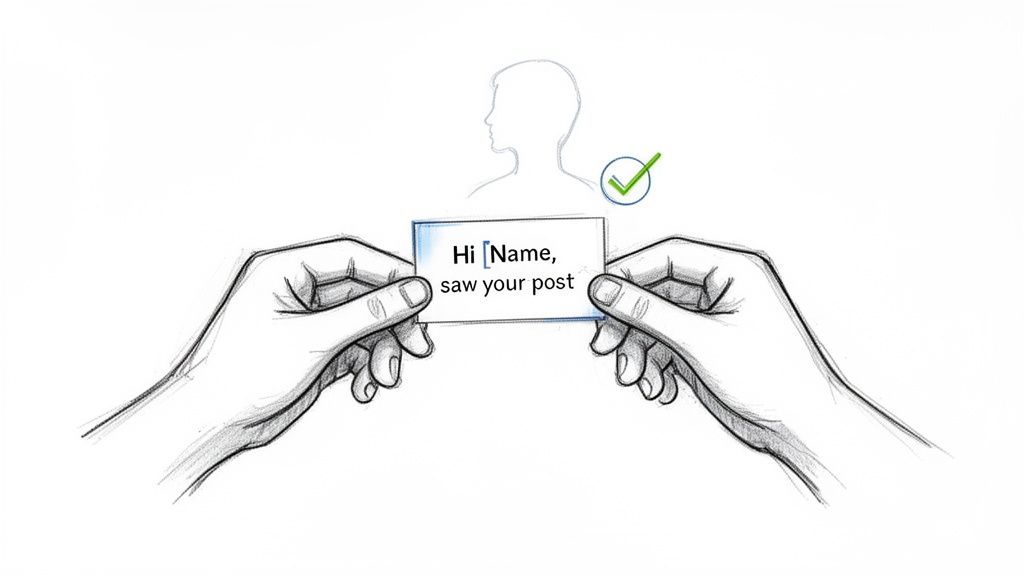
Sending the default "I'd like to connect on LinkedIn" message is the digital equivalent of a limp handshake. It’s lazy, forgettable, and tells the other person you couldn’t be bothered to spend ten seconds on them. If your goal is to build a network of valuable connections, that approach just won't cut it.
A blank request is a low-percentage numbers game. A personalized message, on the other hand, is a strategy. It proves you’ve done a little homework, you respect their time, and you have a genuine reason for reaching out beyond just pumping up your own connection count.
Alright, so you've got the new connection. That's the starting line, not the finish. The real magic in learning how to get connections on LinkedIn isn't just about the number—it's about what happens after they accept.
A massive network is just a vanity metric if it's not made up of genuine professional relationships. Too many people nail the outreach but then drop the ball completely. Without a plan for what comes next, your growing list of contacts is just a digital address book gathering dust.
The "Give Before You Get" Mindset
Here's the single most important rule of networking: provide value before you even think about asking for something. People have a built-in radar for takers, and if your first move is a sales pitch, you’ve already lost. Adopting a "give before you get" approach instantly sets you apart and starts building a foundation of goodwill.
This doesn't mean you need to make some grand gesture. Actually, small, consistent acts of generosity are far more powerful. It’s all about being helpful, thoughtful, and genuinely interested in their success.
Key Takeaway: Flip the script in your head. Instead of thinking, "What can this person do for me?" ask, "How can I be a resource to this person?" That one mental shift changes networking from a self-serving chore into an authentic way to build relationships.
Practical Ways to Nurture Your Network
Staying on someone's radar without being a pest is a delicate dance. It requires a light touch and a relentless focus on making it about them, not you.
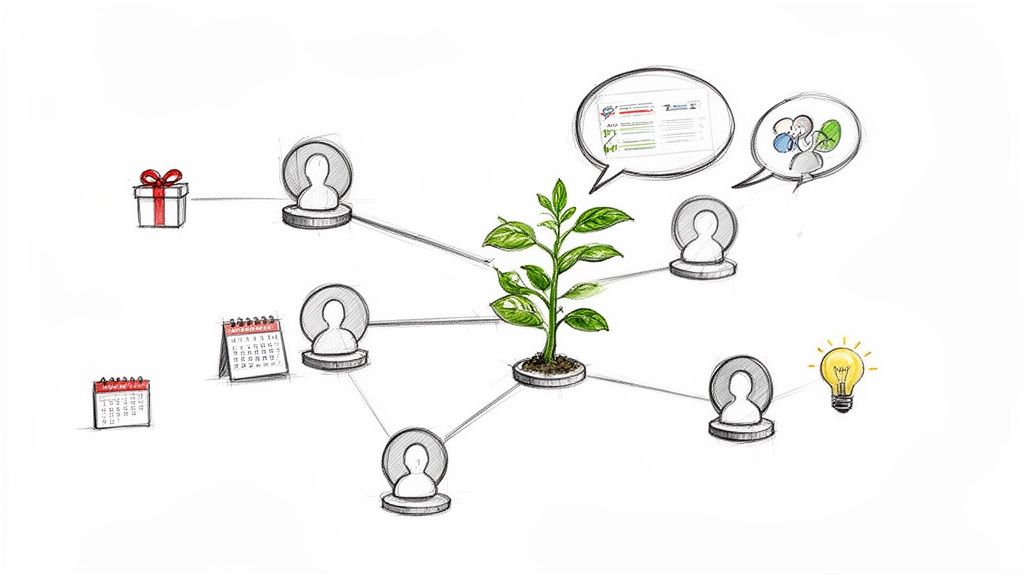
Here are a few simple, non-pushy ways to keep a new professional relationship warm:
- Share a relevant article. If you stumble upon a report or article that relates to their industry or something they've posted about, send it their way. A quick note like, "Saw this and thought of our chat about [topic]. Seemed right up your alley!" works perfectly.
- Make a thoughtful introduction. Connecting two people in your network who could genuinely benefit from knowing each other is one of the highest-value things you can do. It immediately positions you as a valuable hub.
- Engage with their content. Go beyond a simple "like." Leave a thoughtful comment that adds to the conversation and shows you’re actually paying attention to what they're saying.
- Congratulate them on a win. LinkedIn makes this a breeze with notifications for promotions and work anniversaries. A quick, personalized congratulations is an easy touchpoint that shows you’re in their corner.
A Simple System for Staying Organized
As your network scales, trying to remember every detail about every connection becomes impossible. This is where a basic tracking system saves the day. You don't need a fancy CRM—a simple spreadsheet or the notes feature in LinkedIn Sales Navigator can work wonders.
Just create a simple tracker with a few key columns:
- Name & Profile Link
- Date Connected
- Key Conversation Points (e.g., "Met at SaaS conference," "Discussed AI in marketing")
- Last Contact Date
- Next Action (e.g., "Follow up in 2 weeks," "Share article on Q3 trends")
This simple setup ensures you never lose track of where a conversation left off and can always follow up with context. Building a strong network also means you can lean on it when you need support. For instance, knowing how to ask for a recommendation on LinkedIn is a crucial skill, and it’s infinitely easier when you've already built that genuine rapport. A good system helps you do just that.
Your Top Questions About Growing a LinkedIn Network, Answered
Once you start getting serious about LinkedIn, a few common questions always seem to come up. It's easy to get tangled in the unspoken rules and platform limits, so let's clear the air on the big ones.
Getting these fundamentals right from the start will help you build your network confidently and avoid the common pitfalls that slow most people down.
Just How Many Connection Requests Can I Send?
This is the big one, and for good reason. LinkedIn keeps its exact limits under wraps to prevent spam, and the rules have changed quite a bit over the years. Gone are the days of sending hundreds of requests a week.
Today, most accounts have a weekly invitation limit that resets every seven days. This number isn't public and can change based on things like your account's age and, most importantly, your acceptance rate. If too many of your requests are ignored or flagged, LinkedIn will pump the brakes.
- A safe bet: Focus on quality, not volume. Sending 10–15 highly personalized requests each week is a solid, sustainable pace that keeps you safely under the radar.
- The danger zone: Constantly hitting your weekly limit tells the algorithm you might be spamming, which can seriously hurt your account's reach.
The real goal isn't to send the maximum number of requests; it's to get the maximum number of acceptances. A targeted, thoughtful approach always wins out over a spray-and-pray strategy.
Should I Just Accept Every Connection Request I Get?
Definitely not. I know it's tempting to hit "accept" on every request to see your numbers climb, but this can do more harm than good. A network filled with irrelevant connections will quickly turn your LinkedIn feed into a noisy, useless mess.
Think of your network like a well-tended garden. You have to be selective about what you let in. Accepting everyone is like letting weeds run wild—they’ll eventually choke out the valuable content and conversations you want to be a part of.
My rule of thumb: Before accepting, ask yourself one simple question: "Does this person align with my professional world, my goals, or my genuine interests?" If the answer is a clear "no," it's perfectly okay to ignore the request.
Remember, your professional brand is partly defined by who you're connected to. A curated, relevant network is a far more powerful asset than a large, random one.
What’s the Big Deal with 500+ Connections?
You've seen it on profiles everywhere: the "500+" badge. It’s more than just a number; it's a key milestone on LinkedIn that carries real weight. Once you have more than 500 connections, LinkedIn stops showing the exact count and switches to this label.
This acts as a powerful piece of social proof. It immediately tells recruiters, clients, and potential partners that you're an established and active professional. For anyone in a relationship-heavy role—think sales, business development, or PR—it’s often seen as table stakes. I've heard from countless professionals who believe hitting that 500+ mark was a key factor in being discovered for unlisted jobs.
My Network Is Old and Stale. How Do I Bring It Back to Life?
It happens to the best of us. You spend years adding connections, then life gets busy and the network goes cold. The great news is you don't have to start over. You can absolutely re-engage those dormant connections.
The trick is to be systematic and generous. Start by just scrolling through your connection list. Each day, pick a handful of people and see what they've been up to.
- Jump into their conversations: Leave a thoughtful comment on a post they shared.
- Celebrate their wins: LinkedIn makes this easy. Acknowledge a work anniversary or promotion.
- Share something useful: Find an article or a resource you think they'd find interesting? Send it over in a quick message with zero strings attached.
This isn't about asking for a favor. It’s about restarting a conversation by offering value first. A few weeks of this kind of light-touch, consistent engagement can warm up dozens of old contacts, turning them from just names on a list back into real, active professional relationships.
Ready to grow your LinkedIn presence without the daily grind? LinkPilot uses a team of coordinated AI agents to research, plan, and create on-brand content that attracts your ideal network 24/7. Start growing consistently with our perpetual Free plan at https://link-pilot.com.