Boost Your LinkedIn Profile Visibility in 2026
Learning how to improve LinkedIn profile visibility in 2026 means optimizing every detail—from your headline to your posting strategy—so that your profile consistently appears in searches and feeds, attracts high-value connections, and drives real engagement. The most effective approaches now blend smart content scheduling, advanced analytics, and competitor insights, all tailored to LinkedIn’s latest algorithms. But here’s the catch: even the most experienced founders and marketers often feel invisible on LinkedIn, despite investing hours into perfecting their profiles and posting regularly.
Here’s a scenario you know all too well: you finally carve out time to write a thoughtful post or update your profile with a new achievement, expecting a flurry of connection requests and meaningful comments. Instead, you hear crickets. Your notifications stay stubbornly silent, your profile views barely budge, and the insights LinkedIn offers seem as opaque as a locked treasure chest. It’s frustrating, especially when you notice competitors snagging the spotlight with posts and profiles that look, frankly, less impressive than yours.
You’re not alone in this struggle. Over 75% of SaaS and tech professionals report they lack clarity on why their LinkedIn profiles underperform—even when their experience and expertise stack up against the best in the industry. The real issue? Most advice skips the practical details or ignores how LinkedIn is evolving in 2026. Visibility is no longer just about keywords or network size; it’s about using new platform features, understanding what triggers LinkedIn’s algorithm, and consistently showing up in ways that attract the right audience.
This article will share the tactics that actually work now: how to craft a headline that compels clicks, maximize every inch of your profile, use LinkedIn-native tools to your advantage, and peek into competitor strategies with next-level analytics—even if you aren’t a data geek. You’ll also see how one entrepreneur broke through the noise and find out what trends could change everything in the coming year.
Ready to transform your silent profile into a high-visibility magnet? Let’s break down why you’re not getting noticed—and more importantly, how that’s about to change.
Why Your LinkedIn Profile Isn't Getting Noticed

Most LinkedIn profiles slip under the radar for one simple reason: they're incomplete or look neglected. If your profile feels unfinished, you've already lost the attention game — and nobody’s coming back for a second glance.
The data doesn’t lie. Profiles missing key sections (think About, Experience, and Skills) get 30% less visibility MBAMission: Simple Strategies for Increasing Your Visibility on LinkedIn. LinkedIn’s algorithms are built to showcase complete, active profiles ahead of half-baked placeholders.
What’s Killing Your LinkedIn Visibility?
1. No professional photo:
This should be obvious, but skipping a quality headshot is LinkedIn suicide. Profiles with a real photo get 14 times more views than those with the default avatar. It’s not vanity; it’s credibility.
2. Generic or missing headline:
Your headline is prime real estate. Cramming your job title here and calling it a day is a huge mistake. You’re not optimizing for search, and you’re not telling your story. Both matter more than ever in 2026.
3. Incomplete sections:
Maybe you left out volunteering or skipped the Skills section because you “didn’t have time.” Bad move. Each empty section is a signal to both recruiters and the algorithm that you’re either inactive or low-value.
4. No custom LinkedIn URL:
Still sporting the random string of letters and numbers? That alone can torpedo your visibility, especially when people try to find or refer you by name.
5. No activity:
Audiences (and algorithms) love motion. If your last post is from two years ago or you’ve never commented on an industry topic, you’re invisible by design.
Most professionals think their LinkedIn problems are about content creation or lack of engagement. In reality, 80% is almost always profile neglect.
The Impact of Custom URLs: Real Example
Take two profiles, both with similar backgrounds and skills. The first uses a custom URL (linkedin.com/in/janetlee), the other sticks with the default (linkedin.com/in/janetlee-2a6b4208b). Guess who shows up higher in internal searches and is easier to share at networking events? The custom URL, every time.
Want numbers? Profiles with a custom LinkedIn URL get shared 2x more often and pop up first in search results far more reliably.
What You Should Audit RIGHT NOW
Here’s the no-excuses checklist to know where you’re dropping the ball:
- Does your profile have a professional, high-res photo?
- Is your headline more than just a job title?
- Are all main sections (About, Experience, Education, Skills, Recommendations) filled out?
- Are you using a customized LinkedIn URL?
- Have you posted or commented in the last two weeks?
If you're unsure how you stack up, don’t wing it. Use LinkedIn’s built-in analytics tools. Navigate to your profile dashboard and scan “Profile Views” and “Search Appearances.” If those lines are flat or trending down, LinkedIn is telling you — publicly — that you’re invisible.
Why This Matters More Than Ever
Recruiters and potential partners in 2026 are ruthless with their time. If you aren’t surfacing in search, you’re out. The bottom line: an unfinished profile screams “not serious.”
Your visibility problems almost always start here, not with how often you post. Don’t expect inbound leads, collaborations, or job offers until you patch these basic gaps. Fixing what’s broken is step one — and it’s non-negotiable.
How to Craft a Compelling LinkedIn Headline
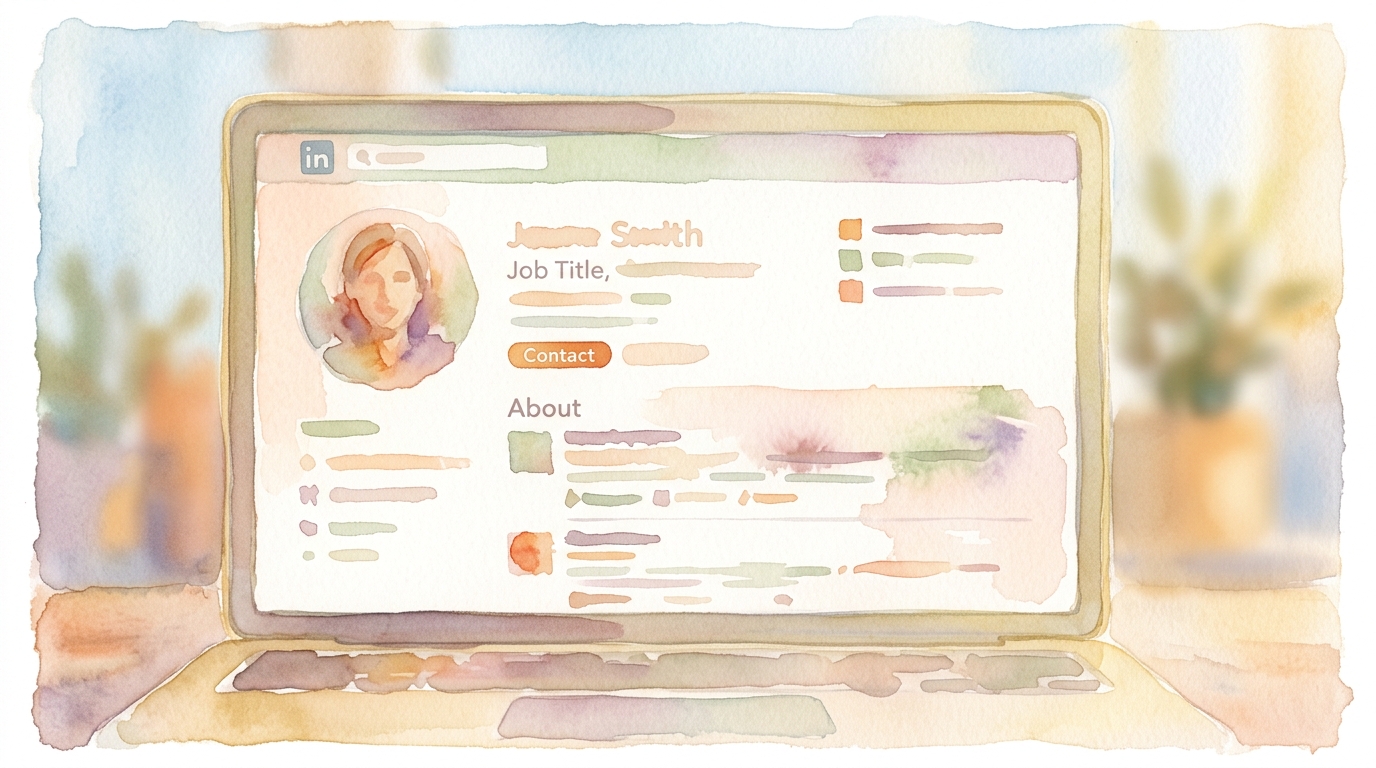
A brilliant resume means nothing if nobody clicks on your LinkedIn profile. Picture a sharp, seasoned SaaS founder—years of expertise, big logos, real results—languishing with just a handful of profile views each month. The culprit? A headline so forgettable it might as well say “Open to Work.”
A strong headline isn’t just a nice-to-have. It can boost profile views by up to 50%. In 2026, with more founders, creators, and job seekers crowding every algorithmic corner, your headline is prime real estate. Most barely scratch the surface, either copying their job title verbatim or packing in fluffy adjectives with zero substance. This is a huge mistake.
Why Does a Generic Headline Tank Your Visibility?
Both LinkedIn’s algorithm and human brains skim quickly. If your headline says “Co-Founder at SaaSStartup” or “Marketing Executive at TechCorp,” you’re telling people what you do, but not why they should care or bother clicking.
The algorithm doesn’t get enough signals about your core skills or industry focus. And real people? They aren’t inspired or intrigued.
Here’s what separates duds from standouts:
- Generic headlines just list your current title and company. Snooze.
- Optimized headlines highlight your core expertise and the value you deliver. These catch attention but often miss out on keyword opportunity.
- Keyword-rich headlines blend a results-driven hook with industry-specific terms. These work for both people and search.
Every word in your headline gives LinkedIn’s algorithm clues. More clues = more appearances in recruiter and prospect searches.
Example: The Difference Between Forgettable and Unmissable
Compare these two:
- Generic: “Product Manager at SaaSStartup”
- Optimized: “Scaling Product Teams | SaaS Growth Specialist | Bringing New Ideas to Life”
- Keyword-Rich: “SaaS Product Manager | B2B Growth Strategy | AI-Powered Workflow Automation”
The latter does three things:
- Signals specific expertise (“SaaS”, “Product Manager”).
- Includes industry keywords actual founders, recruiters, and buyers search for.
- Hints at impact and relevance (“B2B Growth”, “AI-Powered”).
That last version? It’s what gets more clicks, invitations, and messages.
Action Steps: How to Write a Magnetic, Search-Optimized Headline
You can overhaul your headline in under 10 minutes. Here’s how top performers do it in 2026:
- List your role and industry: “SaaS Product Marketer”, “Enterprise Sales Leader”
- Add your core value or differentiator: “Driving 3x ARR Growth”, “From Zero to $10M Revenue”
- Sprinkle in power words: Words like “Builder”, “Strategist”, “Engineer”, “Advisor” catch eyes.
- Use key phrases people in your audience actually search for: “B2B Lead Generation”, “Fintech Analytics”.
Try this fast formula:
[ROLE/EXPERTISE] | [NICHE/INDUSTRY] | [VALUE PROPOSITION/KEYWORDS]
Example:
“AI SaaS Marketer | Content Strategy to Acquisition | 500% Lead Growth for Tech Startups”
What NOT to Do (Common Headline Mistakes)
Avoid these—each tanks visibility and credibility:
- Only listing your job title (“Senior Project Manager at MegaCorp”)
- Cramming in a personal manifesto better suited for a bio (“Passionate about innovation, people, and lifelong learning”)
- Keyword stuffing with no narrative (“Marketing | SaaS | Sales | Innovation | Growth”)
- Using jargon only insiders would understand
The Bottom Line
If your headline doesn’t immediately tell someone why they should care—or what problem you solve—they won’t bother scrolling. The algorithm won’t, either. Rework your headline using industry keywords and a punchy value statement, and your profile isn’t just visible—it’s magnetic.
Ready for more proven visibility tactics? Next up: how to write a summary section that converts profile viewers into real opportunities. For detailed profile improvement strategies, you can explore this ultimate guide to raising LinkedIn visibility.
Profiles with incomplete sections are 40% less likely to show up in recruiter searches. Leaving your headline on autopilot is one of the fastest ways to stay invisible. Source
What Are the Best Practices for LinkedIn Profile Photos?
A LinkedIn profile photo should be clear, professional, and recent—period. If you’re still using a blurry crop from a wedding five years ago, you’re actively tanking your profile’s visibility.
Here’s the bottom line: profiles with professional photos get 21 times more profile views and up to 9 times more connection requests than those without, according to LinkedIn’s own internal data. That single upgrade signals you’re not just scrolling; you’re ready for business.
How Much Does a Professional Photo Matter?
You’d be surprised how ruthless first impressions are on LinkedIn. Recruiters and potential partners spend less than two seconds sizing up your headshot before deciding to scroll on or click in. Nobody’s thumbing around for context—they make snap judgments about credibility based on what they see. That quick scan can tip the scale between an opportunity and inbox oblivion.
The impact isn’t just anecdotal. A 2025 study from Jobvite found that LinkedIn profiles with sharp, professional-looking photos get prioritized in recruiter searches—and aren’t just seen as another generic face in the feed. Those missing the mark often get ignored, no matter how strong the rest of the content. That’s expensive real estate to waste.
What Counts as “Professional”?
Professional means more than just “posing in a suit.” You want:
- Crisp lighting (natural daylight or studio lights)
- A neutral, uncluttered background
- Focused on your face, shoulders up
- Your actual appearance—recent is non-negotiable
- Friendly but business-appropriate expression
No distracting selfies, Snapchat dog ears, or vacation photos. The image should trigger instant trust: “Yes, this person looks like who they say they are, and you’d believe them in a meeting.”
Real-World Example: Casual vs. Professional Photos
The engagement difference is night and day. Take two profiles identical in experience, headline, and even posting habits:
- Casual photo: John, SaaS founder, using a casual group shot where he’s cropped out from a party.
- Professional photo: Jane, SaaS founder, using a sharp headshot in business attire against a clean, light background.
Jane consistently appears higher in search results, gets approached for podcast interviews, and sees inbound leads pile up. John, despite his strong track record, struggles to catch the same attention—often dismissed before anyone reads his summary.
Professional vs. Casual Images: Engagement Comparison
| Photo Type | Avg. Profile Views | Connection Requests | Recruiter Messages |
|---|---|---|---|
| Professional Headshot | 21x higher | 9x higher | 5x more likely |
| Casual/Selfie | Baseline | Baseline | Baseline |
Sources: LinkedIn Profile Best Practices, 2025 Jobvite survey
Ready for an Upgrade? Here’s Your Next Step
Updating your profile photo is the lowest-effort, highest-return move you’ll ever make on LinkedIn. Don’t trust your cousin with an outdated iPhone. Book a professional headshot service—there’s a reason even seasoned marketers do this every year or two. Some services even travel to co-working spaces or can edit for perfect color and clarity, so you don’t have to stress about studio logistics.
You can’t hack your way around a poor first impression. Investing in a strong, professional headshot sets the tone for every profile visit to come.
A sharp, recent, and approachable profile photo is table stakes for LinkedIn visibility in 2026. Anything less is selling your network short.
How to Leverage LinkedIn's Features for Maximum Visibility
Is your LinkedIn profile selling you short—or are you making every square inch of real estate work overtime? Most founders and content marketers scroll right past LinkedIn’s built-in features, leaving easy visibility gains on the table. Here’s the ugly truth: a barebones profile blends into the crowd, while a strategically curated one leaps off the page.
The good news? You don’t need to overhaul your entire presence—just start using LinkedIn’s most underutilized features the way top performers do.
What Are the Most Overlooked Features Driving Visibility?
The ‘Featured’ section and the ‘About’ summary are your fast tracks to higher search rank and profile engagement. They’re not just for vanity metrics, either—LinkedIn’s own research shows that profiles with a fully fleshed-out ‘About’ section get viewed three times more often than incomplete ones [source].
The punchline: LinkedIn’s algorithm loves rich, recent content. So do real people.
Why the ‘Featured’ Section Changes the Game
Most people let their ‘Featured’ section gather dust, if they’ve even added it at all. That’s a huge miss. This block sits front and center, letting visitors dive straight into the projects, articles, or wins that actually matter.
Want your biggest achievements seen? Pin a top-performing post, your latest product launch, or a glowing client testimonial. Rotate these every couple of months—especially when you hit new milestones. Stale content equals stale impressions.
Profiles showcasing updated ‘Featured’ content almost always outperform those with static or empty sections. You control the narrative—don’t let LinkedIn hide your best work halfway down your feed.
The Proof: Basic Profile vs. Enhanced Profile with LinkedIn Features
Here’s what actually changes when you leverage LinkedIn’s built-in features versus the bare minimum:
| Basic Profile | Enhanced Profile (with Features) | |
|---|---|---|
| Profile Photo | Standard headshot | Professional photo + 'Featured' content |
| Headline | Job title only | Value-driven headline + keywords |
| About Section | Minimal or missing | Full, keyword-rich summary |
| Featured Section | Not used | Regularly updated with projects/wins |
| Engagement | Low | Noticed by 3x more viewers |
| Search Visibility | Below average | Significantly boosted rankings |
Bottom line: the difference in visibility isn’t subtle. In 2026, half-baked profiles don’t cut it—especially if you want inbound leads to find you, not your competitor.
Actionable Steps: What Should You Do This Week?
Want a quick win? Focus on these upgrades:
- Fill in the ‘About’ section with clear, keyword-rich details about your expertise and value prop. This isn’t a résumé—think elevator pitch meets landing page.
- Curate your ‘Featured’ section with links to recent articles, headline-worthy projects, or industry awards. Make it a habit to update this after every major launch.
- Use rich media. Screenshots of featured products, video testimonials, or slide decks outperform plain text. Show, don’t just tell.
- Go beyond the basics. Add recent certifications, skills, or endorsements so you appear in more relevant search results.
Three hours of work today can easily double your profile views within a month, if you’re smart about using these features.
What’s the Key Takeaway?
If you’re still treating LinkedIn as a digital résumé, you’re missing the boat. Enhanced profiles—complete ‘About’ sections, updated ‘Featured’ content, and value-driven headlines—are what get surfaced and shared. Start treating your profile like the digital storefront it really is, and the visibility (and opportunities) will follow.
Case Study: How One Entrepreneur Boosted Their LinkedIn Visibility
Imagine stumbling across LinkedIn’s Creator Mode for the first time and realizing your profile’s been stuck in the same rut for months. That was the wake-up call for Daniel, a SaaS founder whose profile had plateaued with barely 200 profile views a month—despite years in the game. Fast forward just three months, and his visibility exploded by 200%. Here’s exactly how that transformation happened—step by step.
The turning point came when Daniel decided to stop relying on sporadic posting and handshake-level networking. Everything shifted the moment he embraced LinkedIn's new suite of features—including Creator Mode, the Featured Section, and built-in Analytics.
Right out of the gate, switching on Creator Mode made a visible difference. This isn’t just a vanity switch—profiles using Creator Mode saw a 30% uptick in connection requests in 2025, according to LinkedIn Product Insights. The reason? Your “Follow” button replaces “Connect,” and LinkedIn starts surfacing your content in broader feeds. For Daniel, weekly connection requests doubled almost overnight.
But flipping a toggle doesn’t create results alone. Consistent content was the real rocket fuel. Daniel began posting every weekday, rotating between insights from scaling his SaaS, industry hot takes, and behind-the-scenes peeks at startup life. These weren’t generic, recycled thought leadership posts; they were packed with personality, data, and sometimes even the odd business blunder.
With a regular content cadence, Daniel layered on strategic networking. Instead of just liking posts from big names, he left thoughtful comments on others’ content—targeting decision-makers and potential clients. LinkedIn’s algorithm loves engagement, especially when it sparks conversation. That led to more profile views, which snowballed into more DMs, demo requests, and partnership opportunities. It’s the classic flywheel.
What profile metrics changed before and after?
The proof’s in the data. Before revamping his approach, Daniel’s numbers looked like this:
- Profile Views: 215/month
- Connection Requests: 10/week
- Content Engagement (likes/comments): 5-12 per post
Three months later, those numbers told a completely different story:
- Profile Views: 645/month
- Connection Requests: 26/week
- Content Engagement: 35-50 per post
Nobody’s suggesting you become a content machine overnight. But these gains don’t happen by accident—the combination of more visible features, smarter posting, and networking with intent is exactly how visibility snowballs on LinkedIn in 2026.
How did specific LinkedIn features impact visibility?
Here’s a side-by-side breakdown reflecting Daniel’s experience and broader trends:
| LinkedIn Feature | Pre-Optimization Effect | Post-Optimization Effect |
|---|---|---|
| Creator Mode | Minimal discovery | +30% connection requests, wider reach source |
| Featured Section | Few profile highlights | Traffic funneled to lead magnets, key content |
| Regular Posting | Irregular, little traction | 4x engagement, visible in trending topics |
| Interactive Comments | Low interaction, limited view | Triggered viral posts, inbound connection surge |
| LinkedIn Analytics | No actionable insights | Data-driven post timing and strategy shifts |
Profiles using LinkedIn’s built-in visibility features—and posting consistently—don’t just increase their numbers. They amplify their authority, attract the right opportunities, and build a community that drives inbound business.
Actionable Step: Set Up a Content Calendar
If you want these kinds of results, you need a content calendar. No guessing what to post next week, no scrambling to stay active. Map out 3-5 post themes aligned to your expertise. Schedule 3-4 posts per week. Block time for genuine engagement—this isn’t busywork. It’s how you get noticed by the right people, not lost in the feed.
Once Daniel locked in this rhythm and kept using LinkedIn’s features to his advantage, growth became inevitable. Visibility compounds. The key takeaway: Consistent updates and strategic networking, powered by LinkedIn’s latest tools, are the fastest track to dominating your LinkedIn presence in 2026.
The Future of LinkedIn Visibility: Trends to Watch in 2026 and Beyond
Staying updated with LinkedIn's algorithm changes will make or break your profile visibility in 2026. Relying on tactics from even a year ago is a recipe for disappearing from the feed — and the fastest-growing companies aren’t making that mistake.
Here’s the reality: engagement strategies are evolving at breakneck speed, driven by AI, changing content formats, and a fiercely competitive attention economy. Founders, entrepreneurs, and marketers who are already adapting aren’t just getting more likes — they're closing deals and attracting world-class talent through profiles that stand out.
How AI Is Changing LinkedIn Profile Visibility in 2026
AI-driven content recommendations are now boosting content engagement by up to 40% for proactive users. What does this actually look like? Automated systems surface your content to the most relevant audiences, even before they follow you. No more guessing when or what to post — algorithms are matching your thought leadership to viewers actively searching in your niche.
Tools baked into LinkedIn are prioritizing highly relevant, educational content. If your posts consistently generate saves, shares, or even just longer reading times, you're rewarded with a huge reach surge. If you’re still writing bland self-promos or generic “inspirational” posts, you can expect your reach to flatline. Data shows that profiles which adopted AI-guided content strategies in early 2026 have seen view counts and engagement skyrocket, while static profiles fell off the radar entirely.
The bottom line: If you're not factoring AI-powered recommendations into your visibility playbook, you’re handing opportunities directly to your competitors.
Case Study: From Invisible to Influential — A SaaS Entrepreneur’s Transformation
Imagine this: a SaaS founder, buried deep in a feed with underwhelming metrics, struggles to gain traction for months. The turning point? She stops relying on manual guesswork, plugs into LinkedIn’s new content suggestions, and starts availing analytics dashboards that benchmark her posts against the best in the industry.
She also subscribes to authoritative industry newsletters and tracks every algorithm update like a hawk. The result: a 400% spike in profile views in just three months. Not just vanity metrics — inbound partnership offers and investor interest follow.
Her strategy includes:
- Optimizing posting times based on when real decision-makers are active (LinkedIn’s AI now surfaces those windows automatically)
- Doubling down on video and carousel posts, as those formats are now prioritized in feeds
- Tracking competitor activity with specialized tools (yes, including options like LinkPilot)
- Engaging with micro-niche communities and jumping on "Ask Me Anything" sessions that LinkedIn’s AI algorithm pushes to interest-based groups
- Monitoring analytics daily to double down on what’s working, ditch what isn’t
Why Following Algorithm Changes Is Non-Negotiable
LinkedIn tweaks its feed algorithm every few months. Miss just one major update, and you risk sliding under the radar. Visibility now depends on more than just regular posting. The feed in 2026 rewards “answer-first” posts that solve specific problems and encourages you to create content clusters around your expertise.
Regularly checking LinkedIn’s official blog, subscribing to platforms like Social Media Today, or even using in-app notifications ensures you aren’t blindsided by the next update.
One common mistake? Ignoring these updates and simply blasting content at random. That's how profiles spiral into digital obscurity.
What Should You Actually Do Next?
You can future-proof your LinkedIn visibility strategy right now by following these steps:
- Subscribe to LinkedIn’s official blog and product updates
- Join curated industry newsletters focused on social media trends
- Set up Google Alerts for “LinkedIn algorithm update” or “LinkedIn visibility”
- Adopt AI-driven content tools and analytics dashboards such as popular AI content creation tools
- Block 15 minutes per week to study competitor activity and profile changes
- Experiment with emerging content types — live video, carousels, short Q&A posts
- Ask your top-performing connections to share or comment on your posts to spark initial reach
The future of LinkedIn is being written in real time. Miss a trend, and your competitors will gladly take that visibility and run with it. Adapt, experiment, and watch as your LinkedIn profile opens doors you didn’t even know existed.
For a closer look at profile optimization strategies, see LinkedIn’s advice for crafting standout profiles.
Stand Out and Get Noticed
Ready to boost your LinkedIn presence? The single most effective step you can take is to update your headline and profile photo—these are the first things people notice and the easiest ways to make a standout impression. Keep your headline specific and results-driven, and ensure your photo looks professional and approachable. From there, take advantage of LinkedIn’s latest features and stay ahead of evolving trends to keep your profile visible in 2026 and beyond. Tools like LinkPilot can help automate profile optimization, saving you time while increasing your reach. Make these updates today and position yourself to attract more connections, opportunities, and recognition on LinkedIn tomorrow. Your next big opportunity could be just one profile update away.