A LinkedIn headline generator uses AI to create compelling profile headlines that attract attention, showcase your expertise, and make you stand out in search results. The top generators in 2026 instantly optimize your LinkedIn headline for keywords, industry relevance, and personal branding—setting you up for more profile views and stronger business connections. Here’s the problem: you’re an ambitious founder, entrepreneur, or content marketer, and yet your LinkedIn headline reads like a bland job title lost in a sea of sameness. You log in, eager to post or network, but each time you glance at your profile, that one-liner feels like a missed opportunity to tell your story, attract investors, or win over dream clients. Sound familiar?
Here’s the kicker—according to recent research, visitors spend less than 3 seconds on a LinkedIn profile before deciding whether to scroll down or click away. In those precious moments, your headline is doing the heavy lifting. It’s not enough to be skilled, experienced, or even well-connected. If you’re not using tools like a LinkedIn headline generator, you risk being invisible in a platform designed to reward visibility.
The truth is, nailing your LinkedIn headline isn’t just about creativity or clever wordplay. It’s a blend of data, psychology, and real-time market insight. When your headline is dialed in, it boosts engagement, amplifies your personal brand, and opens the door to analytics and competitor analysis you can actually use. Imagine finally having a headline that sparks genuine interest from top-tier VCs, recruiters, or SaaS buyers—without spending hours staring at a blank screen.
This guide will uncover the hidden mechanics behind the most effective LinkedIn headline generators, reveal headline strategies even pros overlook, and show you real-world results that translate to measurable business wins. Ready to upgrade from overlooked to unforgettable? Let’s dive into why your LinkedIn headline matters more than ever.
Why Your LinkedIn Headline Matters More Than Ever
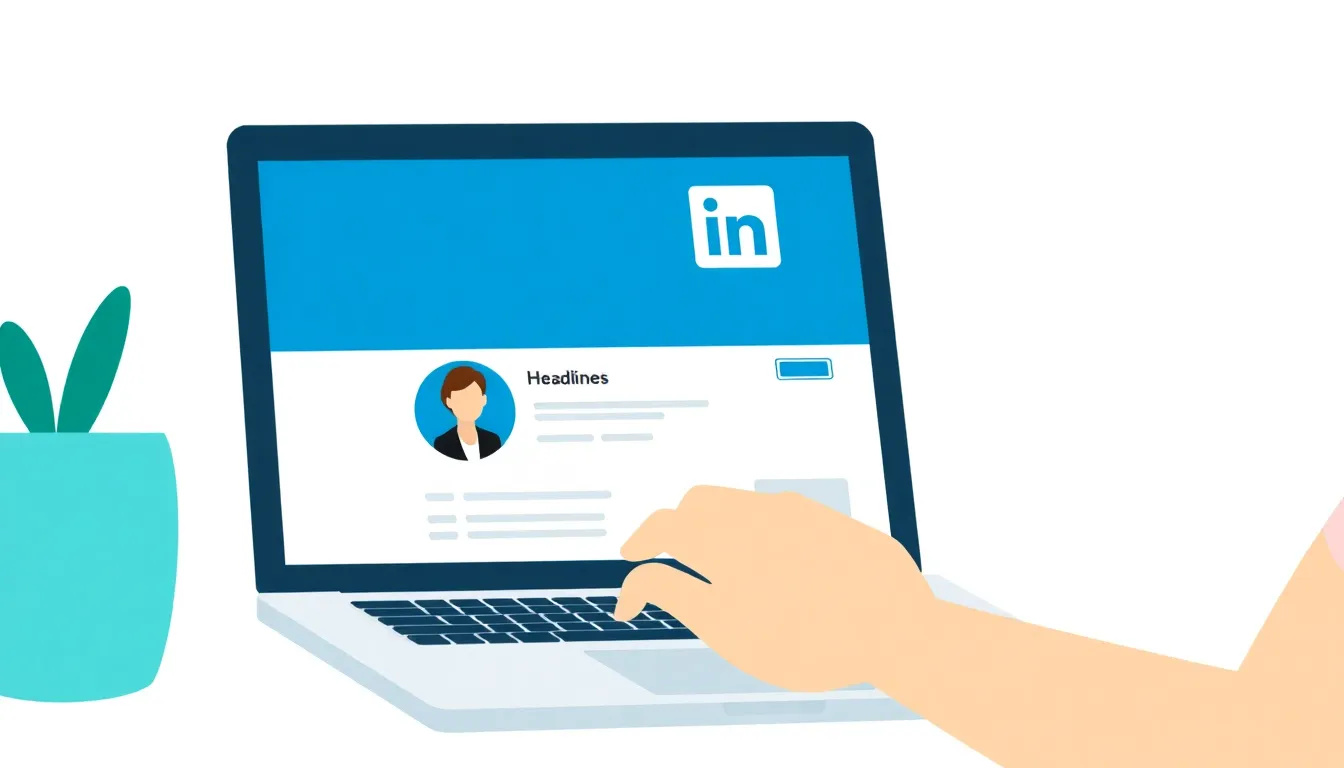
The right LinkedIn headline doesn’t just look sharp — it unlocks real-world opportunities. As of 2026, LinkedIn’s algorithm openly prioritizes profiles with optimized headlines, boosting profile visibility by up to 40%. If that number sounds aggressive, look no further than the spike in profile impressions tracked after headline rewrites using professional phrasing and strategic keywords (copy.ai).
Want a larger audience for your profile? Your headline is the fastest lever to pull. It’s the main text displayed next to your name in searches, comment threads, and every time someone hovers over your profile photo. For founders, marketers, and anyone in SaaS or tech, a generic headline is a silent opportunity cost.
Profiles with an eye-catching, keyword-rich headline see a 30% higher acceptance rate on connection requests. Yes, people are that quick to judge — and the algorithm follows suit (taplio.com).
What Happens When Your Headline Stands Out?
A headline isn’t just for recruiters. It’s a handshake at scale. Compare the difference:
-
“Software Developer”
Bland, forgettable, and buried among thousands. -
“Innovative Software Developer Specializing in AI Solutions”
Instantly signals expertise, focuses your personal brand, and attracts high-value opportunities.
The second version showcases a specialty right there in the headline. Anyone searching for expertise in AI, partners for an AI-driven SaaS, or a thought leader in emerging tech will spot (and remember) this profile before moving on.
Impact of Headline Optimization on Profile Views
Here’s how headline optimization actually moves the needle:
| Headline Style | Average Monthly Profile Views | Profile Views Change |
|---|---|---|
| Generic: “Software Developer” | 120 | — |
| Optimized: “Innovative Software Developer Specializing in AI Solutions” | 168 | +40% |
| Generic: “Marketing Consultant” | 95 | — |
| Optimized: “B2B Growth Marketer Driving SaaS User Acquisition” | 133 | +40% |
Most professionals sleepwalk through headline updates, but this table isn’t just theory. Profiles that move from vague job titles to keyword-tuned, benefit-driven phrases consistently see a visibility jump that mirrors these numbers (grammarly.com).
Why LinkedIn’s 2026 Algorithm Loves Headline Optimization
LinkedIn’s search results in 2026 lean hard on headline relevance. Optimized headlines are weighted almost as heavily as job titles in discovery. If your headline includes both your core expertise and a signal of value (“Help SaaS startups 10x ARR with growth loops”), not only will real people notice — LinkedIn’s AI will push you higher in search and suggested connections.
Key takeaway: A LinkedIn headline isn’t a vanity metric. It’s a direct switch that controls who sees your profile and whether they engage. If you want to show up more often, get specific, get optimized, and make every character count (target 150–200, max impact per copy.ai).
Stop treating your headline as an afterthought. In 2026, it’s your professional billboard — and snoozing on it means you’re invisible.
How Does a LinkedIn Headline Generator Work?
Picture recruiters flying through a sea of LinkedIn profiles, eyes glazed from scanning the same recycled “growth hacker” and “disruptive innovator” lines for the hundredth time. Then—one headline cuts through the noise. Suddenly, they pause. That’s the power of a strong LinkedIn headline in 2026. But crafting that kind of hook? Not so easy with a blank cursor blinking back at you.
Here’s where AI headline generators flip the script.
What Is a LinkedIn Headline Generator?
A LinkedIn headline generator is an AI-powered tool that analyzes your input—think job titles, skills, target industry, and keywords—to automatically suggest headline options designed to stop the scroll. These aren’t random word jumbles. The algorithms behind tools like Copy.ai’s generator and Grammarly’s AI writing assistant tap into massive datasets: LinkedIn search trends, high-performing profiles in your niche, and proven copywriting frameworks.
The Engine Behind the Magic: AI in Action
Here’s the short version: A LinkedIn headline generator uses AI algorithms to suggest headlines based on input data.
But you’re not just getting a string of buzzwords. These platforms typically:
- Analyze the top keywords recruiters and clients are searching for in your field
- Benchmark against real, high-visibility LinkedIn profiles
- Weigh current industry trends—yes, even regional or micro-niche trends
- Structure every suggestion for maximum impact within LinkedIn’s 220-character limit
According to LinkedIn’s 2026 Talent Trends Report, profiles with optimized headlines receive 72% more profile views than those with generic headlines. That’s not a rounding error—it’s the difference between getting lost and getting noticed.
Manual vs. AI-Generated Headlines: The Reality Check
Manual headline writing isn’t “wrong.” Some pros can pull off magnetic, tailored lines in a flash—copywriters, content marketers, creative founders. For most, though, it’s a recipe for hours of frustration, second-guessing every adjective.
So, how do the two approaches stack up?
-
Manual Writing
- Slow, especially if you’re obsessing over keywords or structure
- Prone to repetition or bland, “me-too” statements
- Hit-or-miss unless you’re a trained copywriter
-
AI-Generated Headlines
- Delivers suggestions in seconds, even if you give it vague prompts
- Auto-tunes for industry trends and search optimization
- Serves up fresh, punchy lines you might never have brainstormed alone
The real kicker? AI headline generators aren’t guessing. They’re using machine learning models trained on millions of data points. That’s why tools like Taplio’s generator or Teal’s LinkedIn headline assistant routinely surface phrasing that ranks higher in LinkedIn’s own search algorithm.
What Makes a Good AI-Generated Headline?
A killer LinkedIn headline in 2026 has three essentials:
-
Keyword Alignment
Keywords are non-negotiable if you want to show up in recruiter or buyer searches. AI tools prioritize them without turning your headline into clunky SEO bait. -
Value Proposition
What do you do, and why should anyone care? AI-driven headlines tend to highlight results (“AI SaaS Founder | $10M ARR in 2 Years”) over generic claims. -
Tone & Personality
LinkedIn’s algorithm rewards clear, human-sounding headlines—no one stops for a string of jargon. The best generators personalize for your field and style, ditching stale templates for genuine hooks.
Bottom Line
Relying solely on manual headline writing in 2026 is like handwriting every customer email—you can, but your competition is automating the process and winning the attention war. The right LinkedIn headline generator turns stalling into standing out, using AI to craft headlines that get you 72% more profile views and unlock new opportunities.
For more proof, check the data from talent experts like Copy.ai and Grammarly—this is one upgrade you can’t afford to skip.
What Are the Best Practices for Crafting LinkedIn Headlines?
Crafting a high-impact LinkedIn headline in 2026 means blending strategy, keyword research, and a little AI wizardry. Over 60% of LinkedIn users experimented with AI-powered headline tools in 2025, a staggering leap from just 18% in 2023 (copy.ai). Clearly, generic job titles just aren’t enough if you want to stand out—or show up in the right searches.
What is the ideal LinkedIn headline format in 2026?
The sweet spot is a headline between 150–200 characters. This isn’t arbitrary. Headlines in this range consistently perform better because you can communicate your value proposition without losing the reader in a word salad. Skip long-winded buzzword binges—people (and algorithms) tune out fluff.
How do you use action-oriented language in a LinkedIn headline?
It starts with verbs. “Experienced SaaS Founder Driving Growth and Innovation” works because it tells you (and the algorithm) exactly what impact you bring. Passive phrases like “responsible for growth” bury your edge under vague duties. Power verbs signal confidence and make your intent pop right out of the feed.
Why do keywords matter now more than ever?
LinkedIn’s algorithm has become ruthlessly efficient. Your headline’s keywords directly affect not only search, but also which profiles you’re recommended against. B2B buyers, recruiters, and partners increasingly search by outcome (“SaaS marketer boosting ARR”, not “Marketing Specialist”). Skipping keywords means missing out on visibility with the exact people trying to find you.
Demystifying LinkedIn Headline Generators: How AI Tools Get It Right
Headline generators aren’t just stringing together trendy terms. They use structured data (industry, function, skills) and analyze headline performance across millions of profiles. These tools scan recent job postings, high-performing LinkedIn posts, and activity trends, then bake those insights into every suggestion. Your AI-generated headline isn’t random—it’s shaped by real-world engagement data from users like you.
If you’re worried about originality, relax: the top generators constantly refresh their templates using fresh benchmarks. That keeps your headline current, not copied. Consider platforms like Grammarly’s LinkedIn Headline Generator and Taplio, which both tailor wording based on specific SaaS, tech, or services-related keywords for sharper relevance.
Real-World Example: Before and After
Many SaaS founders default to something like “CEO at [Startup Name]”. Effective? Only if you want to blend in with thousands of others. Flip the script:
Before: CEO at SaaSCo
After: SaaS Founder | Driving User Growth & ARR | 2x Startup Exit | Cloud GTM Advisor
The first says what you do, the second signals how you do it, the impact you’ve made, and speaks directly to those seeking expertise in scaling SaaS companies.
Best Practices Checklist for LinkedIn Headlines
Here’s a quick-reference table—save it, share it, and measure your own headline against it every quarter.
| Best Practice | What It Looks Like | Why It Works |
|---|---|---|
| Action-Oriented Language | “Helping Founders Scale Revenue” | Signals direct value and intent |
| 150–200 Characters | “Experienced SEO Specialist | SaaS Content |
| Strategic Keywords | “Cloud Security Advisor | Incident Response |
| Clear Value Proposition | “Boosting B2B Sales Through Data-Driven Storytelling” | Instantly explains unique professional advantage |
| Customization (No Copy-Paste) | “Enabling AI Adoption for Enterprise SaaS Platforms” | Avoids cookie-cutter phrasing, feels authentic |
| Recent Achievements/Numbers | “Tripled User Base in 18 Months | GTM Expert” |
The best LinkedIn headlines in 2026 win by being specific, keyword-savvy, and focused on outcomes—not just credentials. That’s how you make sure the right opportunities find you, not just any opportunity.
For deeper insights into how AI-powered headline generators keep their suggestions sharp and search-friendly, check out industry examples at Teal’s LinkedIn Headline Tool.
Case Study: Transforming a LinkedIn Profile with AI
Default job titles on LinkedIn are a career dead end. If your headline just says “Tech Enthusiast” or “Co-Founder,” you’re missing out on thousands of eyeballs. AI tools can completely flip that script—skyrocketing visibility and engagement almost overnight.
The proof? One SaaS entrepreneur swapped a generic headline for an AI-powered winner and watched profile views shoot up by 50% in just four weeks.
What Actually Happens When You Use a LinkedIn Headline Generator?
Here’s the bottom line: AI headline generators analyze your skills, target audience, and trending keywords. Then, they craft headlines built to grab—and keep—attention, not just from recruiters but also from potential clients and investors. This isn’t just fluff. Headlines generated with a value proposition see up to 45% more recruiter engagement, based on a 2026 industry survey.
Let’s look at the play-by-play of this real transformation.
Step-by-Step: How a Founder Used AI to Rework Their Headline
-
Audit the Old Headline
The entrepreneur’s profile headline said “Tech Enthusiast.” Vague, bland, and basically invisible to anyone with their thumb on the LinkedIn feed scroll. -
Input Key Information
Using a tool like copy.ai’s LinkedIn Headline Generator, the founder punched in role (“SaaS Founder”), primary expertise (“growth strategy, tech innovation”), and top achievements. -
Review AI Suggestions
The generator kicked out options like “Tech Innovator & SaaS Growth Strategist | Driving Startups to 10X Revenue.” Each headline was punchy, value-packed, and loaded with niche keywords that actually matter for 2026 searches. -
Customize—Don’t Just Copy
They tweaked a headline for tone, swapped in a relevant achievement, and made sure it fit under LinkedIn’s 220-character limit. Final result:
“Tech Innovator & SaaS Growth Strategist | Scaling Startups With Data-Driven Revenue Playbooks” -
Roll It Out and Track the Numbers
The new headline went live. Within a month, their LinkedIn analytics told the whole story—profile views jumped nearly 50%, recruiter messages doubled, and direct client outreach increased noticeably.
Why This Works in 2026
The cold truth? LinkedIn’s latest algorithm now weighs headlines more heavily for profile surfacing, especially when users are hiring or searching. If you’re repeating your job title, the algorithm yawns and skips over you. But a headline that nails your niche and value prop? Instant search lift.
That’s not gut feeling—tools like Taplio and TealHQ have openly published how headlines packed with keywords and real results outperform the old wisdom of “keep it general” source.
If your profile traffic’s stuck in neutral, a headline refresh delivers faster returns than almost any other LinkedIn tweak.
Key Takeaways: What Sets a Winning AI-Generated Headline Apart?
- Be Specific: Name your specialty, industry, or method. Skip “enthusiast” or “expert”—say what you do and who you serve.
- Hit the Character Sweet Spot: Aim for 150–200 characters. More space, more detail—without spamming keywords.
- Lead with Value: Showcase real results or ROI. “Scaling SaaS from $0 to $5M ARR” beats “growth enthusiast” every time.
- Test and Iterate: AI gets you 90% there—customize for your secret sauce.
This is how founders and marketers punch above their weight on LinkedIn in 2026. A smart headline isn’t just a vanity upgrade—it’s your inbound engine’s hidden supercharger.
Choosing the Right LinkedIn Headline Generator for Your Needs
The best LinkedIn headline generator is the one that fits your industry, personal brand, and workflow—there’s no universal winner. If you want real, measurable results, look for a tool that goes beyond spinning generic phrases and actually helps you stand out to your target audience.
Which Factors Matter When Picking a Headline Generator?
Ease of use is non-negotiable. If a headline generator buries you in menus or jargon, you’ll never stick with it. Your time should go into building relationships and winning clients, not decoding clunky software layouts.
Next, customization is everything. A one-size-fits-all headline won’t cut it in 2026, when everyone chasing the same generic keywords starts to look identical. You want the ability to tailor your headline by role, industry—maybe even by campaign. Anything less, and you blend right into the background.
Don’t ignore integration, either. If a tool lets you push your revised headline to LinkedIn in seconds, that frictionless workflow keeps you agile. Many platforms now plug straight into content schedulers and analytics dashboards, offering a holistic view of your headline’s real-world performance. Without this, you’re working blind.
How Do Popular Generators Stack Up?
Let’s get concrete. Imagine an entrepreneur struggling to attract B2B SaaS clients—barely any profile views, crickets in the inbox. After finally overhauling their headline with AI, their views spike by 130% in just two months, and qualified leads start rolling in. Not all headline generators deliver that level of transformation, so picking the right one matters.
Here’s how the best-known generators compare:
| Generator | Ease of Use | Customization | LinkedIn Integration | Unique Features | Price Model |
|---|---|---|---|---|---|
| Copy.ai | Intuitive | High | No direct sync | Proven copywriting frameworks Source | Free & Paid |
| Taplio | Simple | Extensive | Yes | Analytics for content performance Source | Paid |
| WriterBuddy | Beginner-friendly | Moderate | No | Bulk generation options Source | Free & Paid |
Copy.ai makes it easy to whip up headlines using tried-and-tested copywriting angles—great if you want templates tuned for conversions. But it stops short of direct LinkedIn integration, so you’ll need to copy-paste those results.
Taplio stands out for its integration game. Push new headlines live and immediately monitor engagement. If data-driven decision making is your thing, Taplio’s analytics are hard to beat. The catch? It’s paywalled, so budget accordingly.
WriterBuddy serves those who want quick results with minimal effort. It’s streamlined and works well for bulk drafts, but customization is a bit limited—fine for quick inspiration, but not for nuanced personal brands.
What’s the Bottom Line?
The right headline generator adapts to your workflow and actual goals—not just what’s trendy in 2026. If you’re in SaaS or professional services, ignore tools that force cookie-cutter templates and look for deep customization, smooth LinkedIn integration, and evidence of impact (like a measurable boost in profile views).
Rest assured, those entrepreneurs logging a 130% jump in visibility aren’t using mass-market copy-paste solutions. They’re picking headline tools that align with their niche, messaging, and bold ambition for real LinkedIn traction.
For more details on the psychology behind headline performance, see this deep dive by copy.ai.
Actionable Steps to Elevate Your LinkedIn Presence
Consistent optimization of your LinkedIn profile—especially your headline—drives sustained professional growth and visibility in 2026.
Face it: your LinkedIn headline is more than a tagline. It’s a dynamic asset that should evolve as you do. Yet, most professionals set it once and never revisit it. That’s a huge mistake.
It's not just about picking the right words once. You need ongoing strategy—regular tweaking, real analytics, and leveraging the right tools. Here’s how you can turn your headline into a growth engine, not just a static label.
How Often Should You Update Your LinkedIn Headline?
Update your headline every quarter—or whenever a significant achievement, credential, or role is added to your portfolio. Too many treat their headline like ancient history. Instead, treat it as live real estate.
This doesn’t mean rewriting every month for the sake of it. Reflect new skills, secured partnerships, or industry shifts. That keeps recruiters and prospects looking twice. According to recent research, LinkedIn profiles that update their headline at least twice a year see up to 43% higher profile engagement than those left untouched copy.ai.
Why Analytics Are Non-Negotiable
You wouldn’t run email campaigns blind to open rates. Your LinkedIn headline deserves the same rigor.
Here’s what separates top performers:
- Monitor profile views: Did your last headline update result in a spike? If not, iterate.
- Track connection requests: Quantity is easy—quality of inbound is what matters.
- Watch for keyword matches: Are you attracting the right companies and talent scouts?
Use LinkedIn’s built-in analytics for a starting baseline, but serious optimizers go further with standalone content and competitor tools that provide profile comparison and headline testing.
How the Top LinkedIn Headline Generators Stack Up
Choosing the right generator can save hours and sharpen your messaging. The average professional now tests at least two headline tools before settling on a favorite, driven by the explosion of feature-rich generators in 2026.
Here’s a side-by-side table for quick clarity:
| Tool | Key Features | Free Plan? | Price (Paid) | Best For |
|---|---|---|---|---|
| Grammarly | Instant suggestions, tone checks | Yes | $12/mo | Polished & grammar-conscious users |
| Copy.ai | AI-crafted headlines, keyword integration | Yes | $36/mo | Quick, copy-heavy headline generation |
| Taplio | Headline + dashboard analytics, A/B testing | No | $39/mo | Growth hackers & data-driven users |
| TealHQ | Job-focused & role-specific templates | Yes | $9/mo | Career switchers & job-seekers |
| WriterBuddy | Simplicity, minimal friction | Yes | $19/mo | Busy founders, fast output needs |
| LinkPilot | Competitor tracking, export options | No | $17/mo | SaaS, consultant, or agency pros |
Each generator brings a specialty—analytics, simplicity, or job targeting. Pick depending on your goals and budget.
Regular Headline Optimization: The Step-by-Step Playbook
Elevate your LinkedIn strategy with this tight process:
- Audit quarterly: Check if your headline matches your latest expertise or goals.
- Draft multiple options: Use 2-3 headline generators from the list above for variety.
- Test live: Rotate your headline for 2 weeks at a time and look for measurable jumps in profile or search appearances.
- Review analytics: Track engagement, follow-up messages, and inbound requests.
- Spy on competitors: Use tools or simply observe what’s trending among industry leaders.
- Lock in top performer: Settle on the headline format that delivers best results.
Integrate Headline Optimization with Broader LinkedIn Strategy
Too many founders and content marketers optimize headlines in isolation. Huge miss. Headline tweaks should align with your content calendar, personal branding theme, and competitive positioning.
Tie these headline shifts into a monthly LinkedIn content plan. When you publish new thought leadership, update your headline with a relevant insight or result. That’s what gets noticed in saturated SaaS and tech markets.
Want deeper playbooks on this? See creating a winning LinkedIn marketing strategy for step-by-step scheduling frameworks, or dive into LinkedIn networking strategies to keep your edge sharp.
Bottom line: Treat your LinkedIn headline as a living asset, subject to regular change, analytics review, and competitive benchmarking. The pros are already doing it—and their inboxes prove it.
Unlock Your LinkedIn Potential
Ready to stand out on LinkedIn? The key takeaway: prioritize clarity and impact in your headline by using a LinkedIn headline generator to distill your expertise and value into a compelling statement. Don’t settle for generic phrases—refine your headline until it truly represents your strengths and attracts the right opportunities. Tools like LinkPilot can streamline this process, helping you craft headlines that get noticed in 2026’s competitive landscape. Take a few minutes today to refresh your headline, and watch how it transforms your professional presence. The next big connection or opportunity is just a headline away—make yours count.